4
Getting Started
Getting Started
This Quick Start Guide covers basic tool functions only.
Complete operating instructions and detailed information
can be found in the ETHOS Tech User Manual.
The ETHOS Tech User Manual is on the Documentation CD
provided with your kit, and is also available at:
http://diagnostics.snapon.com.
Before operating, read and understand all instructions and
safety messages in this manual and the accompanying
Important Safety Instructions manual.
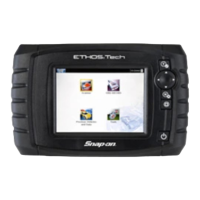
To get started using your ETHOS Tech, a power source is required.
Once powered, press and release the power button to turn your
ETHOS Tech on.
The ETHOS Tech can be powered by batteries, the AC/DC power
supply or by vehicle power (through the data cable when connected
to the DLC). The ETHOS Tech automatically turns on when
connected to an external power source, such as the AC/DC power
supply or a vehicle data link connector (DLC).
z Installing the Batteries
1. Remove the battery cover and install six AA batteries (included)
in the correct polarity. Battery polarity is shown on the battery
slots.
2. Install the battery cover.
z Connecting the AC/DC Power Supply
1. Connect the power supply adapter to the ETHOS Tech data
cable connector.
2. Insert the power supply connector into the power supply
adapter jack, then connect the power supply to the AC power
source.


 To Next Page