10
Motion Detection and Notications
When the camera is on, the iSecurity+ app informs you when the camera detects
an intrusion or a movement. iSecurity+ is available for download on Google Play
and the App Store.
Access your camera from a computer
Follow the link below to access your camera from a computer :
https://app.isecurityplus.com/app/c/login.html
Installation
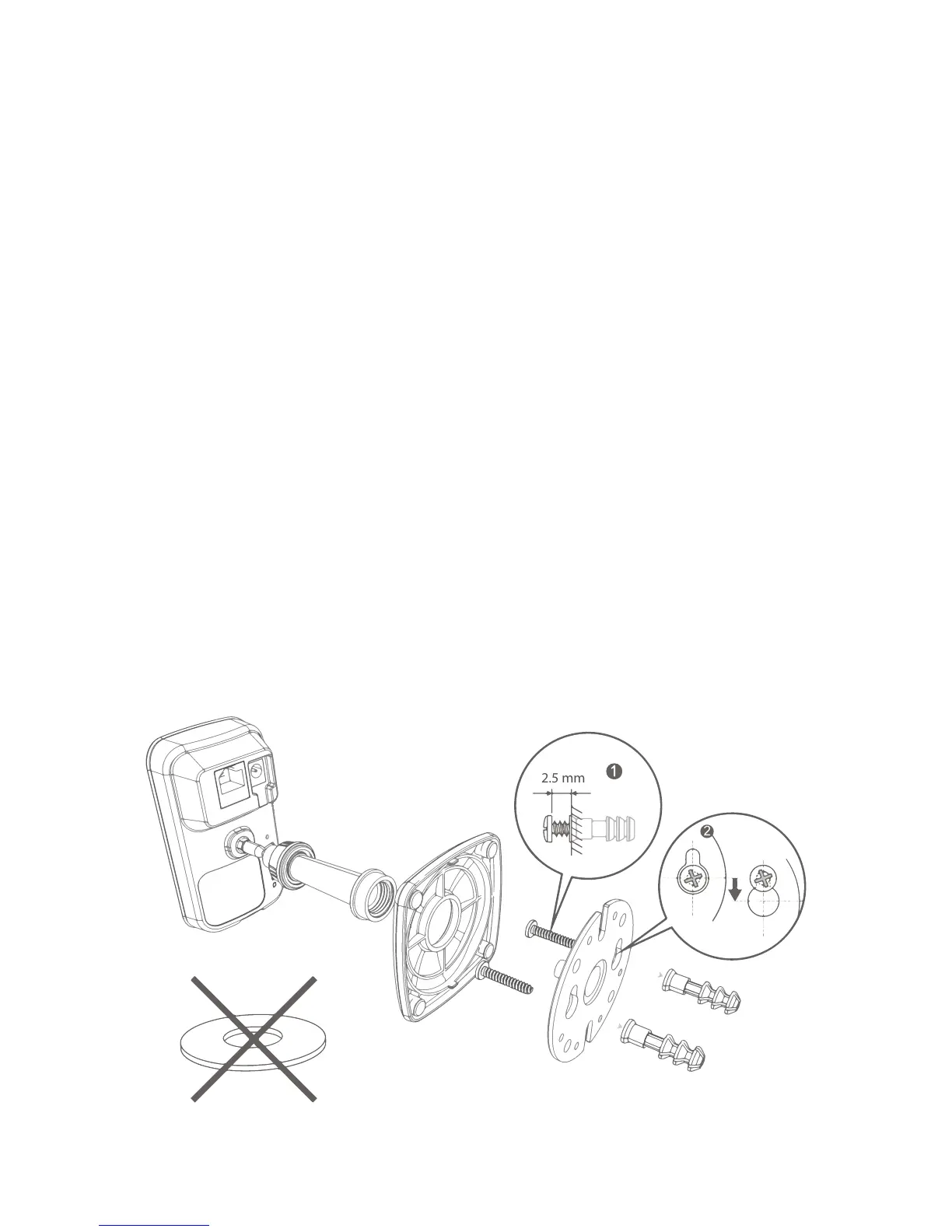
To install the ES-CAM2A on a wall, unscrew the base of the camera and remove
the metal plate.
Fasten the mounting bracket to the wall with the screws and anchors included in
the box. Reattach the base cover and screw the stand to the mounting bracket
(see drawing on the opposite page).


 To Next Page