Use as an additional siren
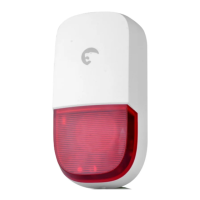
If the siren is used as an additional siren, it must be
registered to your alarm’s control panel. If the alarm
is triggered, the ES-S7A will ring out and its LED
lights will turn on.
Register the ES-S7A in the control panel
Regardless the system is armed or disarmed,
press the Connect button to switch to Connection
mode. The LED indicator turns on: you are now in
connection mode for 20 seconds. Press any of the
“SOS”, “ Disarm” or “Arm” buttons on the control
panel of your alarm system. You hear short beeps:
the siren has been registered in the control panel
successfully.
Note
Do not trigger any sensor when registering the
siren in the control panel.
Test
Press the “Arm” button on the control panel. The
built-in speaker of the control panel beeps and
the LEDs of the ES-S7A turn on for 4 seconds: the
connection is successful. If not, the connection has
failed, try registering the siren again.


 To Next Page