SIM
3
This step only applies if you are using your system with a SIM card.
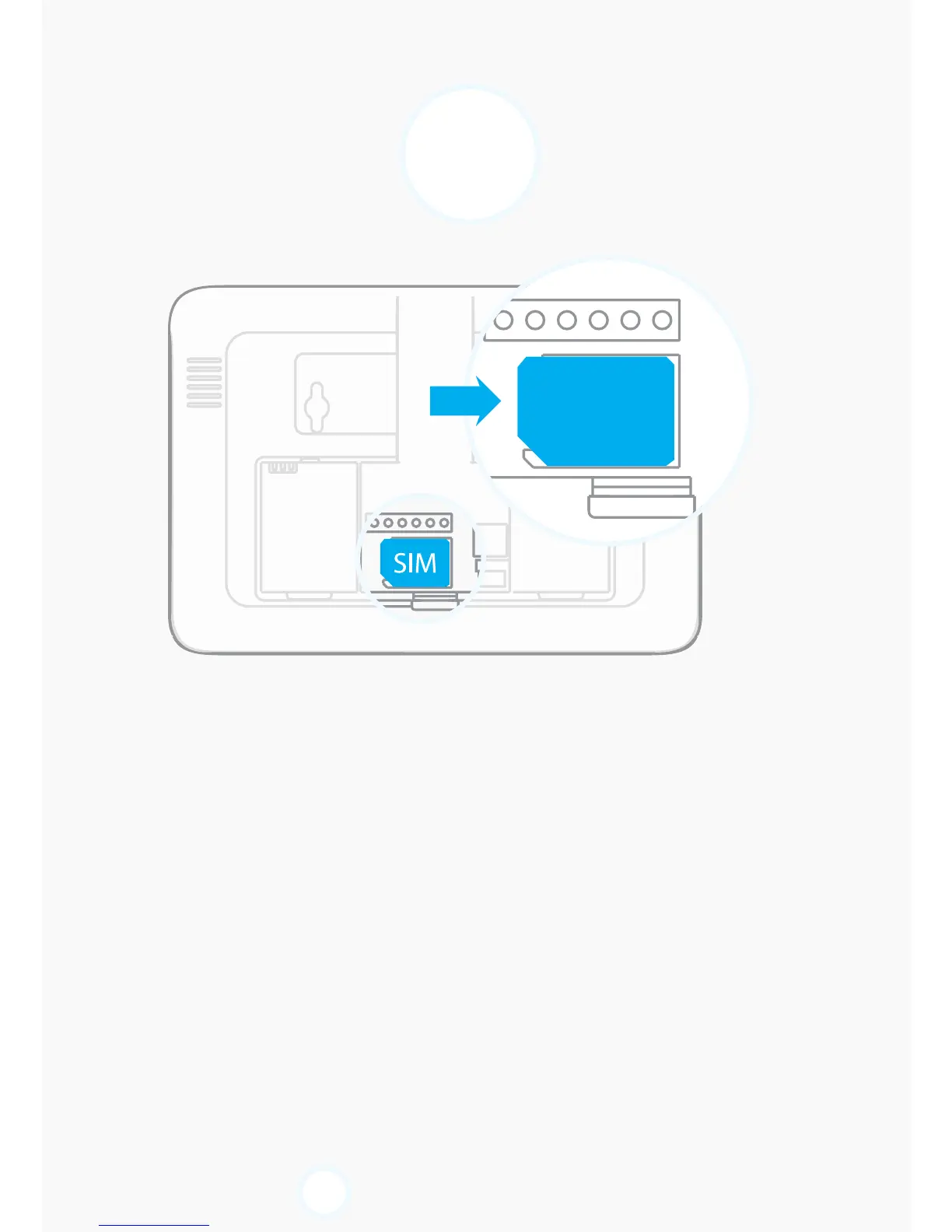
Insert the SIM card in the control panel
Open the battery compartment at the back of your control
panel and insert the SIM card in the SIM card slot.
Important
- Insert the SIM card according to the shape of the SIM card
slot.
- The SIM card must be compatible with the GSM network.
Contact your carrier for more information.
If you do not wish to connect your system to a landline, go
directly to step
5
.


 To Next Page