61
GB
Auto
Reheat
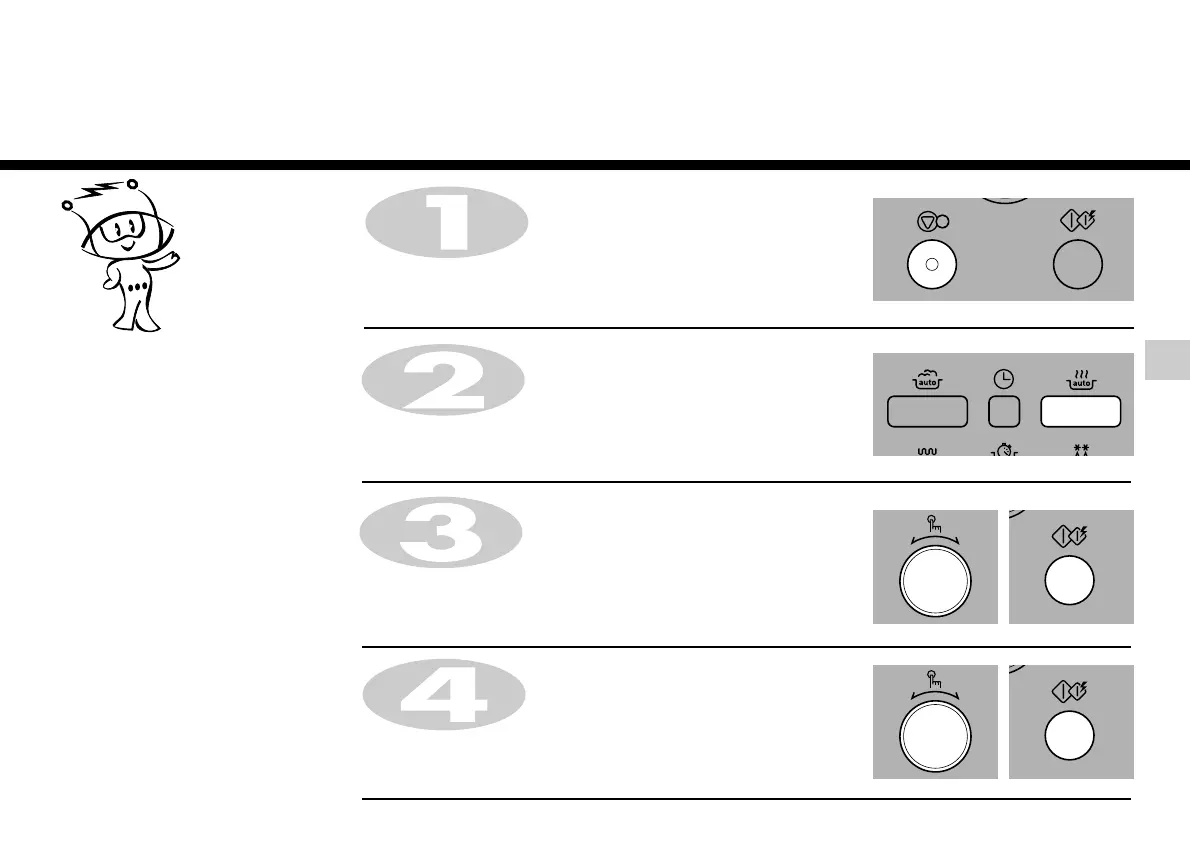
Press STOP/CLEAR .
Press AUTO REHEAT.
Turn DIAL until display shows “rh-3”.
Press START for category confirmation.
AUTO REHEAT cooking make food
reheating convient and easy to use. The
oven has been pre-programmed to
automatically reheat food
Your oven has four AUTO REHEAT
settings: Chilled Pizza, Soup/Sauce,
Chilled meal, Frozen meal.
In the following example I will show you how to cook 0.6 kg of chilled meal.
Turn DIAL until display shows “0.6kg”.
Press START.


 To Next Page