EN 23
USING THE OVEN FUNCTIONS
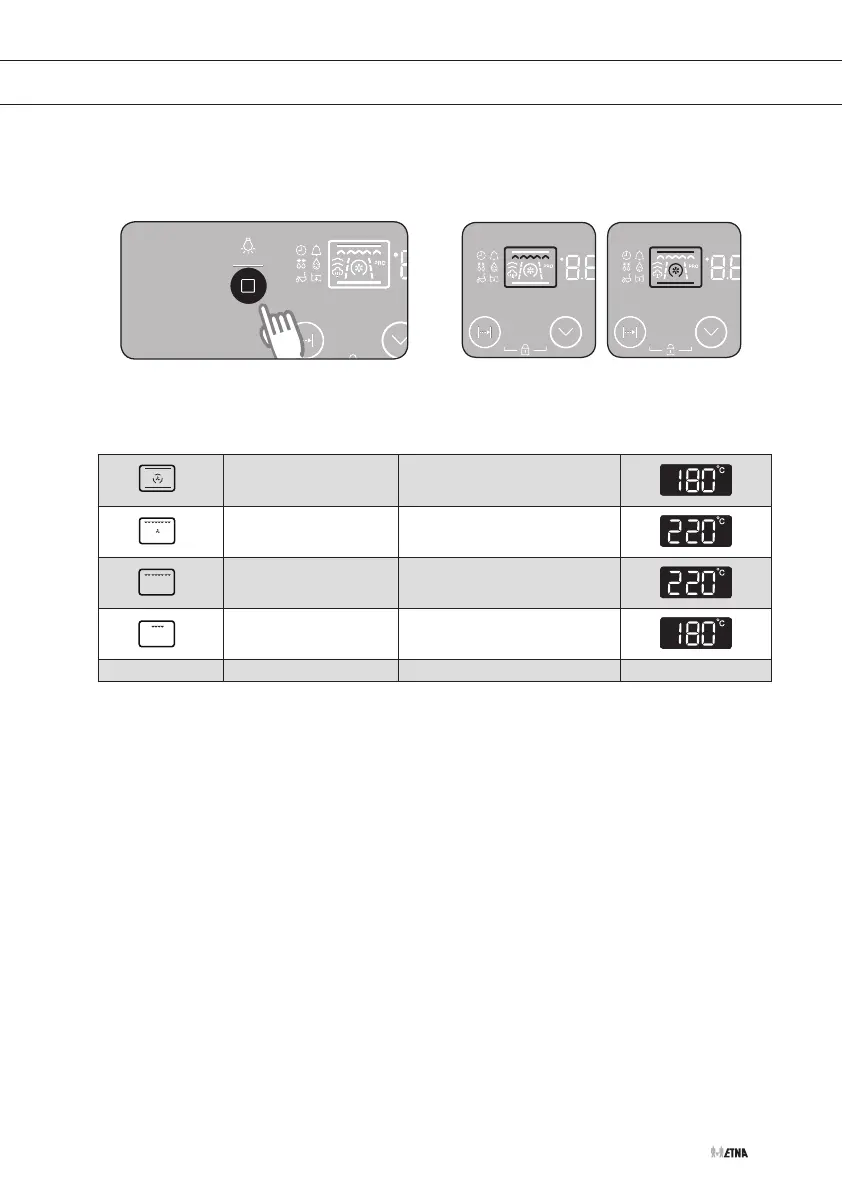
This mode oers four settings. Consult the cookingguidelines to determine the correct
setting
Oven settings
Press the function selection button to
select the oven setting.
Press several times on the function
selection button until the desired oven
setting appears in the display.
Hot air
Press the function selection
button twice.
Grill + fan
Press the function selection
button three times.
Maxigrill
Press the function selection
button four times.
Grill
Press the function selection
button five times.
1


 To Next Page