Cooking using the microwave
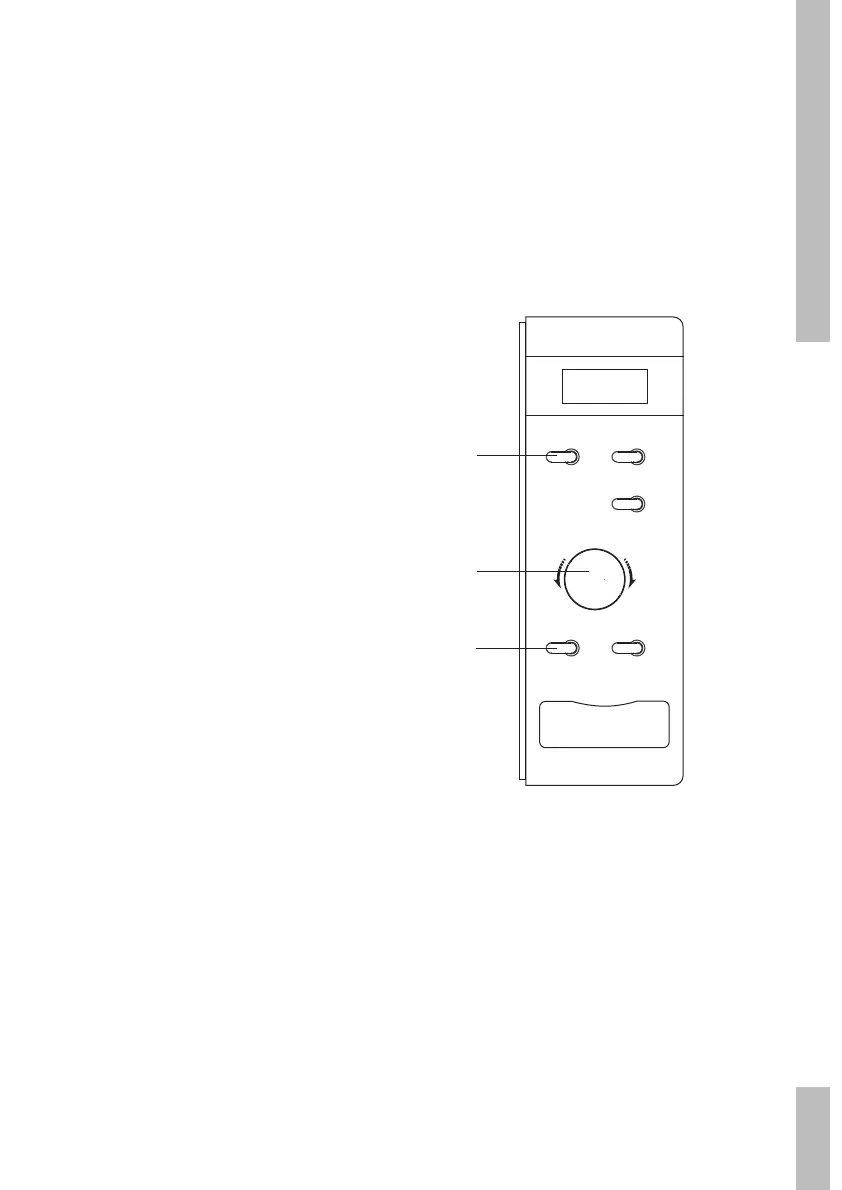
1 Press the ‘Magnetron’ button to select the
microwave function. The display shows
“P100”.
2 Press the ‘Magnetron’ button repeatedly or
turn the ‘Tijd/Gewicht/Auto Menu’ control
knob to adjust the microwave power.
3 Press the ‘Start/OK’ button to confirm the
microwave power.
4 Turn the ‘Tijd/Gewicht/Auto Menu’ control
knob. Set the cooking time (the maximum
cooking time is 95 minutes).
5 Press the ‘Start/OK’ button to start the set
programme.
example:
You want to cook the dish at 80% of the
microwave power level for 20 minutes.
1 Press the ‘Magnetron’ button once.
The display shows “P100”. Press the
‘Magnetron’ button again to set the power
level to 80%. The display shows “P80”.
2 Press the ‘Start/OK’ button.
3 Turn the ‘Tijd/Gewicht/Auto Menu’ control
knob until the display shows “20:00” (the
maximum cooking time is 95 minutes).
4 Press the ‘Start/OK’ button to start the set
programme.
microwave power level table
Power level Press the ‘Magnetron’ button
100% (P100) 1x
80% (P80) 2x
50% (P50) 3x
30% (P30) 4x
10% (P10) 5x
Instant cooking
1 Press the ‘Start/OK’ button. Cooking will
now be for 30 seconds at a microwave
power level of 100%.
Each subsequent time you press the ‘Start/
OK’ button the cooking process is extended
by 30 seconds. The maximum cooking time
is 95 minutes.
OPERATIONGB 11
Stop
Magnetron
Ontdooien
Klok
Start/OK
T
i
j
d
●
G
e
w
i
c
h
t
●
A
u
t
o
M
e
n
u
1
3
2/4


 To Next Page