ZONEGUARD+ OWNER’S MANUAL
7
SET IT UP
PLUG IT IN
• Use the enclosed DC-IN
5V AC adapter. Plug one
end into the socket on the
back of the radio and the
other into the outlet.
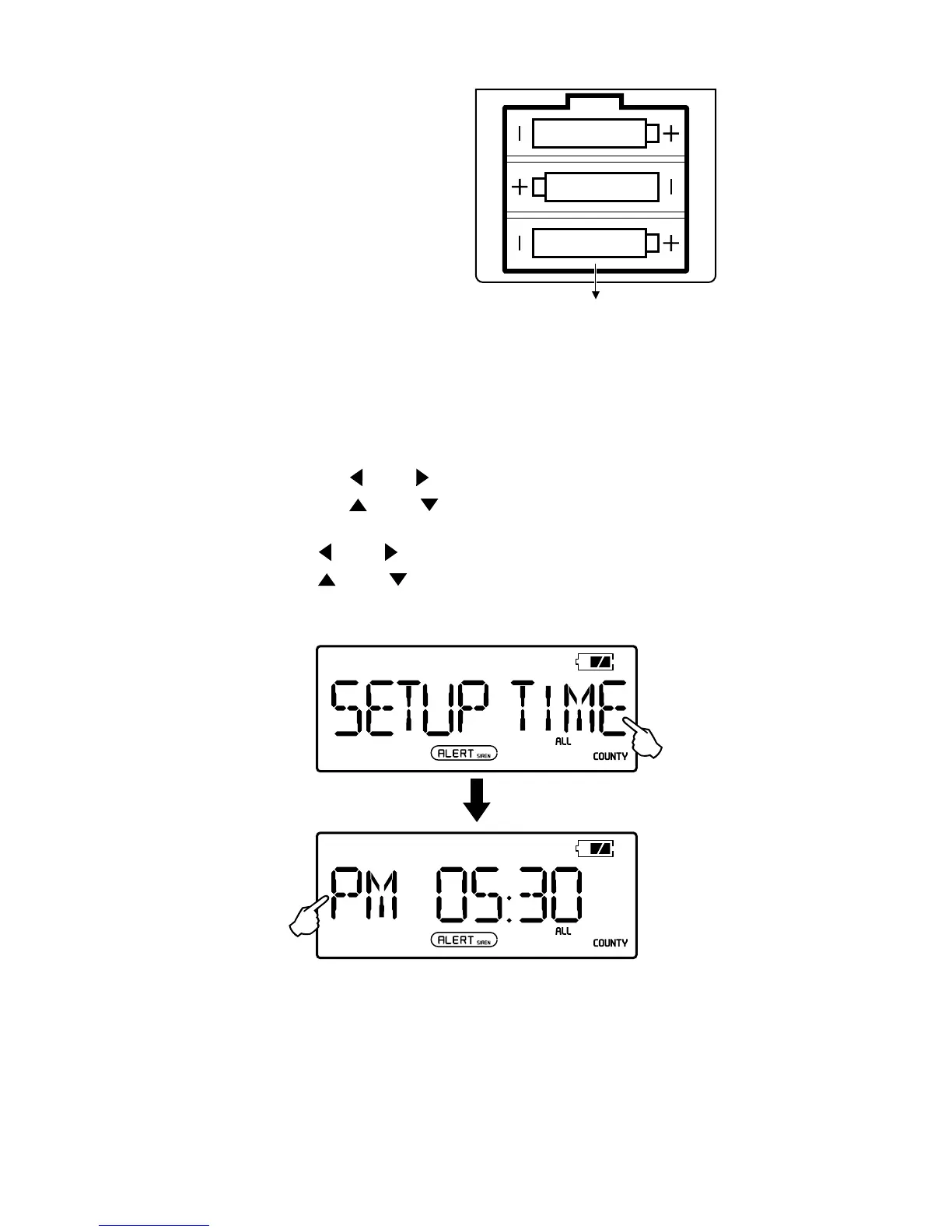
• For emergency backup,
pop in three AA batteries
into the battery compartment on the back of the
ZoneGuard+. Be sure to follow the polarity diagrams.
SET THE CLOCK
1. Press <MENU>.
2. Press the <
> or < > button. When the hour ashes,
press the <
> or < > button to adjust. (Watch for the
AM/FM indicator).
3. Press <
> or < >. When the minute ashes,
press <
> or < > to adjust.
4. Press the <MENU> twice to conrm and exit.
NOTE: The clock mode is 12-hour mode; <AM> displays
in the morning and <PM> displays in the afternoon
and night.


 To Next Page