4 | 11
Troubleshooting for Users
CONNECTION TO WEB INTERFACE
Users can connect to the charging station web interface using the
charging station IP address. Default IP address can be found on the
information sticker on the inner part of the maintenance doors. IP of
the charging station can be manually changed. If you did this and
forgot the new created IP you can always revert back to the default
IP by resetting the charging station.
When IP address is written in the internet browser and the computer
is in the same local network you will be connected to the web
interface.
To determine if your computer is in the same network as charging
station ping the station using the CMD command ping with the IP of
the station. You can change computer network in the network
settings.
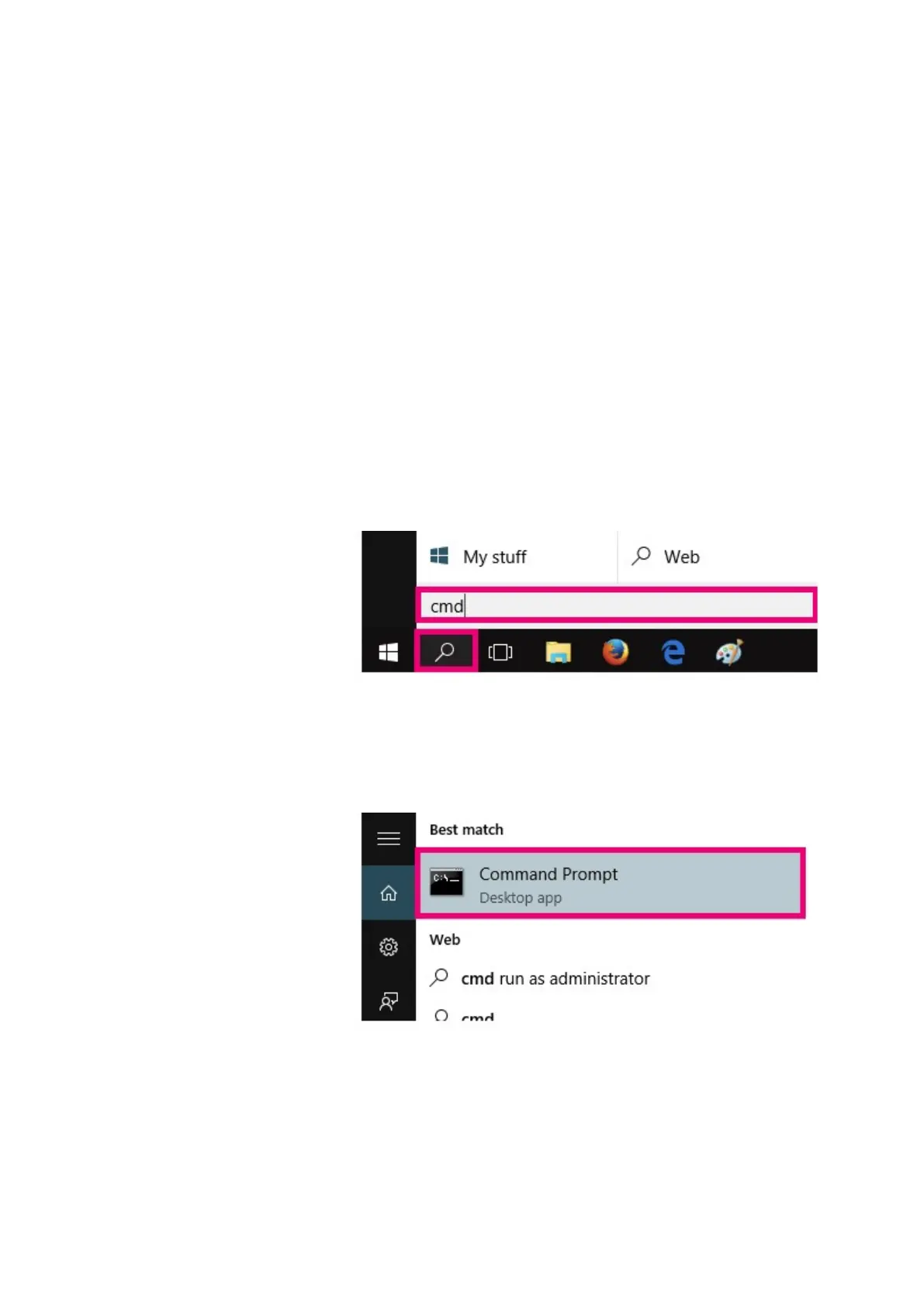
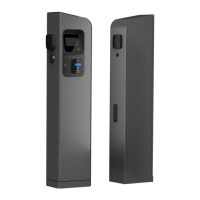
To ping the station connect to Command Prompt by searching for it
in windows search functionality.
Figure 4: Search for cmd using windows search functionality
Figure 5: Open Command Prompt
In the Command Prompt write ping and IP address you would like to
ping


 To Next Page