Need help?
Do you have a question about the Etrel INCH and is the answer not in the manual?
Defines the proper and intended use of the Etrel INCH charging station.
Covers safety during maintenance, repair, and daily operation of the station.
Describes the smart charging station, its LCD screen, and connectivity options.
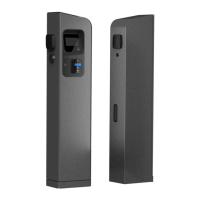
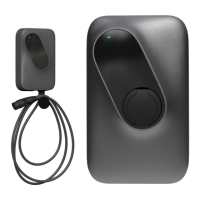
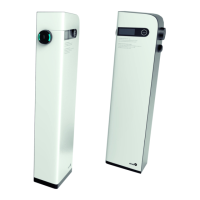
Illustrates the different physical configurations of the Etrel INCH charging station.
Details the location and content of stickers providing technical and electrical information.
Explains the sticker inside maintenance doors detailing connectivity options.
Guides on accessing diagnostic information and station details via the web interface.
Guides on initial power-up sequence and status light interpretation.
Details the Fast Charging and Interactive Charging modes for initial use.
Explains how to configure the screen saver mode on the charging station.
Explains how to use PIN codes and mobile apps for charging authorization.
Describes how to use an RFID card to authorize the charging session.
Guides on connecting the charging cable to the vehicle after authorization.
Allows users to input or adjust their departure time for optimized charging.
Shows examples of energy consumed and charging time on the LCD screen.
Shows how charging time is displayed on the station's screen.
Explains how to stop a charging session locally or remotely.
Provides instructions on how to connect to the charging station's web interface.
Guides on entering the station's IP address into a web browser.
Explains how to use the ping command to check network connectivity from a computer.
Details using Command Prompt (Windows) to ping the charging station's IP.
Explains how to use Terminal (macOS) to ping the charging station's IP.
Guides on adjusting computer network settings to match the station's network segment.
Shows how to locate and access TCP/IPv4 settings in Windows Network Connections.
Details how to manually set the computer's IP address and subnet mask.
Guides users on accessing System Preferences for network settings on Apple computers.
Explains how to access advanced network settings for Wi-Fi or Ethernet connections.
Describes how the charging station uses DHCP and how to acquire an IP address.
Differentiates user roles and their access rights within the web interface.
Shows the main dashboard of the web interface, displaying session status and key metrics.
Details the capabilities of the Diagnostics module, including logging and information retrieval.
Illustrates the diagnostics module interface for firmware upgrades and resets.
Explains how to change the language of the web interface through the burger menu.
Describes how to access the charging station's side maintenance area.
Guides on resetting the charging station via maintenance doors or web interface.
Details the procedure for testing and resetting RCD and overcurrent protection.
Advises on checking overcurrent protection for damages and proper function.
Mentions using the web interface for troubleshooting as described in the diagnostics section.
 General
| Housing Material | Aluminum |
|---|---|
| Operating Temperature | -30°C to +50°C |
| Efficiency | >95% |
| Cooling | Natural convection |
| Connectivity | Ethernet, Wi-Fi, 4G (optional) |
| Compatibility | Electric vehicles with Type 2 connector |
| Charging Standard | IEC 61851, IEC 62196 |
| Rated Current | 32 A |
| Rated Voltage | 400 V AC |
| Maximum Output Power | 22 kW |
| Communication Interface | OCPP 1.6 |
| Protection Degree | IP54 |
| Mounting Type | Wall-mounted |

 To Next Page