18 | 26
Etrel Inch | User Manual
|
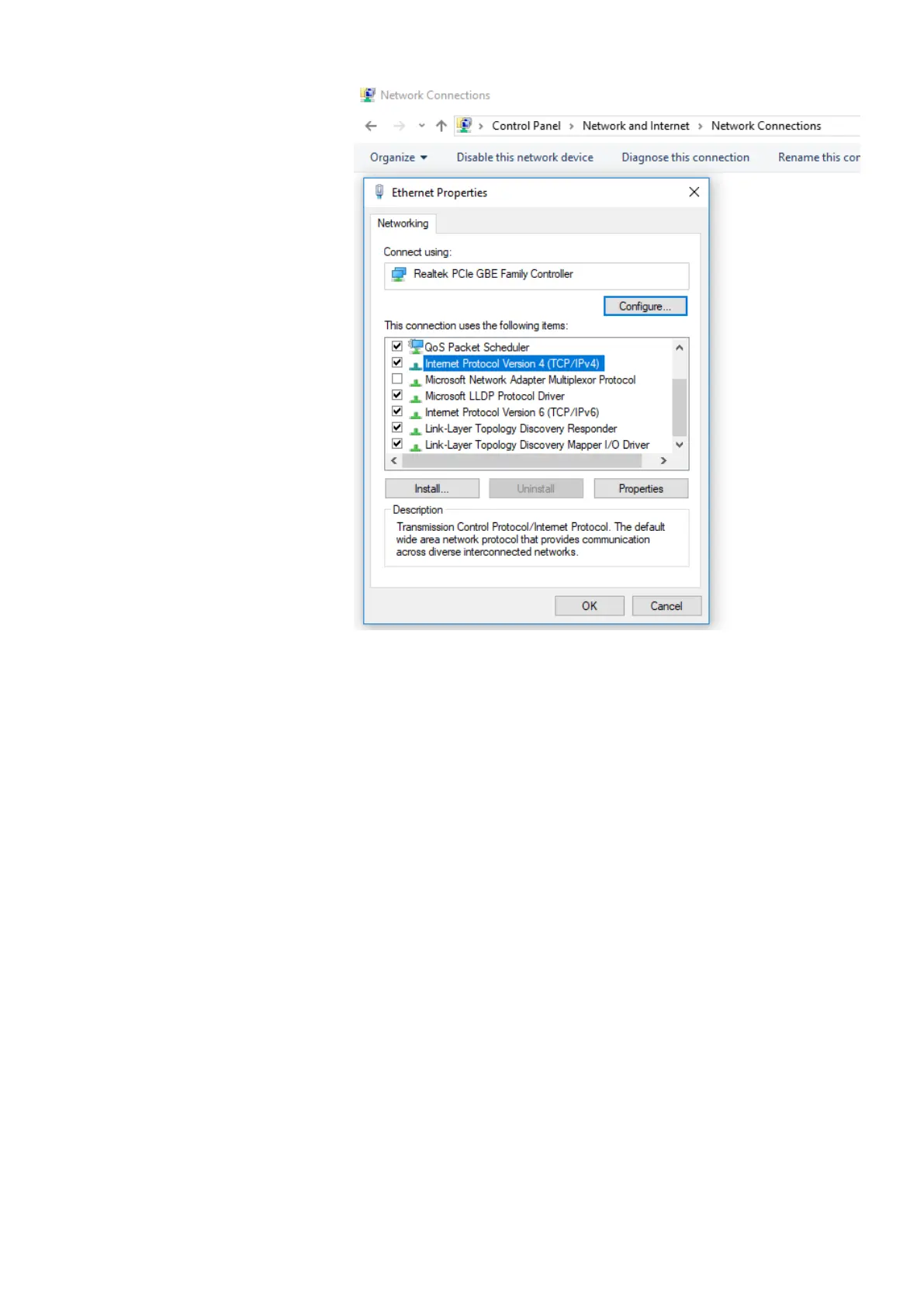
Figure 25: Locate Internet Protocol Version 4(TCP/IPv4) in network properties
If the station default IP is 192.168.1.250 you should change IP
address to 192.168.1.1. Last bolded number can be random as long
as it is not used by some other appliance in the network. For the
subnet mask you should write 255.255.255.0. You will now be able
to ping the station as it is shown above.


 To Next Page