14 | 26
Etrel Inch | User Manual
|
Locally
When you are next to charging station, you can simply end the
charging session directly in your car and by disconnecting the
charging cable.
Re motely
If you want to do this remotely you can use Web interface. On the
picture above, you can see the button “Stop session” in the middle
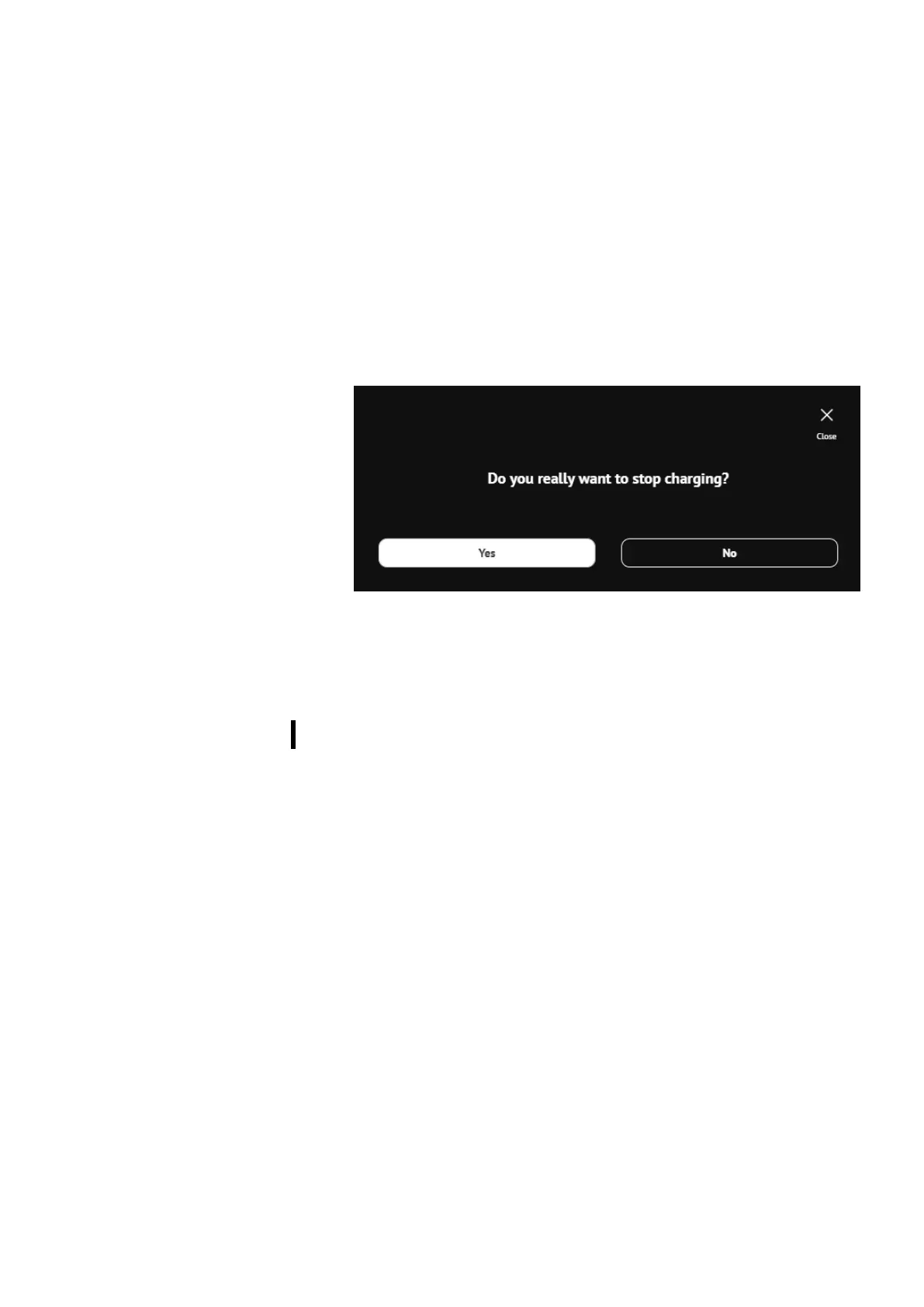
on the right side. When pressing this button new window will pop up
to confirm the action. After that the session will stop. In similar
fashion you can stop the charging using app on the mobile phone.
Figure 18: Confirmation window to stop the charging session using web interface
5 WEB INTERFACE
Charging station’s web interface allows you to connect to the
charging station platform to configure its settings as well as check
the charging session and station data, check the connectivity status
and errors description when they occur.
CONNECT TO WEB INTERFACE
Users can connect to the charging station web interface using the
charging station IP address. Default IP address can be found on the
information sticker on the inner part of the maintenance doors. IP of
the charging station can be manually changed. If you did this and
forgot the new created IP you can always revert back to the default
IP by resetting the charging station to the manufacturer settings
(procedure is described in chapter 6 Troubleshooting).
When IP address is written in the internet browser and the computer
is in the same local network you will be connected to the web
interface.


 To Next Page