21 | 26
Etrel Inch | User Manual
|
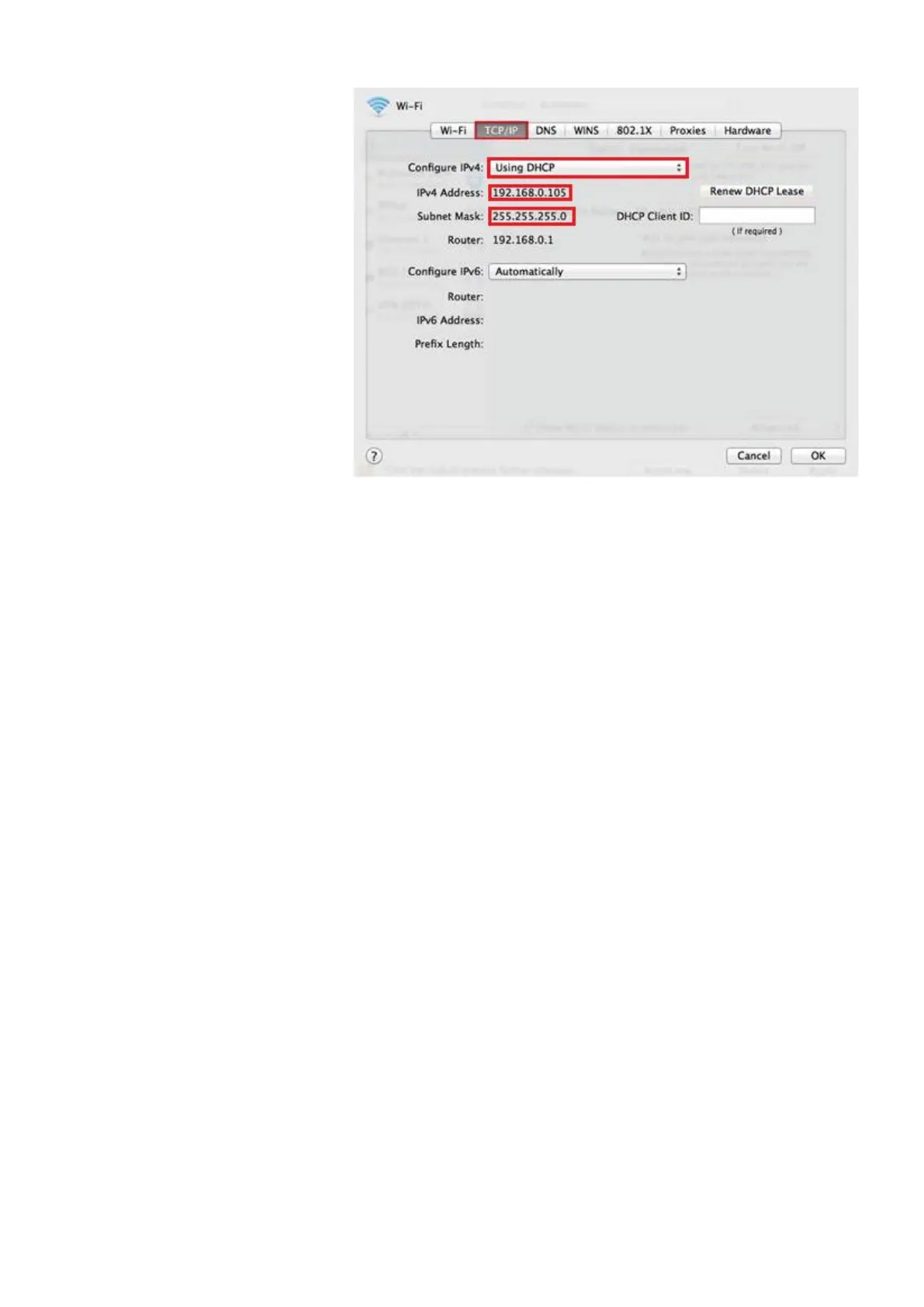
Figure 30: Set network settings
Using DHCP for connection
If the charging station uses DHCP (Dynamic Host Configuration
Protocol) this will be written on the sticker located on the inside of
the side maintenance doors. When DHCP is used router
automatically assigns IP address to the charging station connected
to it. To acquire DHCP address you will have to hold the charging
station reset button for 4 s until the first beep sound is heard.
Address will be displayed on the LCD screen. (detailed procedure
described in chapter 6).
USING WEB INTERFACE
In the web interface each type of user has different rights what he
can see and edit in the web interface. Operators will have biggest
rights in order to set up all the configuration and connectivity
settings. As a regular home user, you will have only basic rights that
will allow you to see Dashboard and Diagnostics module.
Configuration of charging station using web interface and more
detailed description of web interface is available in document Etrel
INCH configuration guide.
Main dashboard
Main dashboard window allows you to see current power, cluster
power if the charging station is part of the cluster, building power
load, charging station availability and information about the last
session.


 To Next Page