20 | 26
Etrel Inch | User Manual
|
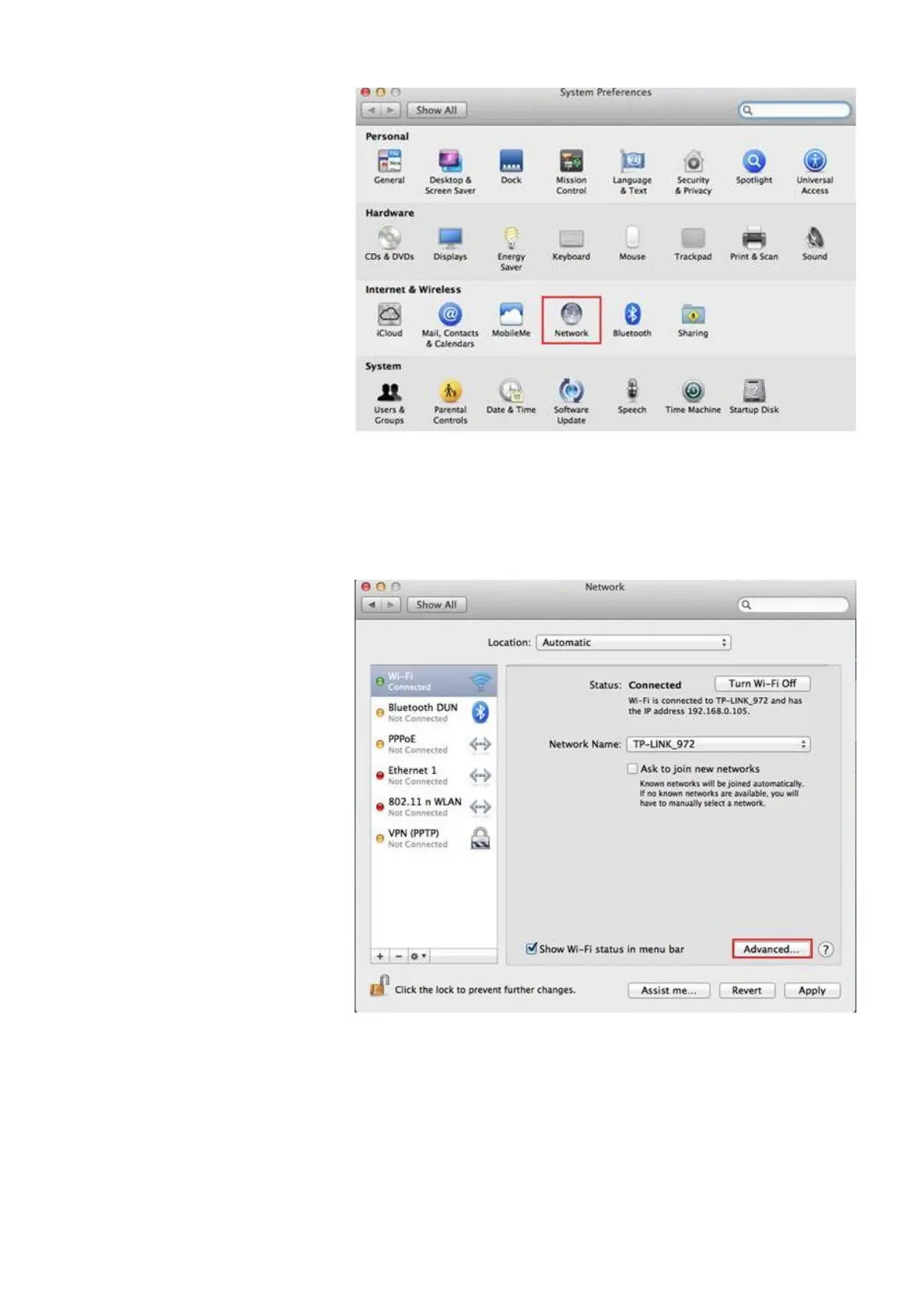
Figure 28: Click Network icon
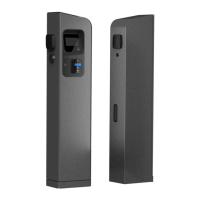
Click on the Wi-Fi or Ethernet connection (Depends on which one is
used) and press Advanced button in the bottom right.
Figure 29: Go to advanced settings of internet connection you are using
Choose TCP/IP. In the Configure IPv4 option choose Manual and
change IPv4 Address to 192.168.1.1, where last bolded number can
be a random number as long as it is different than 250 (used by
station) and is not used by any other appliance in the network. Set
subnet mask to 255.255.255.0


 To Next Page