25 | 26
Etrel Inch | User Manual
|
On the inside of maintenance doors, you will find sticker with
technical information including basic charging station information,
model type and serial number. When support is contacted it is
important that you know the charging station model type so the
support can quickly help you solve the issue. This information can be
gathered on the web interface in the Diagnostics menu.
RESETING THE CHARGING STATION
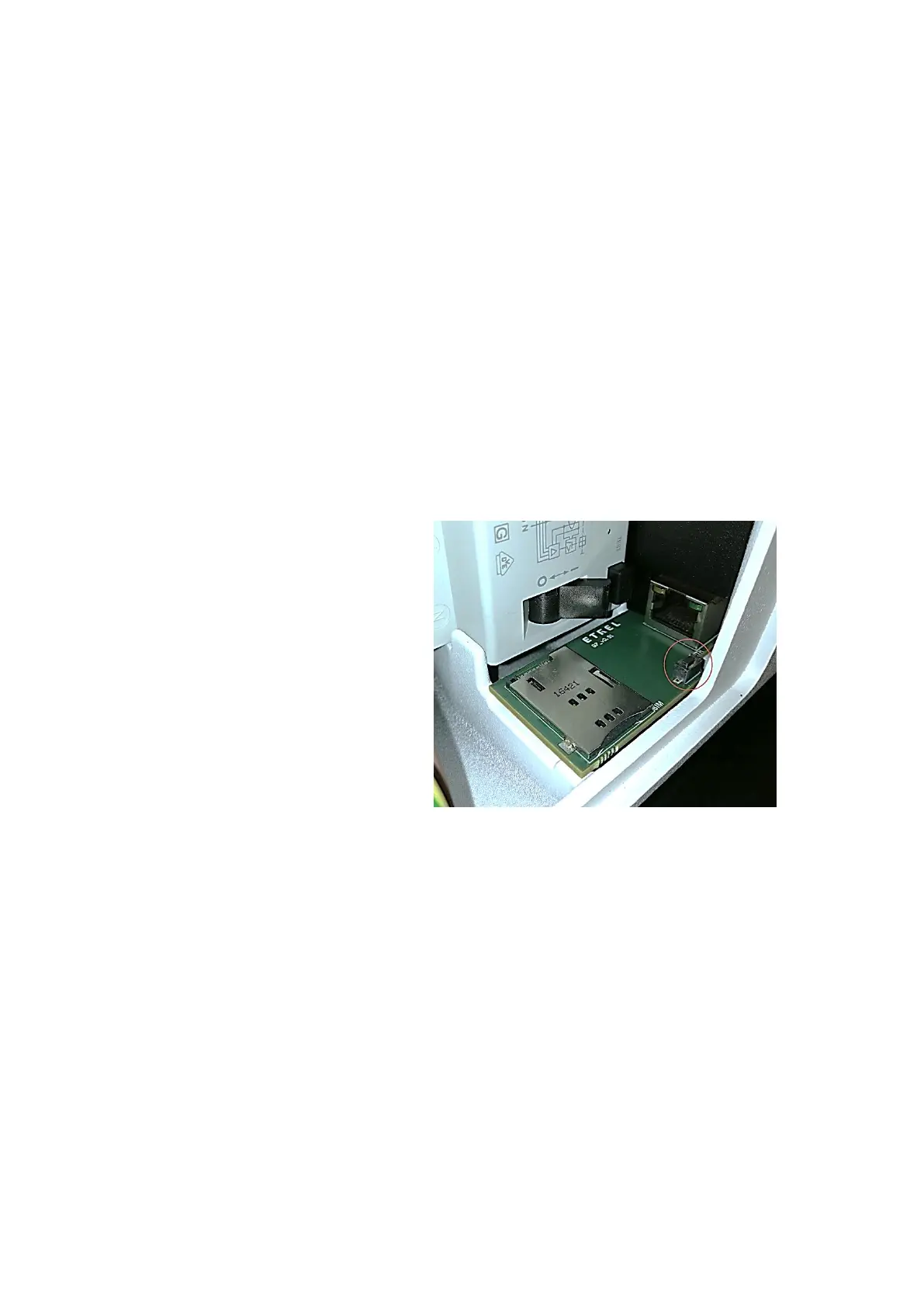
Charging station can be reset by opening the side maintenance doors
and pressing the button inside the maintenance opening.
If you hold the button 4 s the charging station will respond with the
beep after which you will have options on the screen to check the IP
address of the station or to reset the station. You can do the basic
reset and factory reset, which will restore charging station’s factory
settings (username, password, default IP and other settings).
Figure 36: Reset button inside the maintenance opening
RESET AND TEST THE PROTECTION ELEMENTS
One protection element can be installed inside the charging station.
In order to ensure that the element is working properly you need to
test it. This should only be done if RCD or overcurrent protection is
installed inside the charging station.
RCD
The test button on the RCD unit allows user to verify the correct
operation of the device by passing a small current through the RCD
unit. This simulates a fault by creating an imbalance in the sense
coil. If the RCD does not trip when this button is pressed, then the
device must be replaced. You have to change the device also when
Important: RCD and Ocervurrent
protection element needs to be tested and
reset by pressing the button on the device
at least once per month. By doing this,
appropriate operation of RCD and
Overcurrent are ensured. If this is not done
the protected device can be dangerous to
users and potential malfunction can be
life-threatening.


 To Next Page