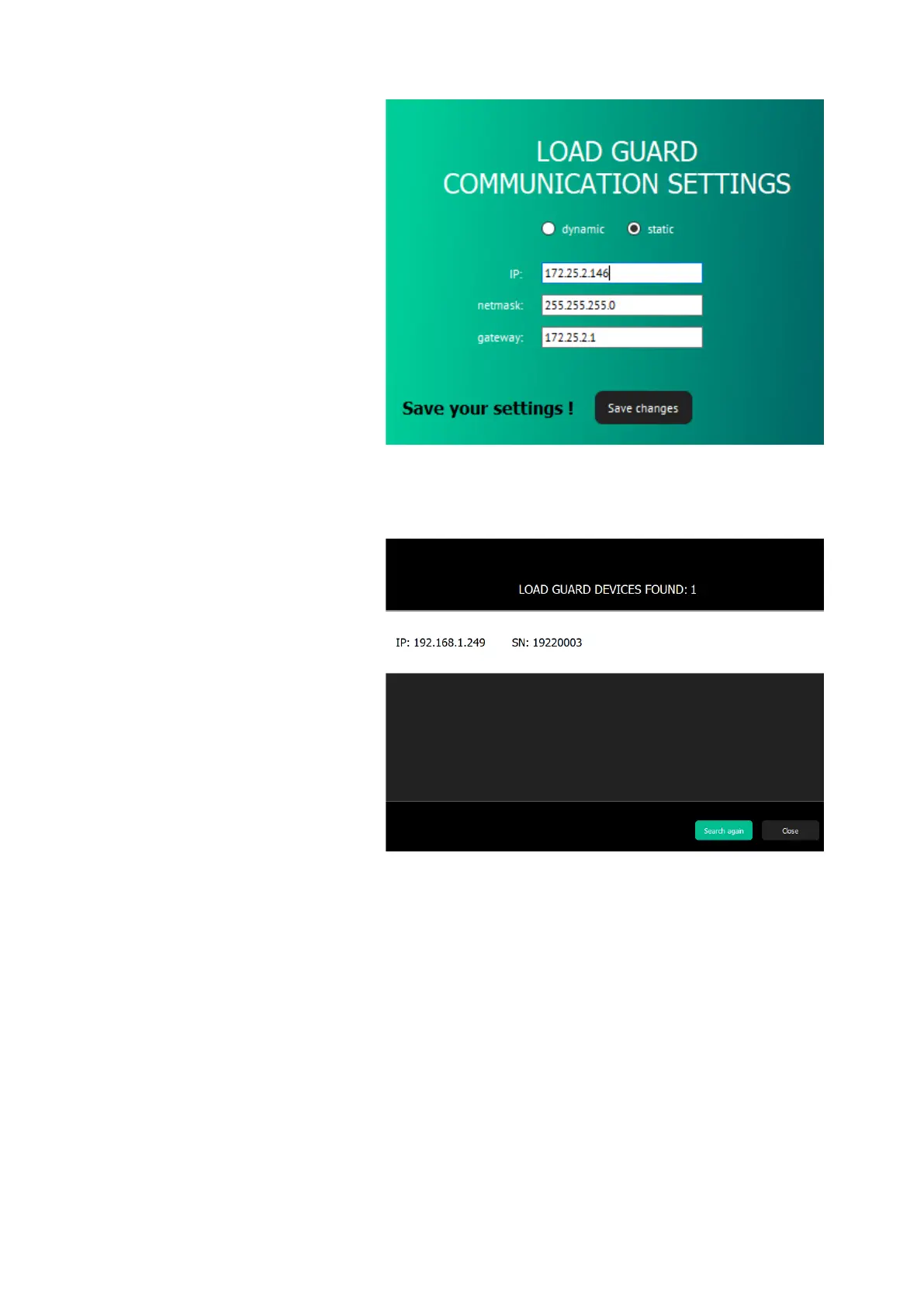
Figure 28: Static connection data entry
For saving of changes, click on Save changes. After that the Load Guard
will reset automatically.
Figure 29: Load Guard is not in the same network group as computer
If the IP address of the Load Guard was changed in a way that the Load
Guard is not part of the same network group as the computer anymore
(e.g. switching of one of the first three numbers of the IP address), only
the IP address and serial number of the Load Guard will be displayed.
In this case the IP address of the computer should be changed accordingly,
so that the first three numbers of the IP address are the same as on Load
Guard.
When purchasing Load Guard together with charging station, they are
already set and tested at the factory and already configured for automatic
pairing of both devices.


 To Next Page