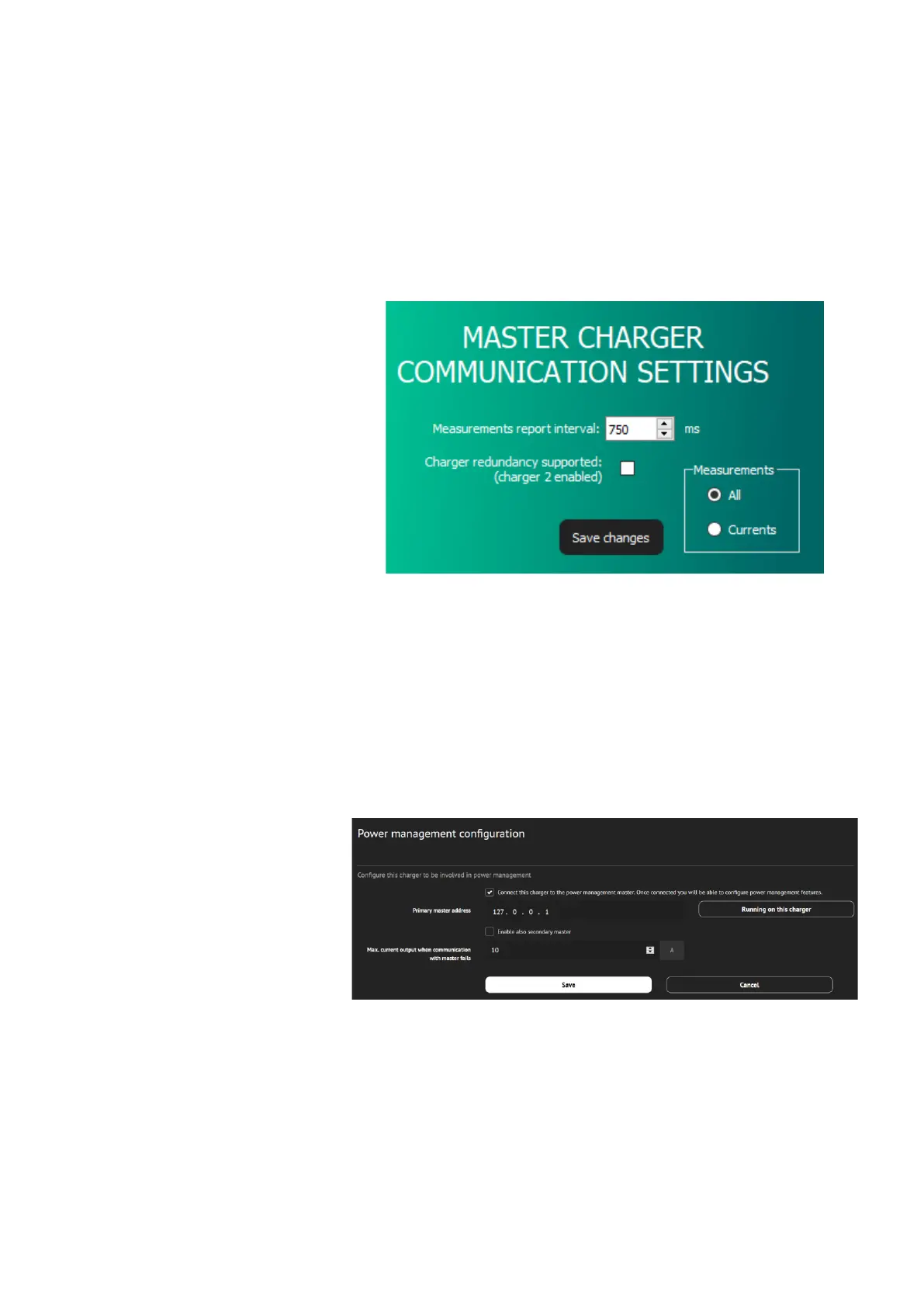
The interval of measured data transmission can be set – Mesurements
report interval. The time interval can be set between values 500 ms and
5000 ms (default setting is 750 ms).
In the Measurements window it is selected which data will be Load Guard
sending to the charging station. To send all the data, the option All must
be selected. If this is not set, the charging station will ignore some of the
data that Load Guard is sending. Confirm the setting with click on Save
changes.
Figure 32: Setting the measurement report interval
PAIRING OF CHARGING STATION WITH LOAD GUARD
To connect to INCH charging station web interface use username:
root@etrel.com and password: toor
In web configuration interface select Power management and then
General Configuration. Make sure that the tick “Connect this charger to
the power management master” is selected.
Figure 33: Power management configuration
In the web configuration interface select Power management and then
Power cluster configuration. Select the tick at “Enable cluster service”.


 To Next Page