CHARGING STATION SERIAL NUMBER
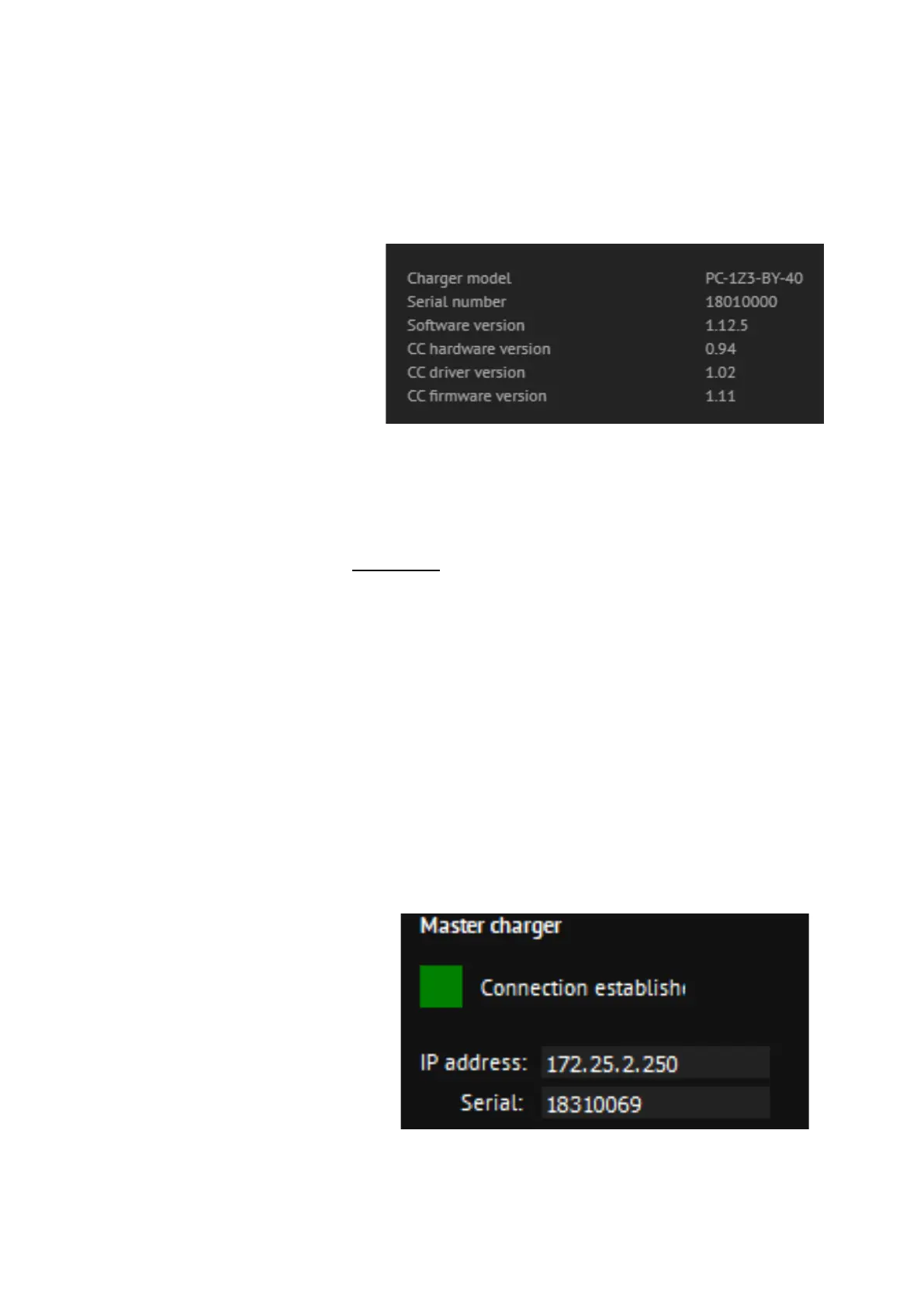
Serial number of charging station can be found in charging station web
interface. After the login to the web interface Diagnostics must be
selected in Etrel menu. The serial number of the charging station will be
displayed as shown on the below figure:
Figure 30: Display of basic data in Diagnostics menu
We are interested in the number: 18010000, which is a serial number of
charging station.
PAIRING
PAIRING OF LOAD GUARD TO CHARGING STATION
When all the needed information are available, the configuration of Load
Guard can continue. In IP address field the IP address of the charging
station must be written, also in the Serial field, the serial number of the
charging station must be written. Serial number of the charging station
can be obtained from the web interface of the charging station.
Correct IP address must be written, which is in the given case
172.25.2.250 and the serial number, which is in the given case 18310069.
After that the changes are saved with click on Save changes.
If everything is set correctly, the message about the successful connection
will be shown (Connection established).
Figure 31: Connection with charging station established
If wrong serial number is set, the message would be: Connection broken.


 To Next Page