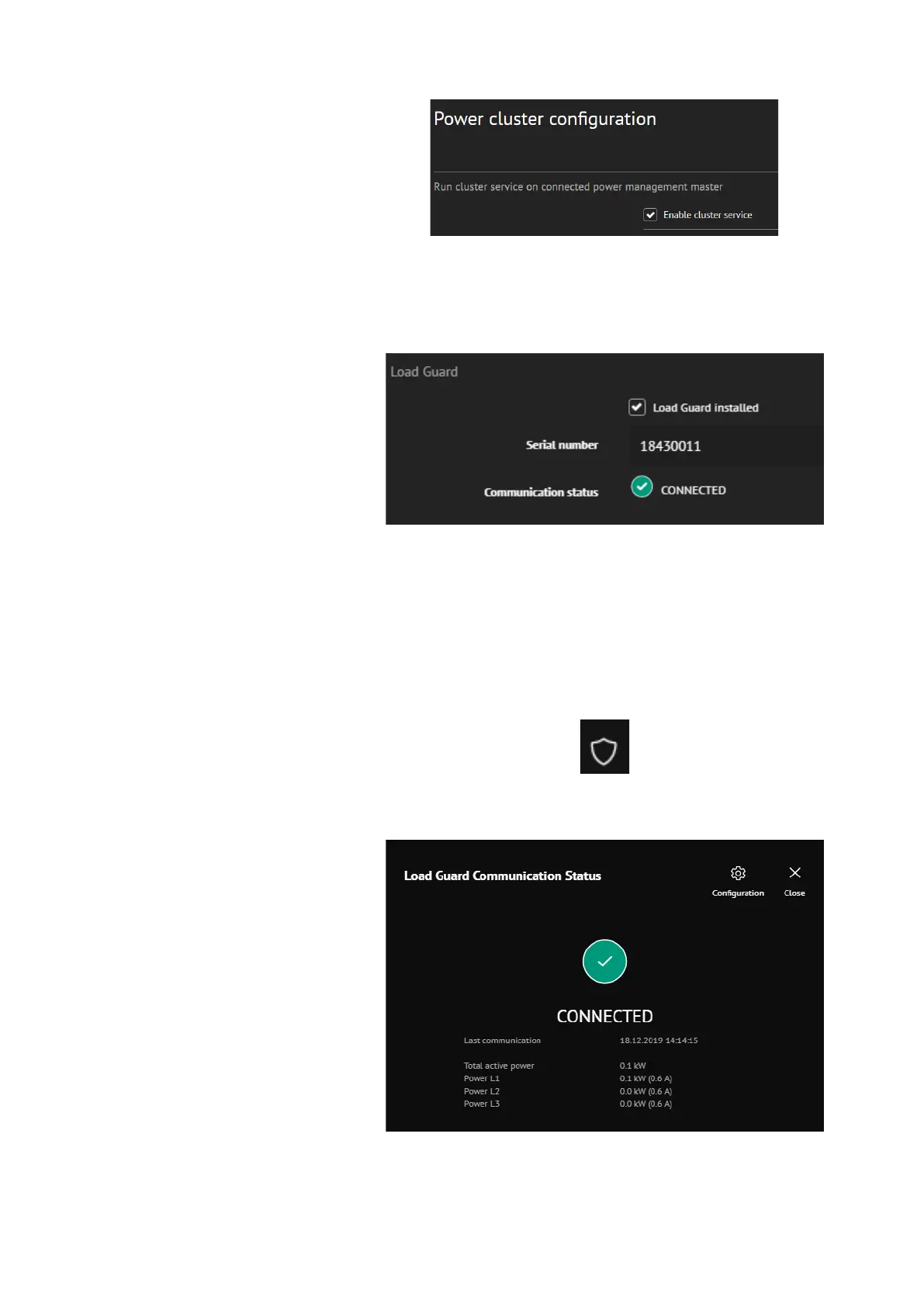
Figure 34: Enabling the cluster service
In web interface of the charging station click on Power management and
then Building power limits. On the right the option Load Guard installed
can be selected.
Figure 35: Connection with Load Guard is established
Serial number of the Load Guard must be written in the field Serial
number (in the presented case this number is 18430011). After that click
on Save and restart the charging station.
If the communication between Load Guard and charging station is
established, the Communication status will be Connected. The following
icon will be shown in the top right corner of the web interface:
The state Connected will also be shown in Load Guard Communication
Status.
Figure 36: Display of network state


 To Next Page