EasyManua.ls Logo

EUFY Clean G35 - User Manual

EUFY Clean G35
12 pages
Print Icon
To Next Page IconTo Next Page
Loading...
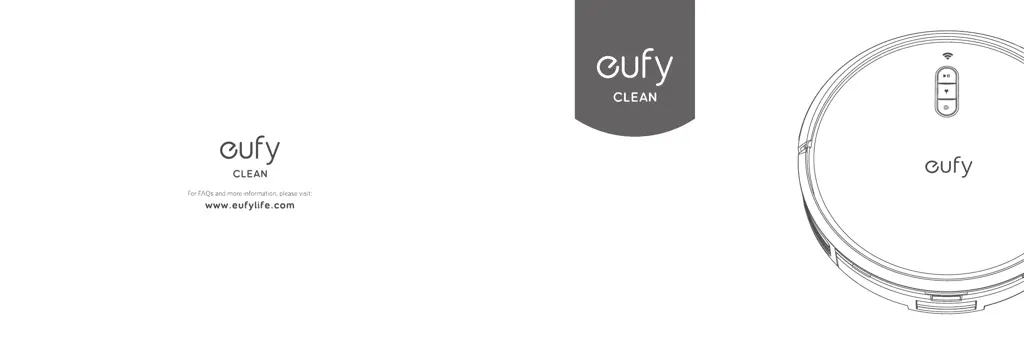
Owner's Manual
T2254/T2255 51005003589 V01
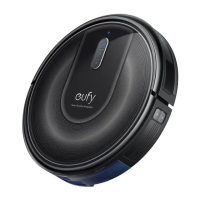
eufy Clean G35
eufy Clean G40

Questions and Answers

  • D
    Danielle SteinAug 14, 2025
    What to do if my EUFY Clean G35 Vacuum Cleaner suction power is weak?
    • Q
      qnelsonAug 15, 2025
      If your EUFY Vacuum Cleaner's suction power is weak, there are a few things you can check: * Ensure that nothing is blocking the suction inlet. * Empty the dust box. * Check if the filter is wet. If it is, air-dry the filter completely before using it again.
  • W
    William VanceAug 17, 2025
    Why my EUFY Clean G35 Vacuum Cleaner will not turn on?
    • I
      imorenoAug 17, 2025
      If your EUFY Vacuum Cleaner isn't turning on, ensure that the main power switch on the side of the RoboVac is switched on. Also, make sure the battery is fully charged. If it still doesn't respond, turn the main power switch off and then back on.
  • J
    Jared MunozAug 21, 2025
    What to do if my EUFY Clean G35 stops working suddenly?
    • L
      leejasmineAug 21, 2025
      If your EUFY Vacuum Cleaner suddenly stops working, check if it's trapped or stuck. Also, verify the battery level isn't too low. If issues persist, turn the main power switch off, wait two seconds, then turn it back on. Check for voice prompts or LED indicators, referring to the manual's 'Voice Alert' section for guidance.
  • P
    Philip GonzalesAug 25, 2025
    How to fix EUFY Vacuum Cleaner not connecting to Wi-Fi?
    • J
      jenniferbrooksAug 25, 2025
      If your EUFY Vacuum Cleaner cannot connect to a Wi-Fi network, first double-check that you've entered the Wi-Fi password correctly. Then, ensure the RoboVac, router, and your mobile phone are close enough to maintain a strong signal. Finally, confirm your Wi-Fi router supports a 2.4GHz and 802.11b/g/n band, as a 5GHz band is not supported.
  • S
    Samuel LopezAug 27, 2025
    Why my EUFY Vacuum Cleaner cannot be charged?
    • E
      Elizabeth GregoryAug 28, 2025
      If your EUFY Vacuum Cleaner isn't charging, check if the Charging Base indicator lights up. If not, try reconnecting the power cord to the Charging Base and use a different power outlet. Also, dust off the charging contact pins with a dry cloth.
  • A
    Alicia NewmanAug 31, 2025
    How to solve EUFY Clean G35 Vacuum Cleaner movements or travel path are abnormal?
    • M
      michaelwhiteAug 31, 2025
      If your EUFY Vacuum Cleaner's movements or travel path are abnormal, carefully clean the sensors with a dry cloth. If the issue continues, try restarting the RoboVac by turning the power switch off and then back on.
  • E
    Emily AndersonSep 3, 2025
    What to do if EUFY Vacuum Cleaner cannot return to the Charging Base?
    • S
      sydney54Sep 3, 2025
      If your EUFY Vacuum Cleaner cannot return to the Charging Base, remove any objects within 3.3 ft / 1 m to the left and right side and within 6.6 ft / 2 m of the front of the Charging Base. Also, check if the RoboVac is stuck on any objects, and clean the charging contact pins.
  • L
    lwhiteSep 7, 2025
    Why I cannot control EUFY Clean G35 Vacuum Cleaner with Amazon Alexa?
    • M
      Michelle WrightSep 7, 2025
      If you're unable to control your EUFY Vacuum Cleaner with Amazon Alexa, check for Internet connection problems. Verify that you've installed the Amazon Alexa app on your smart device and enabled the 'eufy Clean - RoboVac' Skill within the app. Ensure you have an eufy Clean account and have connected to RoboVac. Finally, confirm you're using the correct Alexa voice commands.
  • V
    vargasamySep 10, 2025
    Why I cannot control EUFY Clean G35 Vacuum Cleaner with the Google Assistant?
    • C
      Christopher BrownSep 10, 2025
      If you're having trouble controlling your EUFY Vacuum Cleaner with the Google Assistant, check for internet connection issues. Also, make sure you've installed the Google Home app and initiated the 'eufy Clean' action within it. Verify you're using the correct commands, starting with 'Ok Google,' and speak clearly when making your request. Try repeating your question if necessary.

EUFY Clean G35 Specifications

General IconGeneral
Dustbin Capacity0.6 L
App ControlYes
Noise Level55 dB
Auto-Empty Station CompatibilityNo
Voice ControlAmazon Alexa, Google Assistant
Boundary StripsYes
Wi-Fi ConnectivityYes

Related product manuals