EasyManua.ls Logo

EUFY Clean G35+ - User Manual

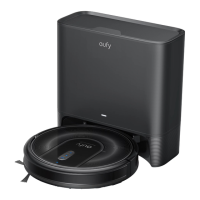
EUFY Clean G35+
32 pages
Print Icon
To Next Page IconTo Next Page
Loading...
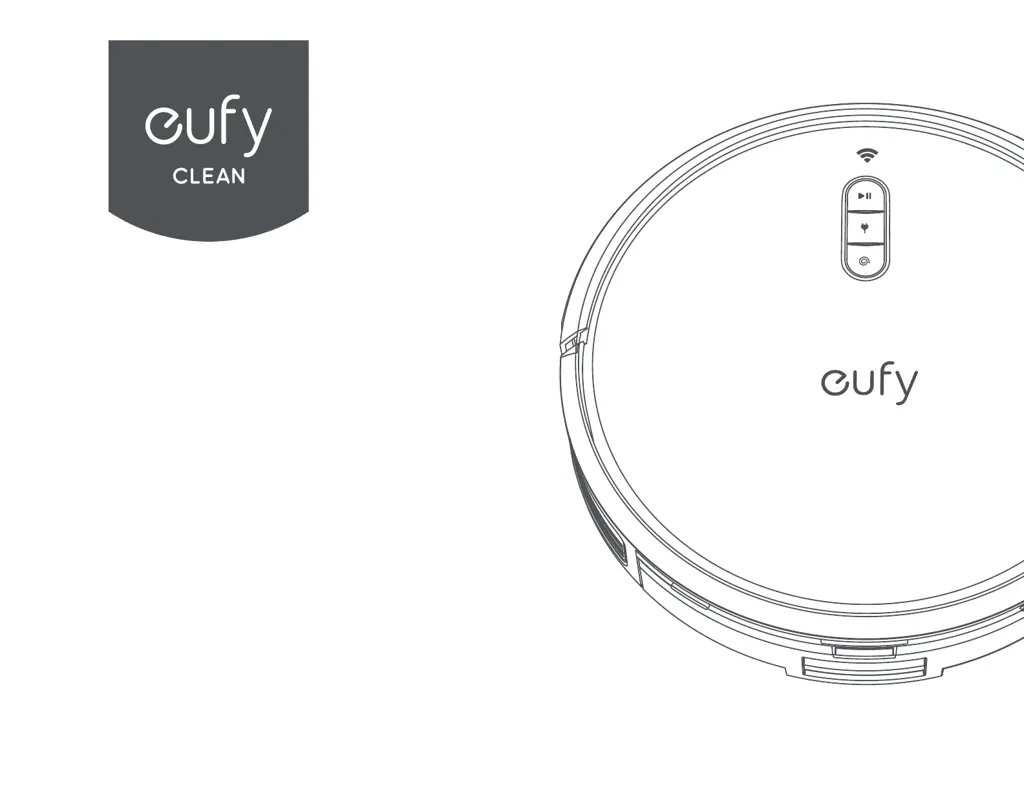
Owner's Manual
eufy Clean G35+
eufy Clean G40+

Questions and Answers

  • M
    Michael HillAug 16, 2025
    What to do if my EUFY Clean G35+ Vacuum Cleaner cannot be charged?
    • J
      Joanna CowanAug 16, 2025
      If your EUFY Vacuum Cleaner cannot be charged, verify that the indicator on the auto-empty station lights up. If not, reconnect the power cord with the auto-empty station and try a new power outlet. Dust off the charging contact pins with a dry cloth.
  • C
    Christopher RaymondAug 19, 2025
    What to do if EUFY Clean G35+ Vacuum Cleaner RoboVac cannot be charged?
    • J
      Jill HensonAug 19, 2025
      If your EUFY RoboVac isn't charging: * Check if the indicator on the Self-Empty station lights up. If not, reconnect the power cord with the Self-Empty Station and try a new power outlet. * Dust off the charging contact pins with a dry cloth. * Check if the charging contact pins are damaged. * Check if you can hear the 'Charging' voice prompt when RoboVac is attached to the Self-Empty Station.
  • J
    Jessica MillerAug 22, 2025
    Why is the suction power weak on my EUFY Clean G35+?
    • L
      Leslie CunninghamAug 22, 2025
      If the suction power of your EUFY Vacuum Cleaner is weak, start by checking for any obstructions blocking the suction inlet. Also, empty the dust box. If the filter is wet due to water or other liquid, air-dry it completely before use.
  • B
    bclarkAug 26, 2025
    What to do if my EUFY Clean G35+ stops working suddenly?
    • J
      Jennifer SanchezAug 26, 2025
      If your EUFY Vacuum Cleaner stops working suddenly, first check if it is trapped or stuck on an obstacle. Also, check if the battery level is too low. If problems persist, turn off the main power switch, wait 2 seconds, and then turn it back on. Finally, check if RoboVac has alerted you with any voice prompts or LED indicators.
  • M
    Molly JohnsonAug 28, 2025
    How to fix EUFY Vacuum Cleaner that will not turn on?
    • N
      nicholasreedAug 28, 2025
      If your EUFY Vacuum Cleaner will not turn on, ensure that the main power switch is turned on and that the battery is fully charged. If it still has no response, turn off the main power switch and then turn it back on.
  • L
    Linda CrawfordAug 31, 2025
    Why EUFY Clean G35+ Vacuum Cleaner cannot return to the auto-empty station?
    • D
      dalethompsonAug 31, 2025
      If your EUFY Vacuum Cleaner cannot return to the auto-empty station, make sure that there are no objects blocking the path to the auto-empty station (remove objects within 3.3 ft / 1 m to the left and right side and within 6.6 ft / 2 m of the front of the auto-empty station). Also, check if RoboVac is stuck on any objects and clean the charging contact pins.
  • E
    Eduardo ThompsonSep 3, 2025
    Why I cannot schedule cleanings on my EUFY Clean G35+ Vacuum Cleaner?
    • B
      Brandon BurtonSep 3, 2025
      If you cannot schedule cleanings with your EUFY Vacuum Cleaner, first make sure the main power switch is turned on. Check that the scheduled time has been set correctly and that the time zone in the eufy Clean app is consistent with that on your mobile device. Also, ensure RoboVac’s battery is charged. Note that cleaning schedules are erased when RoboVac is powered off and if RoboVac is powered on without Internet access, cleaning schedules will not synchronize and must be reset via the app.
  • J
    James MccoySep 6, 2025
    What to do if my EUFY Clean G35+ RoboVac stops suddenly?
    • C
      christopherparksSep 6, 2025
      If your EUFY RoboVac suddenly stops working, consider these possibilities: * It may be trapped or stuck on an obstacle; check for obstructions. * The battery level might be too low; check the battery. * Try turning the main power switch off, waiting two seconds, and then turning it back on. * The RoboVac may have alerted you with voice prompts or LED indicators.
  • G
    gregory43Sep 9, 2025
    Why can't I schedule cleanings on my EUFY Clean G35+?
    • S
      Sharon WhiteheadSep 9, 2025
      If you're unable to schedule cleanings on your EUFY Vacuum Cleaner, here are a few things to check: * Ensure the main power switch is turned on. * Verify the scheduled time is set correctly and that the time zone in the eufy Clean app matches your mobile device. * Confirm that the RoboVac's battery is charged. * Note that cleaning schedules are erased when RoboVac is powered off. If RoboVac is powered on without Internet access, cleaning schedules will not synchronize and must be reset via the app.
  • J
    James HernandezSep 12, 2025
    What does it mean when the LED on my EUFY Clean G35+ Vacuum Cleaner Self-Empty Station flashes white quickly?
    • G
      griffithelizabethSep 12, 2025
      If the LED on your EUFY Self-Empty Station flashes white quickly: * Install a dust bag if it is missing, or replace the old one if it is full. The LED will stop flashing when the Self-Empty Station works normally next time. * Ensure the top cover is pushed down and firmly sealed. * Make sure the dust bag is securely installed. * Remove any debris from the evacuation port at the bottom of the Self-Empty Station.

Summary

Important Safety Instructions

About Your RoboVac

RoboVac Anatomy

Using Your RoboVac

Important Tips Before Use

Provides essential advice and precautions to take before operating the RoboVac.

Preparation

Use the Self-Empty Station

Use Your RoboVac with the eufy Clean App

Start; Pause Cleaning

Select a Cleaning Mode

Use RoboVac with Amazon Alexa; The Google Assistant

Cleaning and Maintenance

Clean the Dust Box and Filter

Step-by-step guide to cleaning the dust container and its filter.

Clean the Rolling Brush

Instructions for cleaning the main rolling brush to maintain performance.

Allergy-Proof Your Home

Troubleshooting

Voice Alert

Customer Service

Important Tips

EUFY Clean G35+ Specifications

General IconGeneral
Suction Power2500 Pa
Battery Capacity5200 mAh
App ControlYes
Charging Time4-5 hours
Voice ControlAmazon Alexa, Google Assistant
Boundary StripsYes
Wi-Fi ConnectivityYes
Auto-Empty StationYes
Run TimeUp to 180 minutes

Related product manuals