18 EN
• Be careful not to touch the path tracking sensor with your hands.
• Do not clean the path tracking sensor with sharp-pointed
objects, as it may damage the sensor.
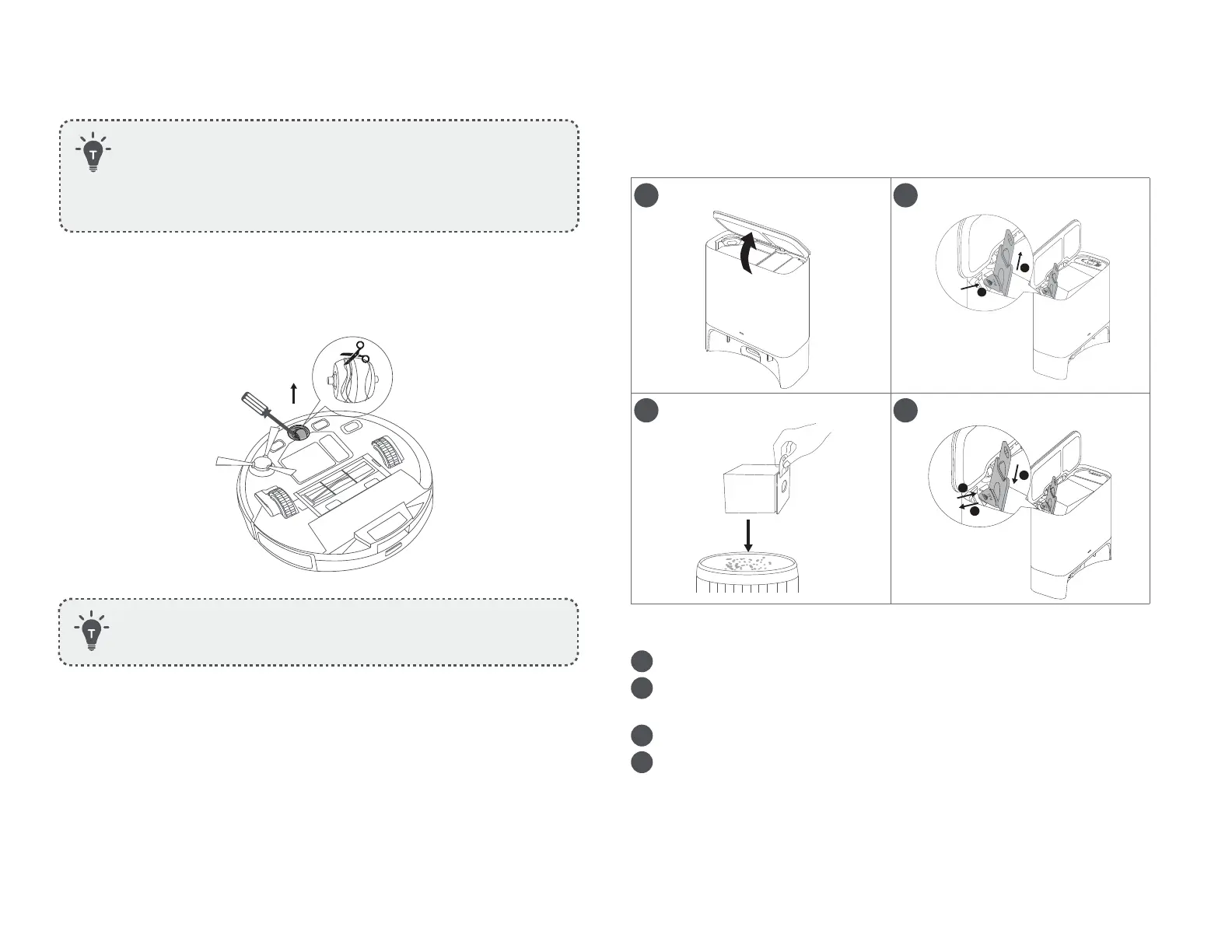
Clean the Swivel Wheel
• Do not clean the swivel wheel with water.
Replace the Dust Bag
1 2
3 4
1
Lift open the top cover.
2
Pull the release button to position, then pull up the handle to
remove the dust bag.
3
Discard the used dust bag.
4
Install a new dust bag.
(1) Pull the release button to open the dust bag holder.
(2) Insert a new dust bag in place.
(3) Push the dust bag holder back until you hear a click.










 To Next Page