08 EN
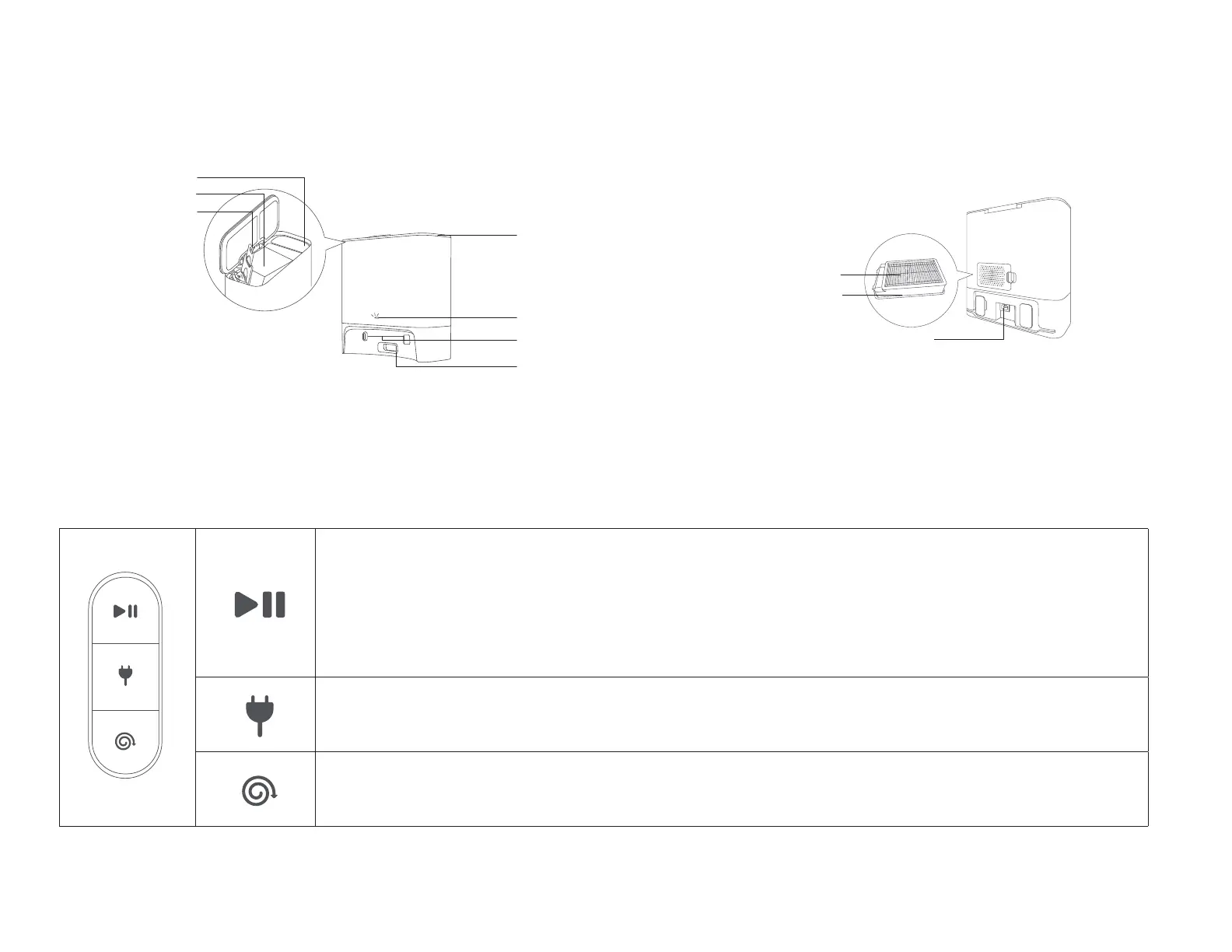
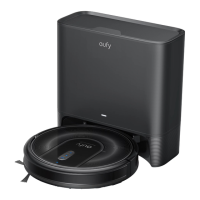
D. Self-Empty Station
High-Performance Filter
Rear Filter
Charging Socket
Dust Bag
Top Cover
Dust Bag Handle
Power Indicator
Debris Evacuation Port
Charging Contact Pins
Storage Compartment
LED Indication
You can see the status of RoboVac from the LED indicators.
Start / Pause Cleaning
• Steady blue: standby, cleaning, cleaning paused, returning to Self-Empty Station, or fully charged
• Steady orange: standby or working in low battery
• Pulsing orange (when docked to Self-Empty Station): charging
• Flashing red: error (Refer to the "Troubleshooting>Voice Alert" section in this manual for solutions)
Reset the Wi-Fi Connection (Press and hold for 10 seconds)
Return to Self-Empty Station
• Flashing blue slowly: returning to Self-Empty Station
• Steady blue: standby or paused
Spot Cleaning
• Flashing blue slowly: Spot mode
• Steady blue: standby or paused










 To Next Page