14 EN
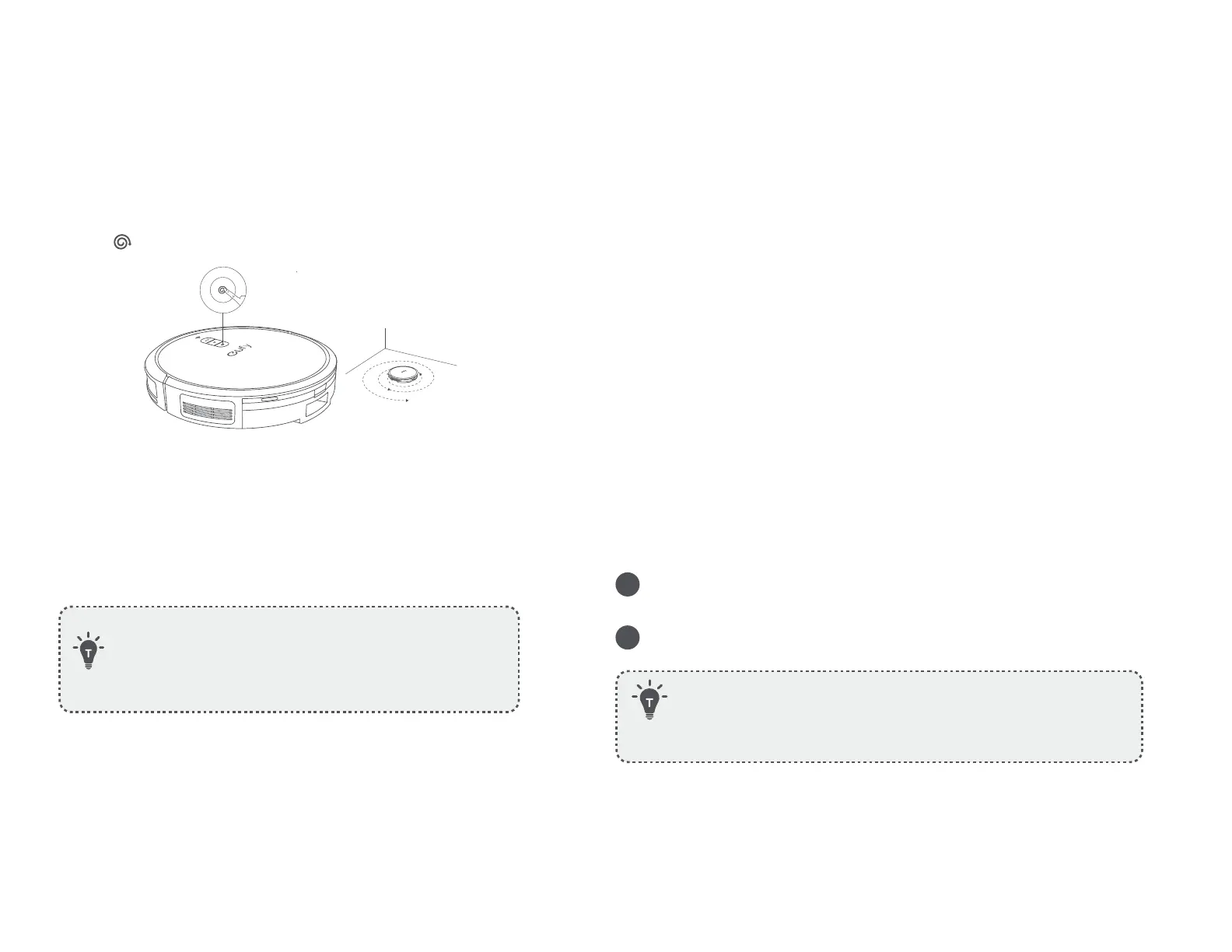
Spot Cleaning Mode
RoboVac intensively cleans a specific area in a spiral pattern, which
is useful if there is a concentrated area of dust or debris. In Spot
Cleaning mode, RoboVac will stop cleaning after 2 minutes.
• Press on RoboVac to start cleaning in Spot Cleaning mode.
Select a Suction Power Level
In the eufy Clean app, select a suction power level according to
your needs:
Quiet, Standard (Default), Turbo and Max.
• When RoboVac starts cleaning next time, it will clean
according to the suction power level you previously
selected.
Use RoboVac with Amazon Alexa / The
Google Assistant
Amazon Alexa or the Google Assistant is a smart voice control device that
enables you to control RoboVac with your voice.
Before you start, make sure that:
• RoboVac is attached to the Self-Empty Station to ensure there is enough
power.
• RoboVac is connected with the eufy Clean app.
• You have an Amazon Alexa-enabled device (i.e. Amazon Echo, Echo Dot,
Amazon Tap, Echo Show, or Echo Spot) or a device enabled with the Google
Assistant (i.e. Google Home, Google Home Mini). These devices are sold
separately.
• The Amazon Alexa app or Google Home app is already installed on your
smart device, and you have created an account.
To control RoboVac with Amazon Alexa or the Google
Assistant:
1
Open the eufy Clean app and find “Smart Integrations” in the top
left.
2
Follow the on-screen instructions to complete the setup.
• Currently, this feature only supports a few languages
including English, German, French, Portuguese, and Spanish.
For more supported languages, check https://www.eufy.
com/support/.










 To Next Page