①
②
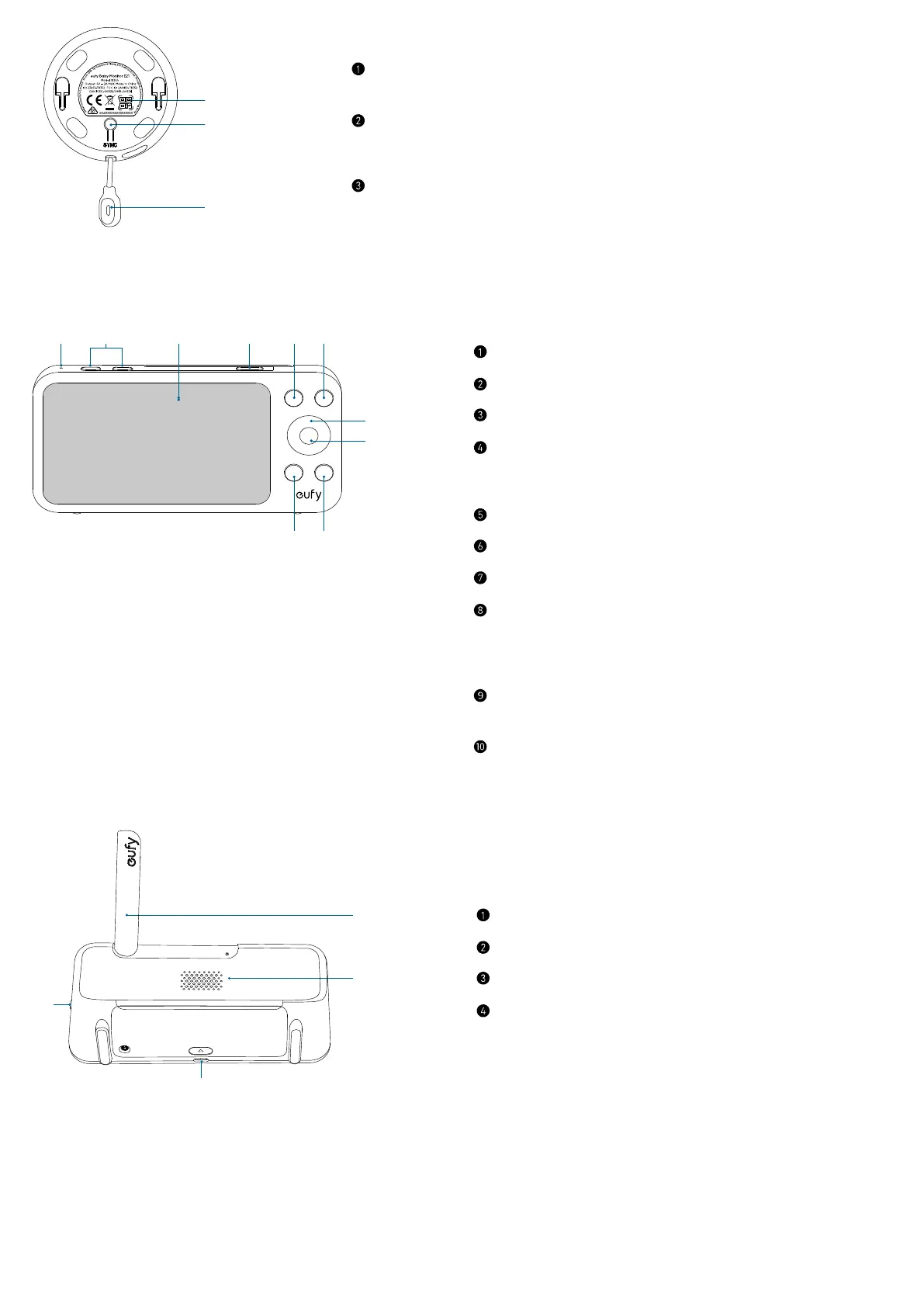
Bottom View
QR code
• Scan to add the camera to the device list in the app.
Sync button
• Press and hold for 2 seconds to enable the pairing mode.
• Press and hold for 8 seconds to reset the camera.
Temperature sensor
2.2 Monitor
⑦
⑧
Front View
Microphone
Volume up / down buttons
Screen
Power button
• Press to lock / unlock the monitor screen.
• Press and hold for 2 seconds to power on / o.
Menu button
Return button
Navigation buttons
OK button
• Press to confirm the selection.
• One press to get a close-up of your baby on the monitoring screen,
and press again to resume full-screen display.
Zoom button
• Press to zoom in the image.
Talk button
• Press and hold to speak to the camera.
①
②
③
Rear View
Antenna
Speaker
USB-C charging port
Charging pins
• Connect to the charging base.


 To Next Page