5. Monitor Screen Guide
5.1 Menu Settings
Press on the monitor to access menu settings. Some of the options are not available when the camera is oine or has
not been added.
Brightness Set the brightness of the screen.
Alert Turn on/o and set the alert.
Event View recordings or highlights from video.
White Noise Select your desired white noise type.
Play Settings: Loop a single track or a playlist. Set a timer for the duration of the song.
Volume: Adjust the volume using the up and down buttons.
Camera Settings
Add Camera: Add up to four cameras for a monitor.
Audio: Enable or disable audio recording. Adjust the speaker volume.
Video: Customize settings on video recording.
Timestamp: Select whether or not to include a timestamp to the video.
Night Vision: When Auto is enabled, the camera will change the screen color according to the
light conditions in the room. When disabled, the camera will stick to the daylight screen color and
will not change when the surrounding environment is getting dark. It is recommended to enable
this feature for most situations.
Pan-tilt: Adjust the speed levels and perform pan-tilt calibration.
Storage: Check the camera storage, and format the microSD card.
LED Lighting: Turn on / o the camera's status LED.
About Device: Check the device information of the camera.
Delete Camera: Remove a connected camera from the list.
Monitor Settings
Sleep Mode: Enable or disable sleep mode. Select VOX mode.
Sleep Time: Set the time for sleep mode.
Smart Connect: It's enabled by default. When enabled, it will automatically switch to Wi-Fi data
transmission mode when the local signal is poor.
General: Set the time, language and temperature units.
Customer Service: Get contact information.
Restore Factory: Restore to factory defaults.
About Device: Check the device information of the monitor.
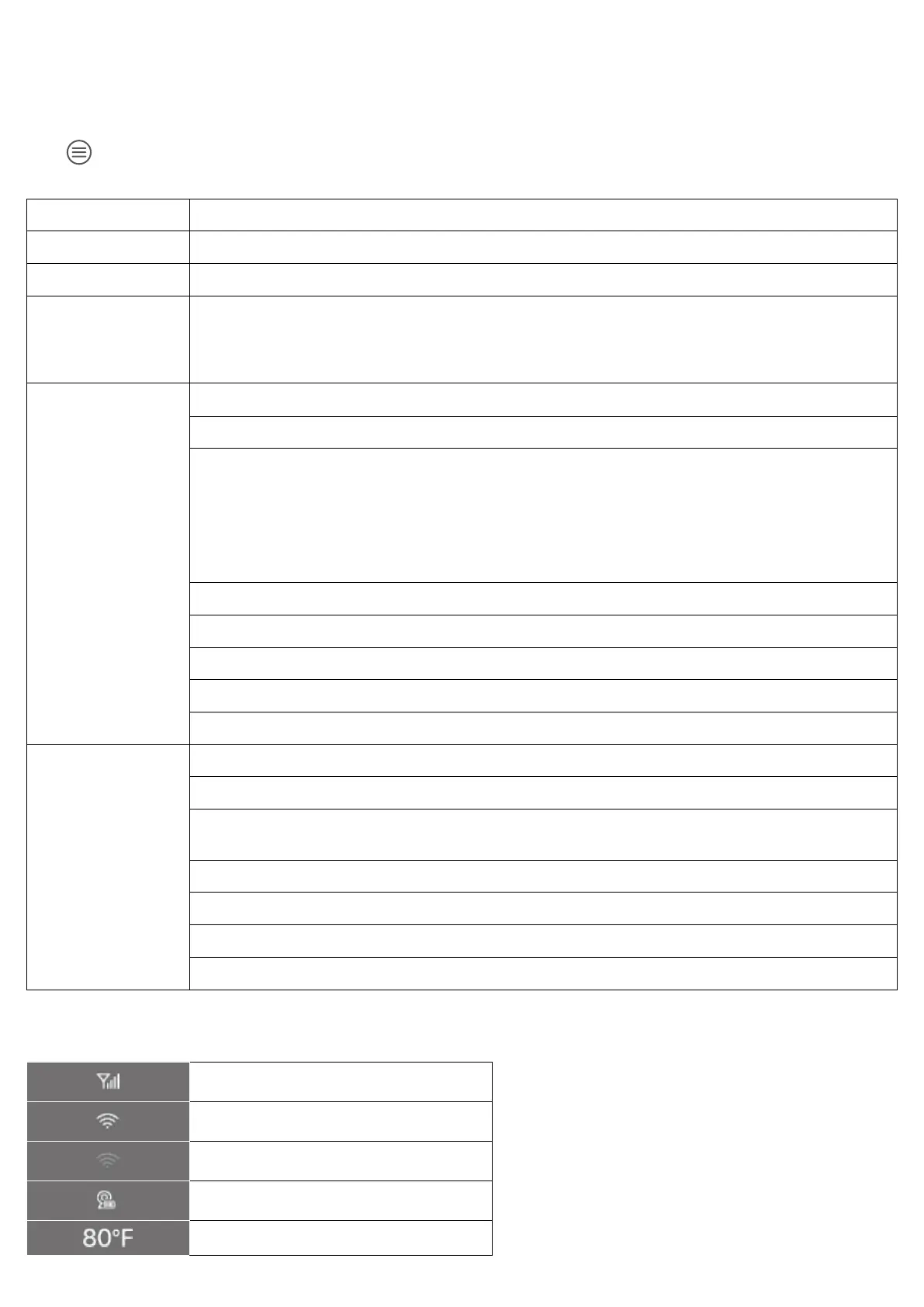
5.2 On-Screen Icons
Wireless signal strength
Monitor connected to Wi-Fi
Monitor disconnected to Wi-Fi
Status of the camera battery
Current temperature


 To Next Page
 Loading...