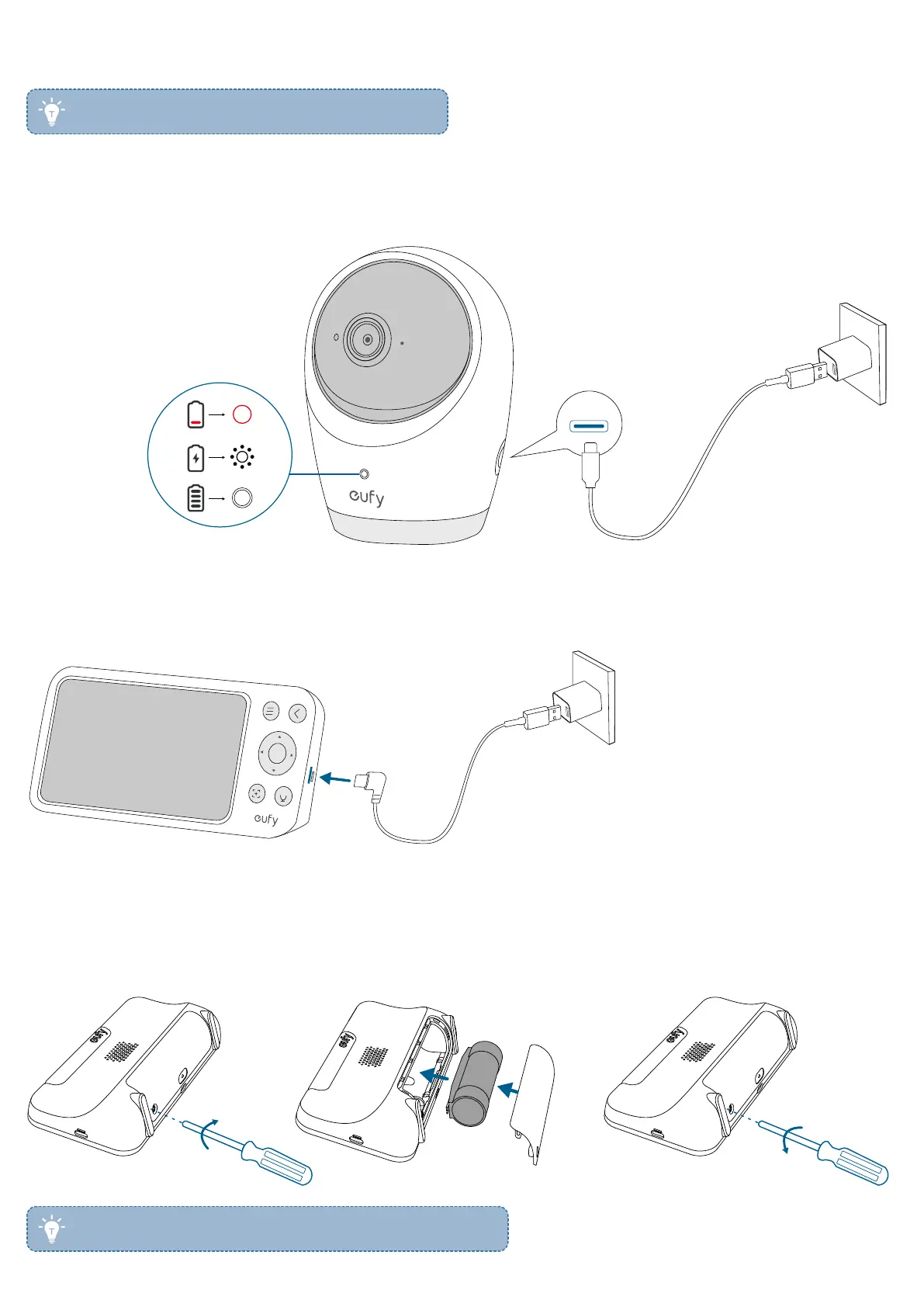
4. Charging Your Camera and Monitor
• Fully charge the camera and monitor before use.
4.1 Charge the Camera
Connect the camera to a power outlet using the power adapter and camera power cable.
Low battery
Charging
Fully charged
4.2 Charge the Monitor
The monitor can be charged via its USB-C charging port.
4.3 Replace the Monitor Battery
The monitor battery may not perform optimally over an extended period of use. To replace the monitor battery, follow these
steps.
• To buy a new monitor battery, please visit www.eufy.com.


 To Next Page