01
EN
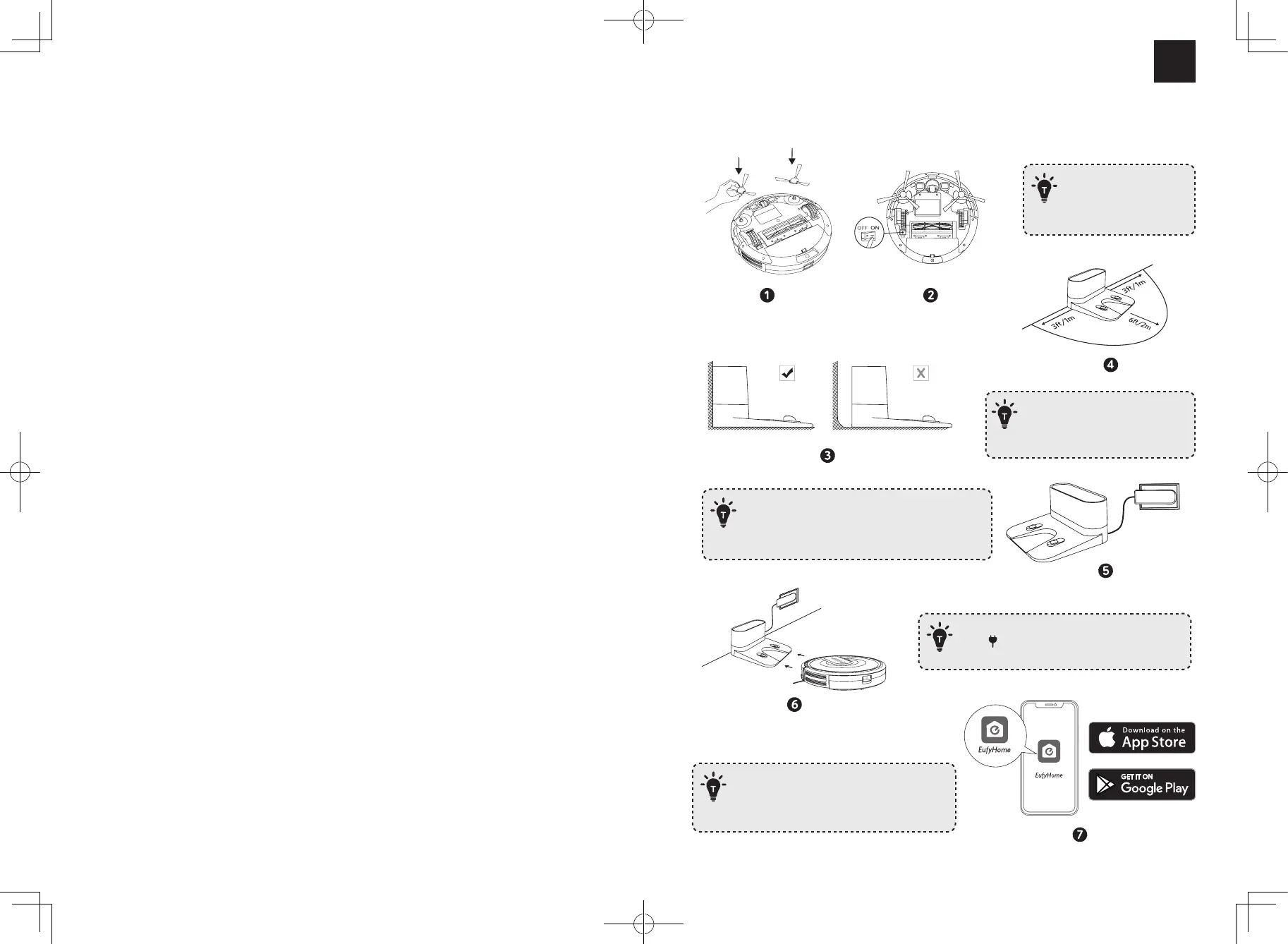
Using Your RoboVac
Remove the sticker next
to the power switch, and
the foam blocks beside the
bumper before use.
If you cannot remove the objects,
check whether RoboVac can return
to the Charging Base normally; if not,
contact eufy customer service for help.
- Always keep the Charging Base plugged in, otherwise
RoboVac will not automatically return.
- When the Charging Base connects to AC power, the
LED indicator on the Charging Base is SOLID WHITE.
Fully charge RoboVac before use. The LED indicator
on the button breathes orange while charging,
and turns solid blue when fully charged.
Download the EufyHome app and follow the
instructions in the app to complete the Wi-Fi
connection. Then you can control RoboVac via
this app. Refer to the Owner’s Manual for details.



 To Next Page