INSTALLING THE SMART LOCK
Step I . Install the Deadbolt
To install the deadbolt
1. Measure your door’s backset dimension: whether it is 2’/+” / 70 mm or 2 %” / 60 mm
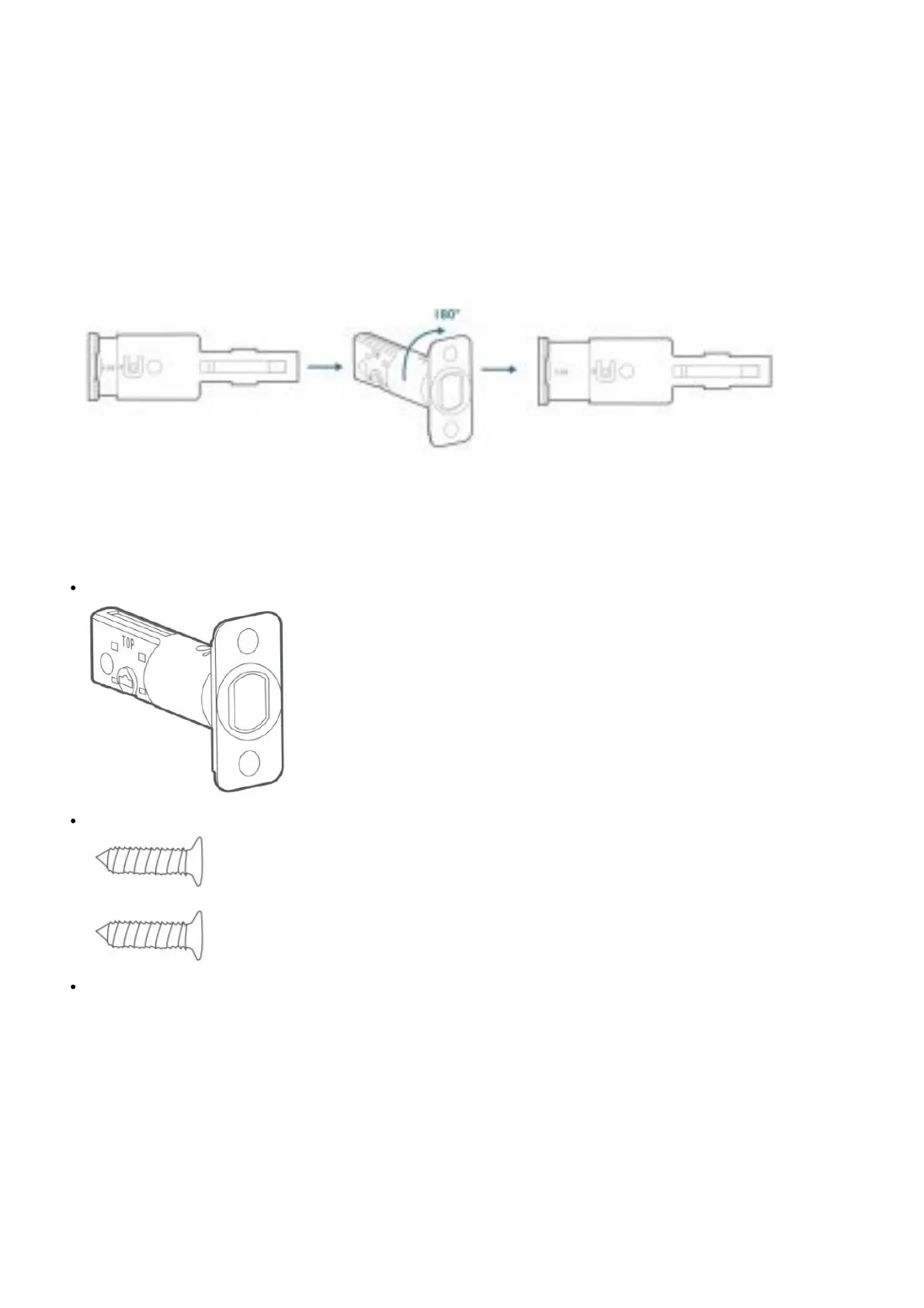
2. If your door’s backset dimension is 2 is” / 60 mm, use the provided deadbolt to If your door’s backset is 2’/+” /
70 mm, turn the faceplate 180° and pull to extend simultaneously until the deadbolt locks in position as the
illustration shows below.
3. Insert the deadbolt into the doorframe and make sure the word “TOP” faces up as indicated on the deadbolt.
4. Screw into the doorframe with a screwdriver (not provided).
5. What is required: Deadbolt, Deadbolt Screws, Screwdriver (not provided)
Deadbolt
Deadbolt Screws
Screwsdriver



 To Next Page