EasyManua.ls Logo

Eumig MARK 607 D - Playback Control Features; Slow Motion and Still Frame; Film Rewinding Options

Eumig MARK 607 D
12 pages
Print Icon
To Next Page IconTo Next Page
To Previous Page IconTo Previous Page
Loading...
If
the
projector
is
very
cold,
let
it
run
for
a
few
minutes
with
the
projection
lamp on
to
warm
it
up b e
for
e lo
a.
ding it.
Should
the
motor
stop
for
some reason, such as
a
momentary
power
failure,
move
the
function
switch
to the "
0"
(off)
position,
then
back
to
the deSired
operating
mode.
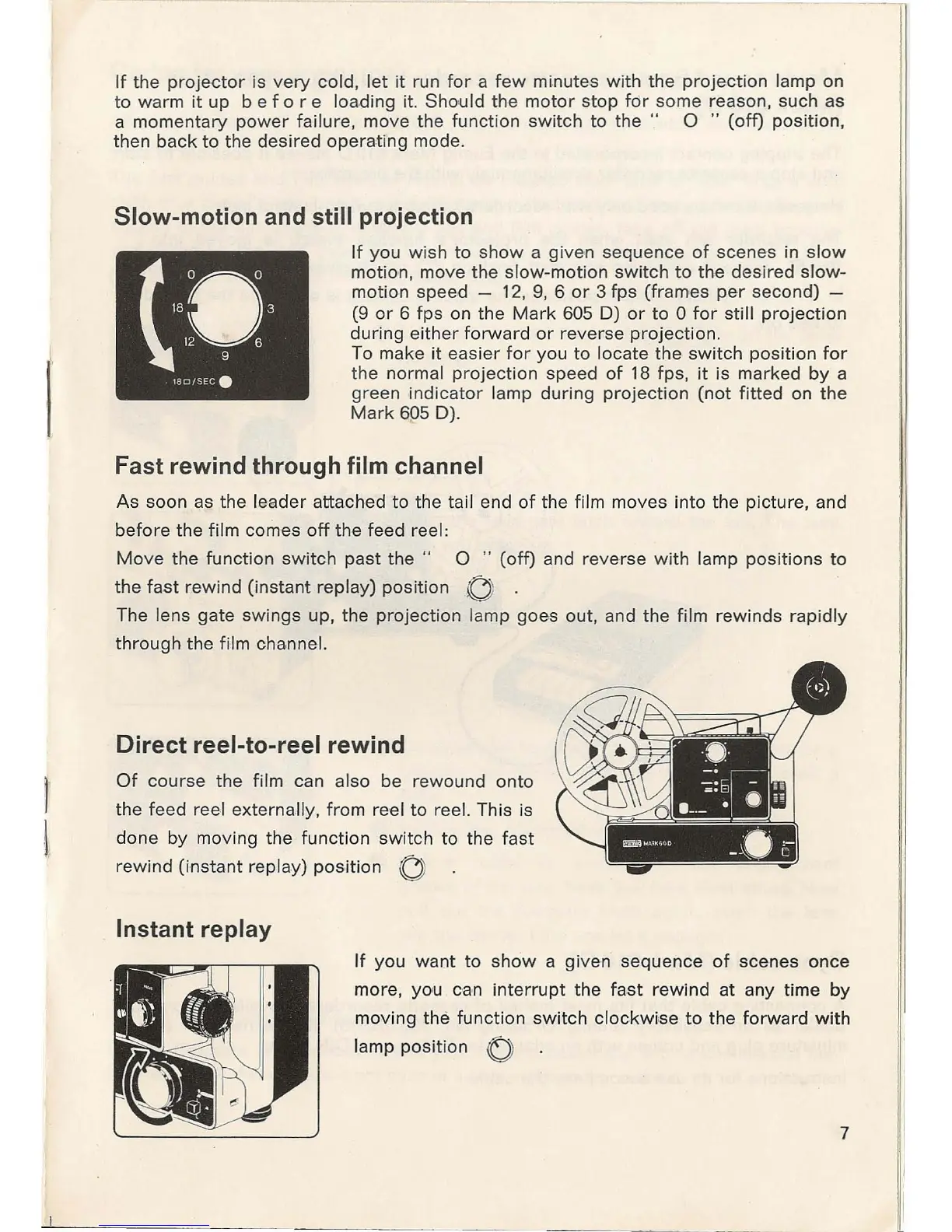
Slow-motion and still projection
If
you
wish to
show
a given sequence
of
scenes in
slow
motion
, move
the
slow-motion
switch
to
the
deSired
slow-
motion speed -
12,
9,
6
or
3 fps (frames
per
second) -
(9
or
6 fps on
the
Mark
605 D)
or
to
0
for
still
projection
during
either
forward
or
reverse
projection.
To make
it
easier
for
you
to
locate
the
sWitch
position
for
the
normal
projection
speed
of
18
fps
,
it
is marked
by
a
green indi
cator
lamp
during
projection
(not
fitted
on
the
Mark
605 D).
Fast rewind through film channel
As
soon
as the
leader
attached
to
the tail end
of
the film moves into the picture, and
before
the
film comes
off
the feed reel:
Move
the
function
switch
past
the
" 0 "
(off)
and reverse
with
lamp
positions
to
the
fast
rewind
(i
nstant
replay)
position
OJ
.
The lens gate
swings
up, the
projection
lamp
goe
,s
out
, and
the
film
rewinds
rapidly
through
the
film channel.
Direct reel-to-reel rewind
Of
course
the film can also be rewound
onto
the
feed
reel externally,
from
reel
to
reel. This is
done
by moving
the
function
switch
to the
fast
rewind
(instant
replay)
position
OJ
Instant replay
If
you
want
to
show
a given
sequence
of
scenes
once
more,
you
can
interrupt
the
fast
rewind
at any time
by
moving
the
function
switch
clockwi
,se
to
the
forward
with
lamp
position
0
7

Related product manuals