8
After Sales Support
(AU) 1300 886 649 (NZ) 0800 836 761 | info@tempo.org
Operating Instructions
Using the Heater
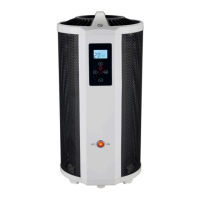
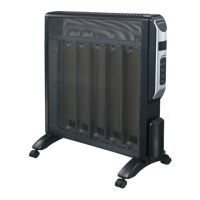
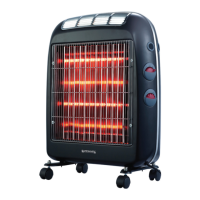
• Your new 360° Micathermic Heater can be operated using the control panel
at the front of the unit, or via the supplied remote control. Just point the
remote at the IR sensor on the control panel and press the relevant button.
Location
• Place the heater in an upright position on a firm, level, dry, non-flammable
and heat-resistant floor surface, taking into considering all relevant safety
information on the previous pages.
• The appliance is for floor-standing use only. Ensure that there is sufficient
distance from any walls, fixtures and other appliances. The distance around
the appliance must be at least 50cm at all sides to exclude the risk of fire.
When turning your heater on for the first time it is normal for the
heater to emit a ‘new heater’ smell, which will quickly pass.
This is no cause for concern. Ensure good ventilation.
Connection and Switching On
• Make sure the ON/OFF switch at the front of the appliance is in the OFF
[ O ] position, then plug the heater into an appropriate, properly earthed
wall socket and switch on power to the outlet.
• Always use a separate socket that has no other high wattage appliances
connected at the same time – do not plug it into a power board or socket
adaptor; do not use an extension cord. Also ensure that the socket is easily
accessible so that the cord can readily be disconnected in an emergency.
• Once the plug is securely inserted, set the ON/OFF switch at the front of the
appliance to the ON [ I ] position. The switch will illuminate and the heater
will enter standby mode.
• Upon connection, all indicators on the LC display will light briefly and then
extinguish. The current equipment temperature will remain displayed and the
timer [ 00:00 ] display will be flashing.
• Press the POWER button to switch on the heater.
Mode Selection
The heater can be run in four modes: Low ( ) heat output, High heat output
and fan , Frost protection mode, Low ( ) heat output and fan .
• Upon pressing the POWER button, the heater will start with low heat
output and fan operation. The LCD will display the current equipment
temperature and the fan and low heat output icons will be lit.



 To Next Page