3.1. System configuration recommendation:
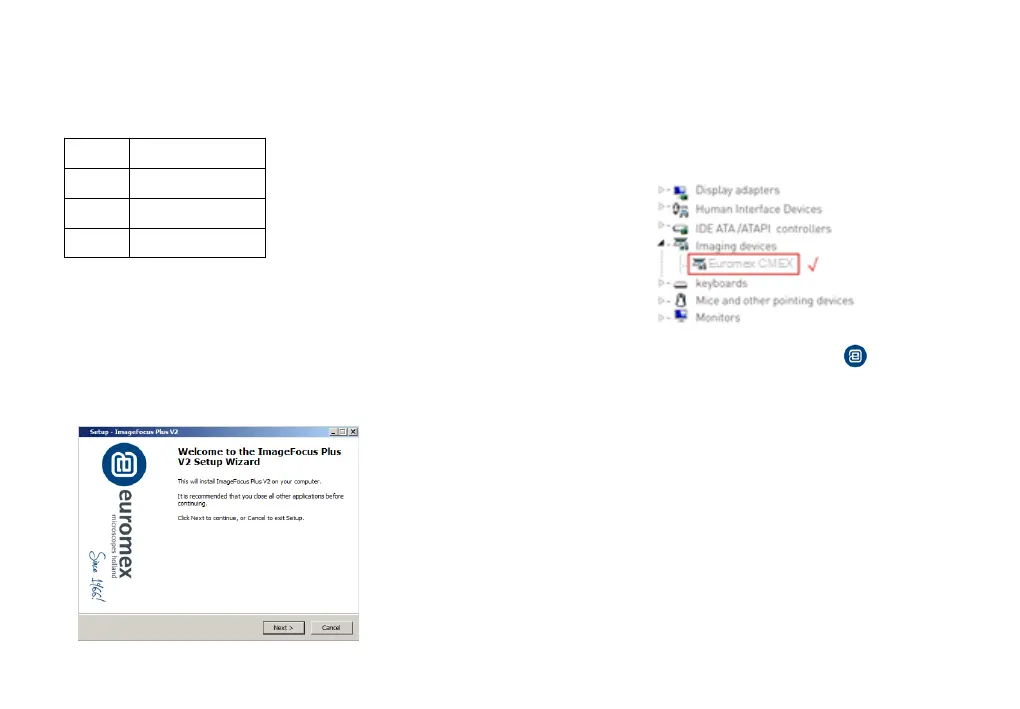
3.2. Connect the camera to the PC. Insert the USB-Stick(or CD) comes with
the camera, copy the software "ImageFocus Plus V2 Setup.exe" to the
computer. Double click on it and follow the [Next] button to finish the
installation. After [finish], a software shortcut will be created on the
desktop.
3.4. Double-click the ImageFocus Plus V2 shortcut to start the
software. When running the software, the current frame rate is displayed
in the exposure control.
3.5.The software version number, camera model and computer
configuration information will be obtained from the information in the info
menu at the top right of the software.
Note: If the camera is connected correctly, the camera device will
automatically recognize and enter the preview state when the software is
turned on. If get the “No Camera” error, it could be the camera is not
detected by the PC or the driver is not installed properly. Please go to
Device Manager to check the camera driver installation status.
-3- -4-
OS
Windows 7/8/10 (64bit)
CPU
Intel Core i5 or better
USB3.0
3. Software Installation
3.3. Go to the Device Manager and check whether the driver is installed
properly. If there is NO YELLOW FLAG with the camera under Imaging
Devices in Device Manager, the driver is installed successfully. If there is
YELLOW FLAG, you need to reinstall the driver.



 To Next Page