1.Avoid removing the lens cap in a dusty environment.
2.When removing the lens cap or mounting a lens, hold the camera face
down to prevent dust from falling on the sensor surface.
3. When the camera is not being used, the lens cap should be replaced.
4.Use a professional dust removal tool to remove any dust on the camera
optical filter. ① If dust gets on the filter, it should be removed using low
pressure air. ②For stubborn oily dust, the surface can be gently wiped using
a lint-free cotton swab dipped in ethanol.
5.If it still cannot be cleaned, contact the after-sales personnel for
assistance. The use of non-professional equipment for cleaning is prone to
lead to scratches on the filter surface.
6.Use only the original power adapter. Ensure the adapter and associated
cables are free from items that may cause damage. If the power adapter is
damaged, please contact the supplier for an immediate replacement.
-9-
6. Maintenance
5. Precautions
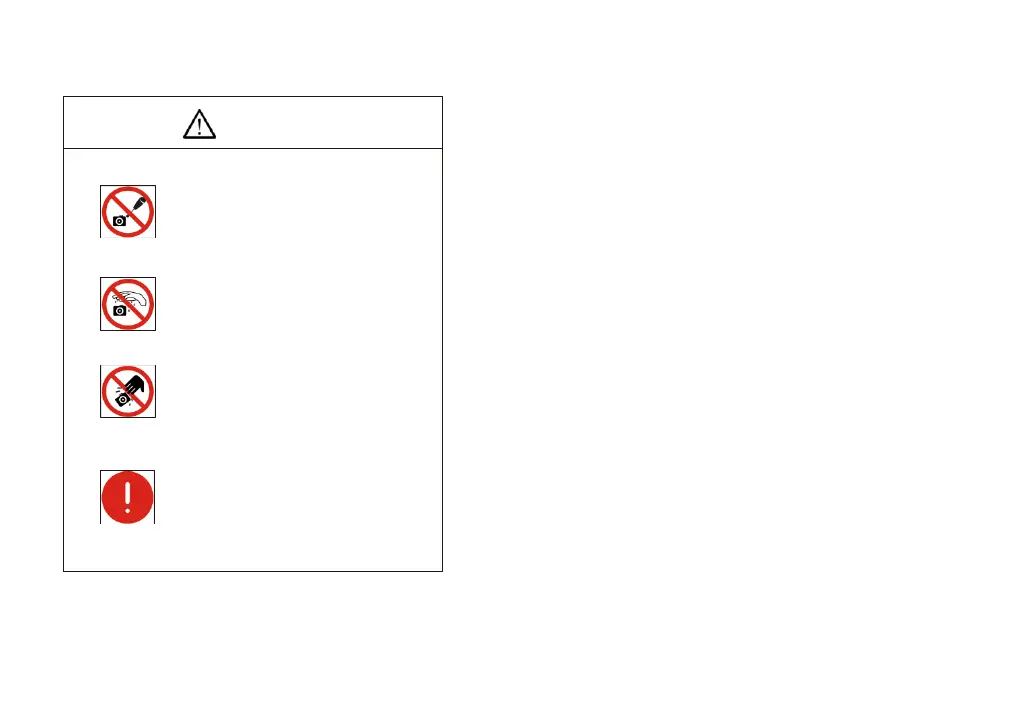
CAUTION
Do not disassemble
Do not contact water
Do not subject the
camera to physical shock
Immediate repairrequest
Do not disassemble, repair or modify on
your own. Otherwise it will cause damage to
the camera chip or devices on the circuit
board.
Avoid allowing the camera to get wet, since
this may cause the failures such as circuit
board device corrosion, burnout and so on.
Avoid physical impacts such as dropping or
banging.
Unplug the data cable, then request Euromex
Microscopes to have the authorized dealer
or sales for repair.
Note: Man-made damage including self-disassembly, water ingress, physical
shock and so on is not within the scope of warranty.
-10-


 To Previous Page
 Loading...