Support Scenes
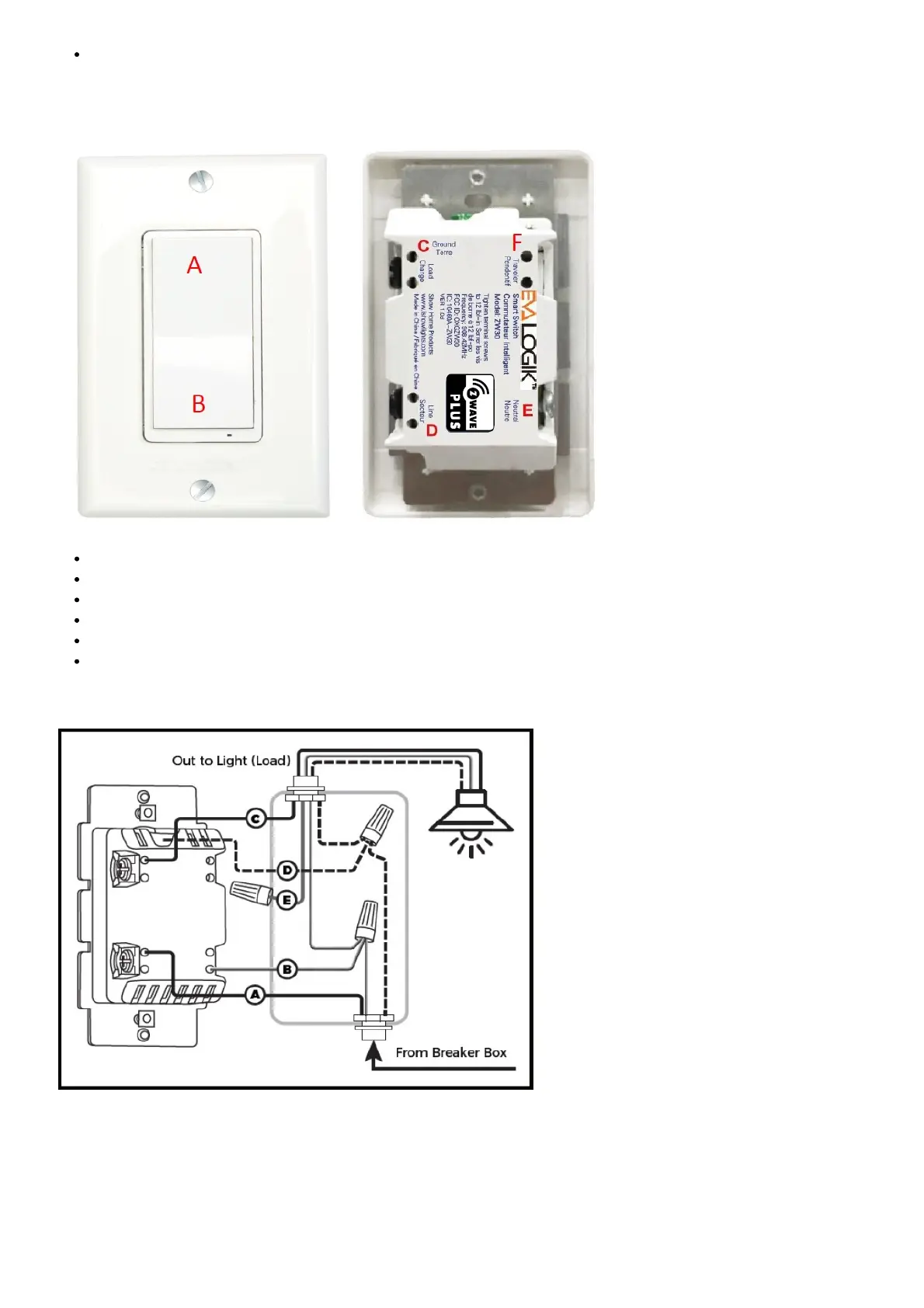
Product Overview:
A. Up Push button
B. Down Push button
C. Load (Black)
D. Lin (Black) – Line in
E. Nin (White) – Nutral in
F. 3-way (RED)
ZW31 Installation Wiring Diagram
Key function description
Function 1: Press the up or down button to turn the output ON or OFF
Function 2: Hold Dimmer Up or Dimmer Down
Function 3: Press the up or down button three times quickly to ADD and REMOVE
Function 4: Press the up or down button six times quickly to change Status LED Configuration



 To Next Page