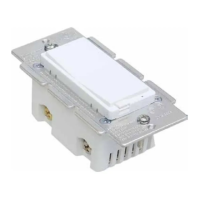
Function 5: When switch is off and quickly press UPPER paddle 2 times, switch turns on to 100% brightness
Function 6: Press click Z-Wave button 3 times quickly, and hold for at least 10 seconds at the third time to restore
the device to the factory
(Node: Please use this procedure only when the network primary controller is missing or otherwise inoperable.)
Function 7: Tap A(1x/2x/3x/4x/5x/Hold/Release) Activate the scene.
Function 8: Tap B(1x/2x/3x/4x/5x/Hold/Release) Activate the scene.
Led Indicate Function
1. Flash two times
When configuration parameter succeed LED flash two times
2. quickly flash
When inclusion or exclusion or reset, LED will quickly flash till operate complete
Z-Wave Remote Control
ADD or Remove the ZW31 from the existing Z-Wave home control network with your primary controller.
Refer to your primary controller instructions to process the inclusion / exclusion setup procedure.
When prompted by your primary controller, click the Up or Down button three times in one second.
Include ZW31 to/from a Z-Wave Gateway with supporting Security. The ZW31 can support the Primary Controller
that implemented the security S2.
Notice: Including a node ID allocated by Z-WaveTM Controller means “Add” or “Inclusion”. Excluding a node ID
allocated by Z-WaveTM Controller means “Remove” or “Exclusion”.
Z-Wave protocol Command Class Node Info
COMMAND_CLASS_ZWAVEPLUS_INFO,
COMMAND_CLASS_SWITCH_MULTILEVEL,
COMMAND_CLASS_ASSOCIATION,
COMMAND_CLASS_MULTI_CHANNEL_ASSOCIATION,
COMMAND_CLASS_ASSOCIATION_GRP_INFO,
COMMAND_CLASS_TRANSPORT_SERVICE,
COMMAND_CLASS_VERSION,
COMMAND_CLASS_MANUFACTURER_SPECIFIC,
COMMAND_CLASS_CONFIGURATION,
COMMAND_CLASS_CENTRAL_SCENE,
COMMAND_CLASS_SECURITY_2,
COMMAND_CLASS_SUPERVISION
COMMAND_CLASS_FIRMWARE_UPDATE_MD
The Below listed Command Class are all supported the Security S2
COMMAND_CLASS_SWITCH_MULTILEVEL,
COMMAND_CLASS_ASSOCIATION,
COMMAND_CLASS_MULTI_CHANNEL_ASSOCIATION,
COMMAND_CLASS_ASSOCIATION_GRP_INFO,
COMMAND_CLASS_VERSION,
COMMAND_CLASS_MANUFACTURER_SPECIFIC,
COMMAND_CLASS_DEVICE_RESET_LOCALLY,
COMMAND_CLASS_CENTRAL_SCENE,
COMMAND_CLASS_CONFIGURATION,
COMMAND_CLASS_POWERLEVEL
COMMAND_CLASS_FIRMWARE_UPDATE_MD
Support for Association Groups
ZW31 supports 2 association groups. Group 1 support 1 node ID,Group 2 Support maximum of 5 node ID’s
Association group_1:Z-Wave Plus Lifeline



 To Next Page