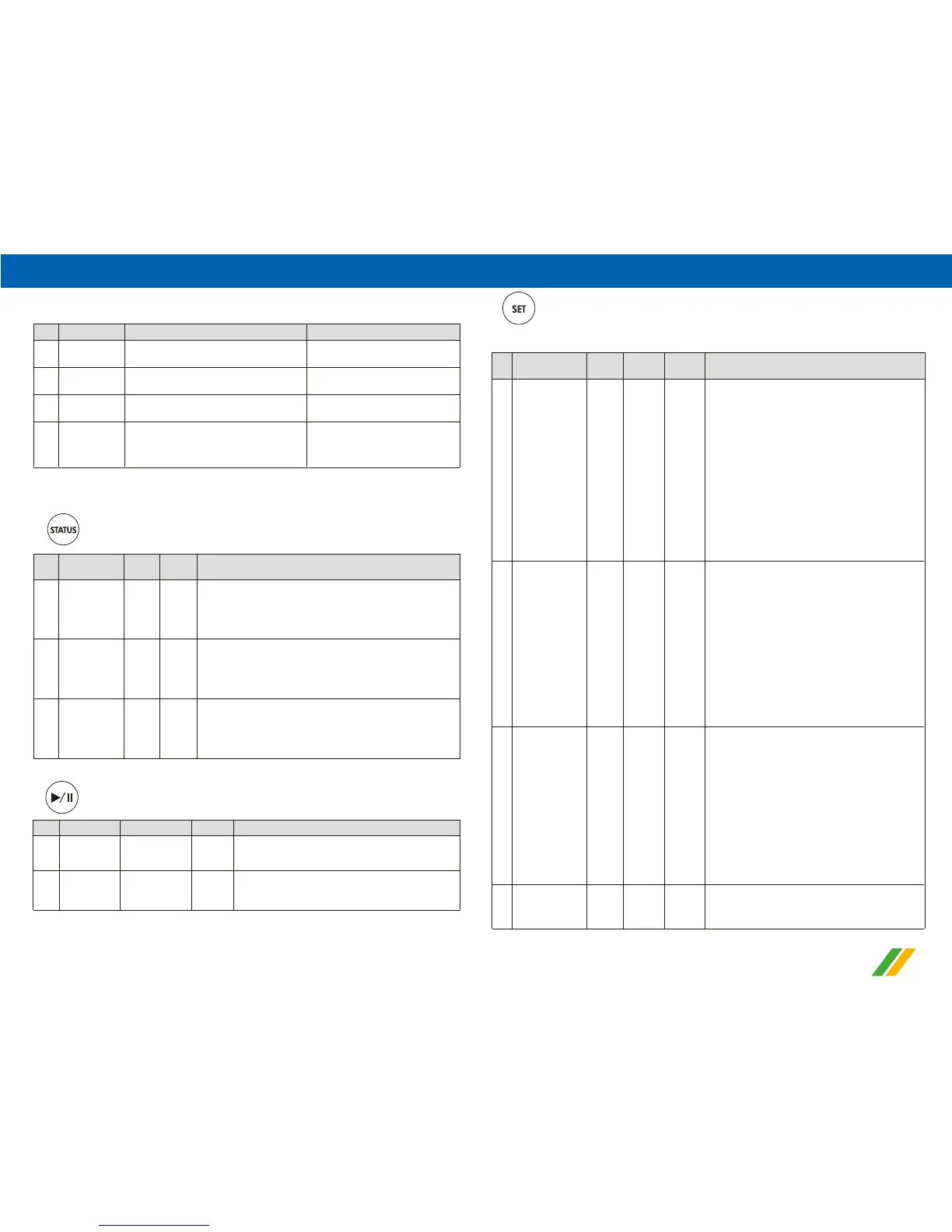
5.The status of LED lights
6.Parameter display and settings
06
Item Light Message indication
Control loop off from the systemNon
Green
Orange
Red
Pump status
Control loop command the pump of
system to start running
Control loop is loaded into the system
Warning message to shut down the
system temporarily
Pump off
Pump on
Pump standby
Pump auto stop and display
the fault message(Dry running
1
2
3
4
Item
Parameter
Display
Code
Default
Unit
P-max
kg/cm²
kg/cm²
kg/cm²
P-min
P-Dry
Description
Pressure of
water shortage
setting display
(Dry running)
Min. Pressure
setting display
Max. Pressure
setting display
» Press once: To see the
Max.
pressure setting value.
» Or stay on this screen for 5 seconds it will return to
the actual pressure status display automatically.
» Press again: To see the Min. pressure setting value.
» Or stay on this screen for 5 seconds it will return to
the actual pressure status display automatically.
» Press again: To see the pressure
of water shortage
setting value.
» Or stay on this screen for 5 seconds it will return to
the actual pressure status display automatically.
1
2
3
“ ” (Pressure value display)
or Over pressure)
Item Parameter Pump action Description
Stop (OFF)
Restart (ON)
Pump off Non
Pump on Orange
Press once to restart the pump running.
Long press for 3 seconds to stop the pump
1
2
“ ” (Restart or stop the pump running)
“ ” (Short press once to enter Basic Setting Mode)
Setting procedure : Max. pressure → Min. start pressure → Time-Delay
Item
Parameters
Display
Code
Default
Unit
Data
Range
P-max
kg/cm²
0.01~
10.00
Description
Max. pressure
setting
(high pressure)
a.Select to modify Max. Pressure, press the
left or right button to adjust the value, after
finishing the setting, press the SET button
once and go to Min. start pressure
1
running.
0~60
kg/cm²
sec
- -
P-min
Delay
loAd
Min. start
pressure setting
(low pressure)
Time-Delay
setting when
reaching the
Max. Pressure
Load for 3
seconds to store
setting value
b.Stay on this screen for 30 seconds, the
display screen will back to the actual
pressure conditions automatically and the
preset data value is not stored.
c.Choose not to modify the pressure, press
the SET button, and go to next parameter
setting.
a.Select to modify Min. start pressure , press
the left or right button to adjust the value,
after finishing the setting, press the SET
button once and go to Time-Delay setting .
b.Stay on this screen for 30 seconds, the
display screen will back to the actual
pressure conditions automatically and the
preset data value is not stored.
c. Choose not to modify the pressure, press
the SET button, and go to next parameter
setting.
a.Select to modify the Time-delay setting
when reaching the Max. Pressure, press
the left or right button to adjust the value,
after finishing the setting, press the SET
button and go to " loAd " display.
b.Stay on this screen for 30 seconds, the
display screen will back to the actual
pressure conditions automatically and the
preset data value is not stored.
c.Choose not to modify the delay time, press
the SET button, and LCD display " loAd "
Above setting value are stored and
3 seconds later, go to the actual pressure
value display automatically.
2
3
4
setting.
Light
0.01~
10.00


 To Next Page
 Loading...