
 Need help?
Do you have a question about the EVC IDrive and is the answer not in the manual?
Steps for finding and disconnecting the original accelerator plug assembly.
Steps for plugging in the iDRIVE and fitting the control unit, including placement advice.
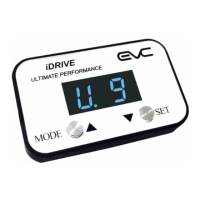
Identifies the Mode/Setting Indicator LEDs and Buttons (A, B, C, D) on the control unit.
Setting transmission type (Manual/Auto) and initial mode selection for the device.
In-depth descriptions of Normal, Economy, Ultimate, and Automatic Control driving modes.
Advice on transmission settings, changing settings safely while driving.
Guidance for fuel economy, towing, and driving in sand/mud.
Explains iDRIVE function, horsepower claims, and towing suitability.
Ease of install, vehicle specificity, engine types, and interaction with other modifications.
Impact on car warranty, device power source, and delivery times.
Steps for checking connections, reinstallation, and contacting support for issues.
 General
| Weight | 0.5 kg |
|---|---|
| Type | Controller |
| Communication Interface | CAN |
| Protection | Overcurrent |
| Dimensions | 150mm x 100mm x 50mm |

 To Next Page