EasyManua.ls Logo

Evco EV3 Basic Split - User Manual

Evco EV3 Basic Split
3 pages
Print Icon
To Next Page IconTo Next Page
Loading...
EVCO S.p.A. | EV3 Basic Split | Instruction sheet ver. 1.0 | Code 1043BSE103 | Page 1 of 3 | PT 49/18
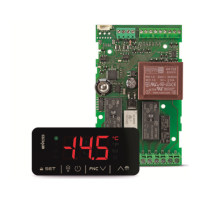
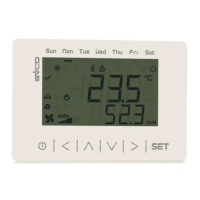
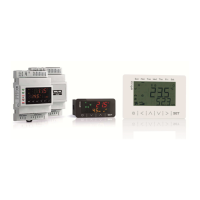
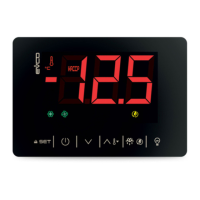
EV3 Basic Split
Split-version controllers for refrigerated units
I ENGLISH
- controllers for normal and low temperature units
- power supply 115... 230 VAC or 230 VAC (according to the model)
- cabinet probe and evaporator probe (PTC/NTC)
- door switch and multi-purpose input (according to the model)
- compressor relay 16 A res. @ 250 VAC
- sealed relays compliant with the standard EN 60079-15
- management of Embraco and Secop variable capacity compressors (according to the
model)
- management of 0-10 V compressor and fans (according to the model)
- output 12 VDC max. 30 mA (according to the model)
- alarm buzzer
- TTL MODBUS slave port for EVJKEY programming key, EVconnect app, EPoCA remote
monitoring system or for BMS
- hot or cold mode regulation.
Purchasing
code
Number of re-
lays
Power supply
Management of
variable capacity
compressors
Output 12 VDC
max. 30 mA
EV3SB22N7 2 230 VAC no no
EV3SB24N7 4 230 VAC no no
EV3SB54N9 4 115... 230 VAC yes yes
1 MEASUREMENTS AND INSTALLATION | Measurements in mm (inches)
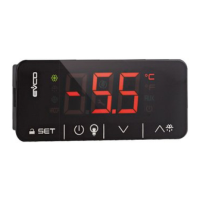
1.1 User interface
To be fitted to a panel, snap-in brackets provided.
N.B.
The thickness of the panel must be between 0.8 and 2.0 mm (1/32 and 1/16 in).
1.2 Control module
To be installed on an electrical panel, on spacers (not provided).
N.B.
Any metal parts must be far enough away so as not to compromise safety distances.
INSTALLATION PRECAUTIONS
- ensure that the working conditions are within the limits stated in the TECHNICAL
SPECIFICATIONS section
- do not install the device close to heat sources, equipment with a strong magnetic field,
in places subject to direct sunlight, rain, damp, excessive dust, mechanical vibrations
or shocks
- in compliance with safety regulations, the device must be installed properly to ensure
adequate protection from contact with electrical parts. All protective parts must be
fixed in such a way as to need the aid of a tool to remove them.
2 ELECTRICAL CONNECTION
N.B.
- use cables of an adequate section for the current running through them
- to reduce any electromagnetic interference, locate the power cables as far away as
possible from the signal cables.
PRECAUTIONS FOR ELECTRICAL CONNECTION
- if using an electrical or pneumatic screwdriver, adjust the tightening torque
- if the device is moved from a cold to a warm place, humidity may cause condensation
to form inside. Wait for about an hour before switching on the power
- make sure that the supply voltage, electrical frequency and power are within the set
limits. See the section TECHNICAL SPECIFICATIONS
- disconnect the power supply before carrying out any type of maintenance
- do not use the device as a safety device
- for repairs and for further information, contact the EVCO sales network.
3 FIRST-TIME USE
1. Carry out the installation following the instructions given in the section MEASUREMENTS
AND INSTALLATION.
2. Power up the device as set out in the section ELECTRICAL CONNECTION: an internal
test will start up.
The test normally takes a few seconds; when it is finished the display will switch off.
3. Configure the device as shown in the section Setting configuration parameters.
Recommended configuration parameters for first-time use:
PAR. DEF. PARAMETER MIN... MAX.
SP 0.0 setpoint r1... r2
P0 1 type of probe 0 = PTC 1 = NTC
P2 0 temperature measurement unit 0 = °C 1 = °F
d1
0
type of defrost
0 = electric 1 = hot gas
2 = compressor stopped
Then check that the remaining settings are appropriate; see the section CONFIGURA-
TION PARAMETERS.
4. Disconnect the device from the mains.
5. Make the electrical connection as shown in the section ELECTRICAL CONNECTION,
without powering up the device.
6. To use the device with the Evconnect app, connect the EVIF25TBX module. To use the
device with the EPoCA remote monitoring system, connect the EVIF25TWX module.
When connecting to an RS-485 network, connect the EVIF22TSX interface. To activate
real-time functions, connect the EVIF23TSX module.
If using EVIF22TSX or EVIF23TSX, set the bLE parameter to 0.
7. Power up the device.
4 USER INTERFACE AND MAIN FUNCTIONS
4.1 Switching the device on/off
1.
If POF = 1 (default), touch the ON/STAND-BY key for 4 s.
If the device is switched on, the display will show the P5 value ("regulation temperature" de-
fault); if the display shows an alarm code, see the section ALARMS.
LED ON OFF FLASHING
compressor switched
on
compressor switched
off
- compressor protection in pro-
gress
- setpoint being set
defrost or pre-drip ac-
tive
-
- defrosting delay in progress
- dripping active
evaporator fans on
evaporator fans off
evaporator fan stop in progress
HACCP
HACCP alarm saved in
EVlink
-
-
energy saving active
-
-
compressor mainte-
nance request
-
- settings in progress
- access to additional functions in
progress
°C/°F
temperature display
-
overcooling or overheating active
AUX
auxiliary load on
auxiliary load off
- auxiliary load on from digital in-
put
- auxiliary load delay in progress
device switched off
device switched on
device being switched on/off
When 30 s have elapsed without the keys being pressed, the display will show the Loc" label
and the keypad will lock automatically.
4.2 Unlocking the keypad
Touch a key for 1 s: the display will show the label “UnL”.
4.3 Setting the setpoint
Check that the keypad is not locked.
1.
Touch the SET key.
2.
Touch the UP or DOWN keys within 15 s to set the value within
the limits r1 and r2 (default "-40... 50”).
3.
Touch the SET key (or take no action for 15 s).
4.4 Setting the evaporator fan speed (percentage of the maximum capacity; only
available for EV3SB54, if Ao1 = 3 and F30 = 0)
Check that the keypad is not locked.
1.
Touch the SET key twice.
2.
Touch the UP or DOWN keys within 15 s to set the value within
the limits F31 and F32 (default “50... 100”).
3.
Touch the SET key (or take no action for 15 s).
4.5 Activating manual defrost (if r5 = 0, default)
Check that the keypad is not locked and that overcooling is not active.
1.
Touch the UP key for 4 s.
If P3 = 1 (default), defrost is activated provided that the evaporator temperature is lower than
the d2 threshold.
4.6 Switching the cabinet light on/off (if u1c... u5c = 5)
1.
Touch the ON/STAND-BY key.
4.7 Switching the load on/off using the key (if u1c... u5c = 10 or 11)
1.
Touch the CABINET LIGHT key (for 2 s if u1c... u5c = 5).
If u1c... u5c = 6, the demisting heaters switch on for the u6 time.
4.8 Silencing the buzzer (if u9 = 1, default)
Touch a key.
If u1c... u5c = 11 and u4 = 1, the alarm output is deactivated.
5 ADDITIONAL FUNCTIONS
5.1 Activating/deactivating the overcooling, overheating and energy saving func-
tions in manual mode
Check that the keypad is not locked.
1.
Touch the DOWN key.
FUNCTION CONDITION CONSEQUENCE
overcooling
r5 = 0, r8 = 1 and defrost-
ing not activated
the setpoint becomes “setpoint -
r6”, for the r7 time
overheating
r5 and r8 = 1
the setpoint becomes setpoint +
r6”, for the r7 time
energy saving
r5 = 0 and r8 = 2
the setpoint becomes setpoint +
r4”, at maximum for the HE2 time
5.2 Activating the high or low humidity function (if F0 = 5)
Check that the keypad is not locked.
1.
Touch the DOWN key for 1 s.
2.
Touch the UP or DOWN key within 15 s to select the label “rH”.
3.
Touch the SET key for 2 s until the display shows the right label
for the function (only touch the key to see the function acti-
vated).
LAB. DESCRIPTION
rhL
low humidity function (evaporator fan with F17 and F18 if the compressor is
off, on if the compressor is on)
rhH high humidity function (evaporator fan on)
4.
Touch the ON/STAND-BY key (or take no action for 60 s) to exit
the procedure.

Question and Answer IconNeed help?

Do you have a question about the Evco EV3 Basic Split and is the answer not in the manual?

Summary

Installation and Mounting

Panel Mounting and Dimensions

Instructions for fitting the controller to a panel, including drilling template and panel thickness.

Control Module Installation

Guidance for installing the control module on an electrical panel with spacers, considering safety distances.

Electrical Connections and Precautions

Electrical Connection Guidelines

Advice on cable section, routing to reduce interference, and connection points for various modules.

Electrical Connection Precautions

Warnings about tightening torque, condensation, supply voltage, and avoiding use as a safety device.

User Interface and Main Functions

Device Power On;Off

Procedure for switching the device on and off using the ON/STAND-BY key, including display status.

Keypad Lock;Unlock

How the keypad locks automatically after inactivity and how to unlock it by pressing a key.

Setting Temperature Setpoints

Steps to adjust the regulation temperature setpoint using UP/DOWN keys within specified limits.

Setting Evaporator Fan Speed

How to adjust evaporator fan speed percentage, applicable for specific models and configurations.

Manual Defrost Activation

Procedure to manually activate defrost by holding the UP key, subject to evaporator temperature conditions.

Cabinet Light Control

Instructions for switching the cabinet light on or off using a dedicated key.

Load On;Off Control

How to switch auxiliary loads on or off using a specific key, with options for timed functions.

Buzzer Silencing

Method to silence the alarm buzzer by pressing a key, with conditions for deactivation.

Advanced Functions

Manual Overcooling;Overheating;Energy Saving

Manual activation/deactivation of overcooling, overheating, and energy saving features via DOWN key.

Humidity Function Activation

Procedure to activate high or low humidity functions, adjusting parameters and observing fan behavior.

Overview

This document describes the EV3 Basic Split, a device designed for controlling and monitoring refrigeration units. It offers a comprehensive set of features for managing various aspects of a refrigeration system, including compressors, evaporators, fans, and alarms, with a focus on energy efficiency and precise control.

Function Description

The EV3 Basic Split serves as a central control unit for refrigeration systems. It manages the operation of compressors, evaporators, and fans, ensuring optimal performance and energy savings. The device can be configured for various applications, including cold rooms, display cabinets, and other refrigeration units. It supports both single and multiple compressor setups, as well as different types of evaporators and fans.

The core functionality includes:

  • Compressor Management: The device controls the on/off cycles of compressors, manages their operating time, and implements various protection features such as high condensation and low suction pressure cut-offs. It can handle up to three compressors, with options for sequential or parallel operation.
  • Evaporator Management: It manages the defrost cycles of evaporators, offering various defrost types (electric, hot gas, natural air) and configurable parameters for duration, interval, and temperature thresholds. It also controls evaporator fans, ensuring proper air circulation and preventing ice buildup.
  • Fan Control: The device manages the operation of condenser and evaporator fans, with options for continuous operation, temperature-based control, and energy-saving modes.
  • Alarm Management: It provides a robust alarm system for various fault conditions, including high/low temperature, sensor errors, door open, and power failures. Alarms can be configured with different thresholds, delays, and output actions (e.g., activating a buzzer or sending a signal).
  • Energy Saving Features: The EV3 Basic Split incorporates several energy-saving functionalities, such as adaptive defrost, fan management based on temperature, and intelligent compressor cycling, all aimed at reducing energy consumption without compromising refrigeration performance.
  • Real-Time Clock (RTC): An integrated RTC allows for precise scheduling of operations, such as defrost cycles and energy-saving modes, based on time of day or week.
  • Digital Inputs and Outputs: The device features multiple digital inputs for connecting sensors (temperature, pressure, door switch) and external commands, as well as digital outputs for controlling compressors, fans, defrost heaters, and alarm signals.
  • Modbus Communication: It supports Modbus communication, enabling integration with supervisory systems for remote monitoring and control.

Usage Features

The EV3 Basic Split is designed for ease of use and flexibility in configuration.

  • User Interface: The device features a clear display and intuitive push buttons for navigation and parameter adjustment. The display shows real-time data such as temperature, operating status, and alarm conditions.
  • Parameter Configuration: Users can easily configure a wide range of parameters to tailor the device's operation to specific application requirements. Parameters are organized into logical groups for easy access.
  • Quick Setup: A quick setup wizard guides users through the initial configuration process, making it easy to get the device up and running.
  • Password Protection: Access to advanced parameters can be protected by a password, preventing unauthorized changes.
  • Default Settings: The device comes with factory default settings that can be restored if needed, providing a baseline configuration.
  • Alarm Acknowledgment: Alarms can be acknowledged directly from the device's interface, and some alarms can be automatically reset once the fault condition is cleared.
  • Door Switch Management: The device can be connected to a door switch to manage lighting, fan operation, and alarm activation when the door is open.
  • Multi-Purpose Inputs: Several inputs can be configured for multiple purposes, such as connecting a pressure switch, a second evaporator probe, or an external alarm.
  • Hot Key Functionality: Specific keys can be assigned as "hot keys" for quick access to frequently used functions or information.
  • Display Customization: The display can be customized to show specific information, such as the set point, probe values, or the current time.
  • Remote Control: With Modbus communication, the device can be remotely monitored and controlled, allowing for centralized management of multiple refrigeration units.
  • Energy Saving Modes: Users can activate various energy-saving modes, such as continuous cycle or adaptive defrost, to optimize energy consumption.
  • Defrost Management: The device offers flexible defrost management, allowing users to choose the defrost type, interval, duration, and temperature thresholds.
  • Fan Management: Fan operation can be configured based on temperature, door status, or continuous operation, with options for fan delay after defrost.

Maintenance Features

The EV3 Basic Split incorporates features that aid in maintenance and troubleshooting.

  • Alarm History: The device stores a history of alarms, which can be reviewed to identify recurring issues or analyze system performance over time.
  • Error Codes: Clear error codes are displayed for various fault conditions, helping technicians quickly diagnose problems.
  • Probe Diagnostics: The device continuously monitors the connected probes and displays error messages if a probe is faulty or disconnected.
  • Test Functions: Specific test functions allow technicians to manually activate outputs (e.g., compressor, fans, defrost) to verify their operation.
  • Parameter Backup and Restore: Configuration parameters can be backed up and restored, simplifying device replacement or mass configuration.
  • Firmware Updates: The device supports firmware updates, allowing for future enhancements and bug fixes.
  • Self-Diagnosis: The device performs self-diagnosis to detect internal faults and provides appropriate error messages.
  • Easy Access to Information: The user interface provides easy access to real-time data and system status, which is crucial for troubleshooting.
  • Modbus Diagnostics: For systems integrated with supervisory systems, Modbus communication allows for remote diagnostics and data logging.
  • Component Protection: Various protection features, such as compressor overload protection and high/low pressure cut-offs, help extend the lifespan of refrigeration components.
  • Defrost Monitoring: The device monitors defrost cycles, ensuring they complete successfully and preventing excessive ice buildup, which can lead to reduced efficiency and component wear.
  • Fan Monitoring: Fan operation is monitored, and any anomalies can trigger alarms, indicating potential issues with the fans or air circulation.
  • Power Failure Management: The device is designed to handle power failures gracefully, with options for restarting operations automatically or maintaining critical settings.

Evco EV3 Basic Split Specifications

General IconGeneral
OutputsRelay
Input Voltage24 V DC
Output Voltage24 V DC
Protection ClassIP20
Humidity5% to 95% (non-condensing)

Related product manuals