Need help?
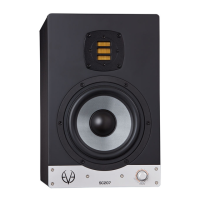
Do you have a question about the Eve Audio SC204 and is the answer not in the manual?
Use the rear power switch. LEDs indicate standby and volume. Press volume control to turn on.
Press and hold control for 3 seconds to enter Standby Mode. Press briefly to exit.
Adjust volume using the control knob. LED ring indicates level. Max input is 8 dBu.
Press control to enter menu for filters and LED behavior. Blinking LED indicates active function.
Position speakers symmetrically, at least 0.5m from walls, with adequate airflow.
Align tweeters with ear height. Ideal distance is 0.7-1.5m (SC204) or 0.7-2m (SC205).
Form an equilateral triangle with monitors and listening position (60° angles).
Position satellites symmetrically. Place subwoofer centrally, synchronized with satellites.
 General
| Type | Active Studio Monitor |
|---|---|
| Woofer Size | 4" |
| Tweeter Size | 1" |
| Amplifier Power (Woofer) | 50 W |
| Amplifier Power (Tweeter) | 50W |
| Input Types | XLR, RCA |
| Tweeter | Silk Dome |


 To Next Page