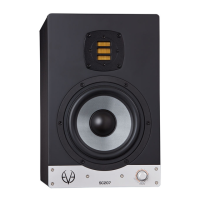
Power Switch Power Connector (IEC)
12 13
OPERATION
OPERATION
80Hz. This allows you to give more punch to the lower frequencies.
! The following applies to all three lters:
• Every step represents a 0.5dB increment.
• Maximal boost is +3dB and maximal attenuation is –5dB.
• Refer to the chapter on POSITIONING to set the lters of your EVE Audio
monitors eectively.
3.12. LED Mode
The LED Mode determines in which of the four available fashions the LED
ring displays the volume level. The LEDs represent given levels, which are
displayed and adjusted according to four steps. Intermediate steps are
indicated by the brightness between two adjacent LEDs.
• Bright Ring
All LEDs up to the selected volume level light up brightly. The louder the
signal, the longer the brightly lit-up ring.
• Bright Point
Only the LEDs corresponding to the selected volume level light up brightly.
The louder the signal, the further up the brightly lit-up point moves.
• Dim Ring
All LEDs up to the selected volume level light up dimly. The louder the
signal, the longer the dimly lit-up ring. In this mode, the LEDs light up
brightly momentarily while you adjust the volume level.
• Dim Point
Only the LEDs corresponding to the selected volume level light up dimly.
The louder the signal, the further up the dimly lit-up point moves.
! Intermediate steps are indicated by the lighting of two adjacent LEDs. The
level ranges from -60 dB to +10 dB, taking “0 dB” as reference point.
3.13. Saving Your Settings
All settings on the front and rear panels are automatically saved. The
loudspeakers can be disconnected anytime without the settings being
lost.
3.14. Power Switch
The power switch on the rear panel disconnects the loudspeaker completely
from the power grid. When powered o all loudspeaker settings are saved
and the power consumption is reduced to 0 watts.
After powering on again, the loudspeaker will return to the state it was
in before being turned o (Standby Mode, Mute Mode or a given volume
level). Even if you use a multiple outlet power strip to power the monitor
o, it will return to its previous state when powered on again.
! In order to prevent switching noise with your monitoring system keep in
mind the following rules:
When turning on your system, power all audio sources on rst and your
loudspeakers last.
When turning o your system, power o your loudspeakers rst and then
all audio sources.
3.15. DIP Switches
On the rear panel of your EVE Audio monitors you will nd three DIP
Switches. These allow you to secure your loudspeaker settings to prevent
them from being changed inadvertently.
• Volume
When set to “locked,” this DIP Switch secures the current volume setting.
The LED ring on the front panel indicates the volume setting, which cannot
be modied. When set to “variable,” the volume setting can be changed by
simply turning the knob.
• Filters
When set to “locked,” this DIP Switch secures the current lter settings. The
lter settings can be read on the LED ring but they cannot be modied.
When set to “variable,” the lters can be modied freely.
• not used
No function assigned on the SC204 and SC205.
3.16. Power Connector (IEC)
Use the power cord supplied to connect your EVE Audio monitors to the
power grid. The IEC connector includes an integrated fuse. If your EVE Audio
monitors stop working and the fuse seems to be the problem, proceed as
follows:
• Turn the loudspeaker o.
• Disconnect the loudspeaker from the power grid.
• Detach the IEC connector from the loudspeaker.
• Remove the fuse.
• Change the fuse. The replacement fuse should comply with the values
stated on the loudspeaker.



 To Next Page