Eclipse User Manual
Eclipse User Manual Page 46 of 66 Release 4.0.1
MIDI double
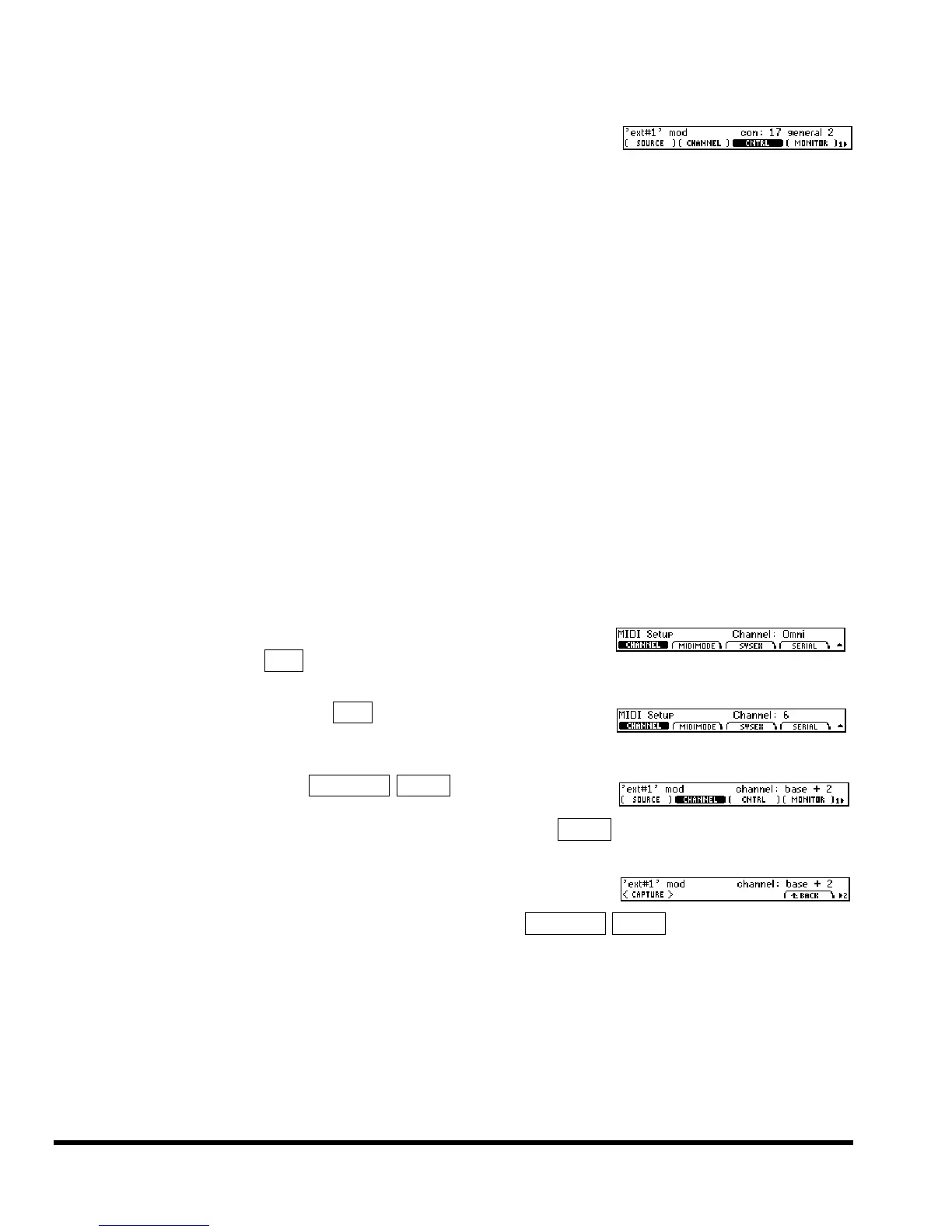
Allows selection of any MIDI control number with very
fine quantization. Input range is 0 to 16,383. A third pa-
rameter appears, (CNTRL), which selects the controller number to be used. Your choices
for con are 0 to 31. The MIDI control number con will pass the “coarse” value for the
modulation and the MIDI control number (CNTRL) + 32 will pass the “fine” value for
the modulation.
chan pressur
MIDI channel pressure message.
pitch wheel
MIDI pitch bend message.
note on
MIDI keyboard note number. Middle C on an 88-note keyboard gives a value of “60.”
Note switch Triggers when a MIDI note on event is received.
MIDI program
Triggers when a MIDI program change message is received.
MIDI clock
Modulates as a function of the BPM (beats per minute) of a MIDI clock signal. The
value of this external controller is
input_BPM / 480 = value
so 120BPM yields a value of 0.25, 96BPM yields a value of 0.2, and so on. This MIDI
message is channel-independent.
MIDI start
Triggers when a MIDI start command is received. This MIDI command is channel-
independent.
MIDI stop
Triggers when a MIDI stop command is received. This MIDI command is channel-
independent.
For all of the above MIDI messages (except for those involving “MIDI
clock”), if SETUP page 2 MIDI (CHANNEL) is set to Omni, then the
MIDI message will be accepted on any channel.
On the other hand, if SETUP page 2 MIDI (CHANNEL) is set to a specific
channel (e.g., 6), then you must select the channel that the external con-
troller will be accepted on.
Jumping back to
SETUP page 3 EXTERNAL EXT#1, select (CHANNEL).
Your selection is made relative to the channel selected in the MIDI
setup. In the example shown to the right, our base channel is
6 so EXT#1 will respond to MIDI messages
on channel 8 (6 + 2 = 8).
As opposed to “manually” selecting a MIDI controller along with its
proper channel and control number, a feature exists that “captures” the
first MIDI message sent to the Eclipse. Press SETUP page 3 EXTERNAL EXT#1 page 2 <CAPTURE>, and
then send the Eclipse the MIDI message you would like to use.



 To Next Page