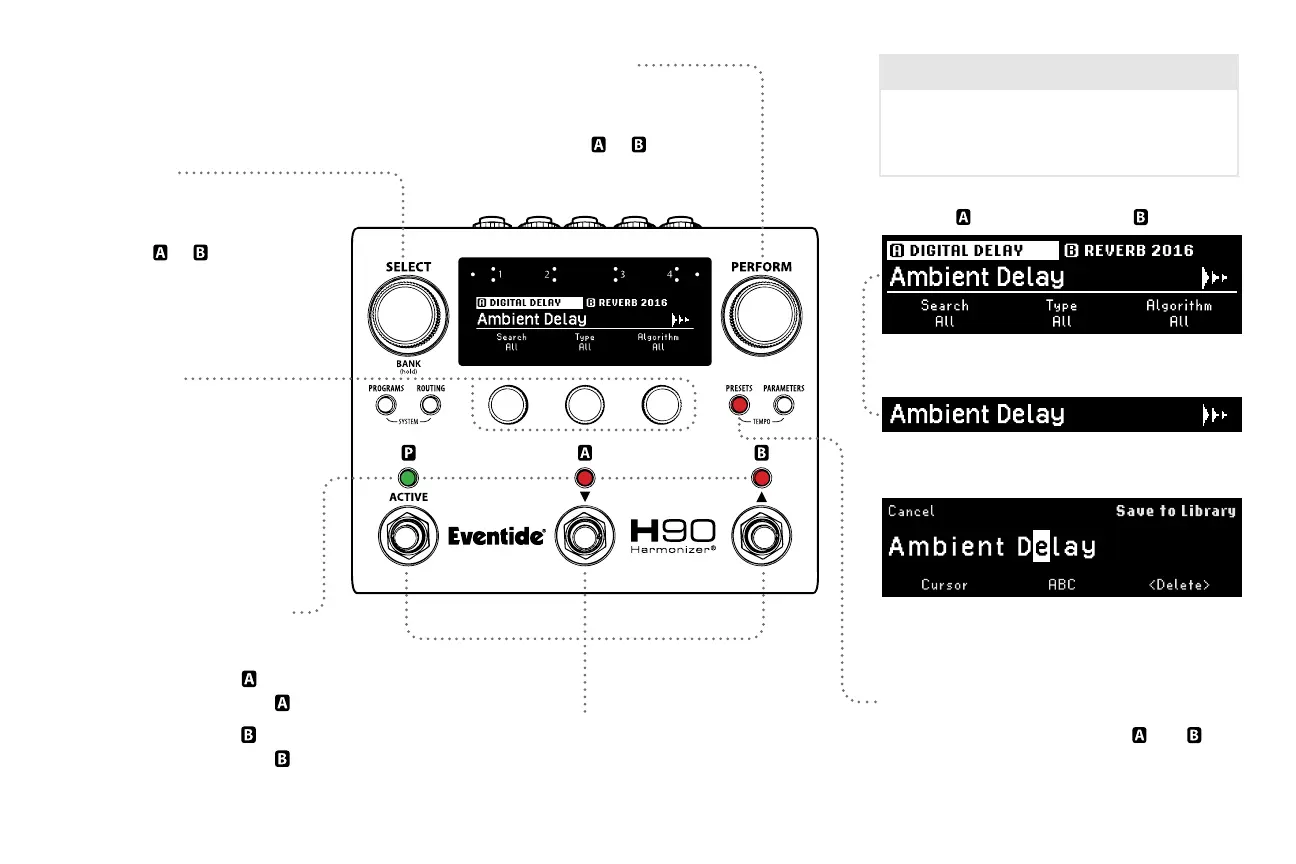
Presets Button
Press to toggle between Presets
and .
Press and hold to save the selected Preset.
Presets
Select Knob
Turn to auto-load a new Preset
from the ltered search into
the selected or slot.
Quick Knobs
Turn to adjust Preset library
search lters.
QK1: Preset Library
QK2: Eect Type
QK3: Algorithm
Footswitch LED Buttons
FS1 LED: Press to Active/Bypass Program.
FS2 LED: Press to select .
Press again to Active/Bypass .
FS3 LED: Press to select .
Press again to Active/Bypass .
10
Footswitches
Press any Footswitch to exit Presets Mode.
Perform Knob
Turn to auto-load a new Preset
from the ltered search into
the selected or slot.
Presets
Presets are the building blocks of a Program.
Uniquely named Presets can be saved to and
recalled from the Library for safe-keeping.
Highlighted Algorithm’s Preset name
Preset Saving: Press and hold the PRESETS button
to rename or save the selected Preset.
Browse Preset Library by Eect Type and Algorithm.
Algorithm
Algorithm



 To Next Page