CHAPTER 2 INSTALLATION
2.2 Adjusting Camera Position
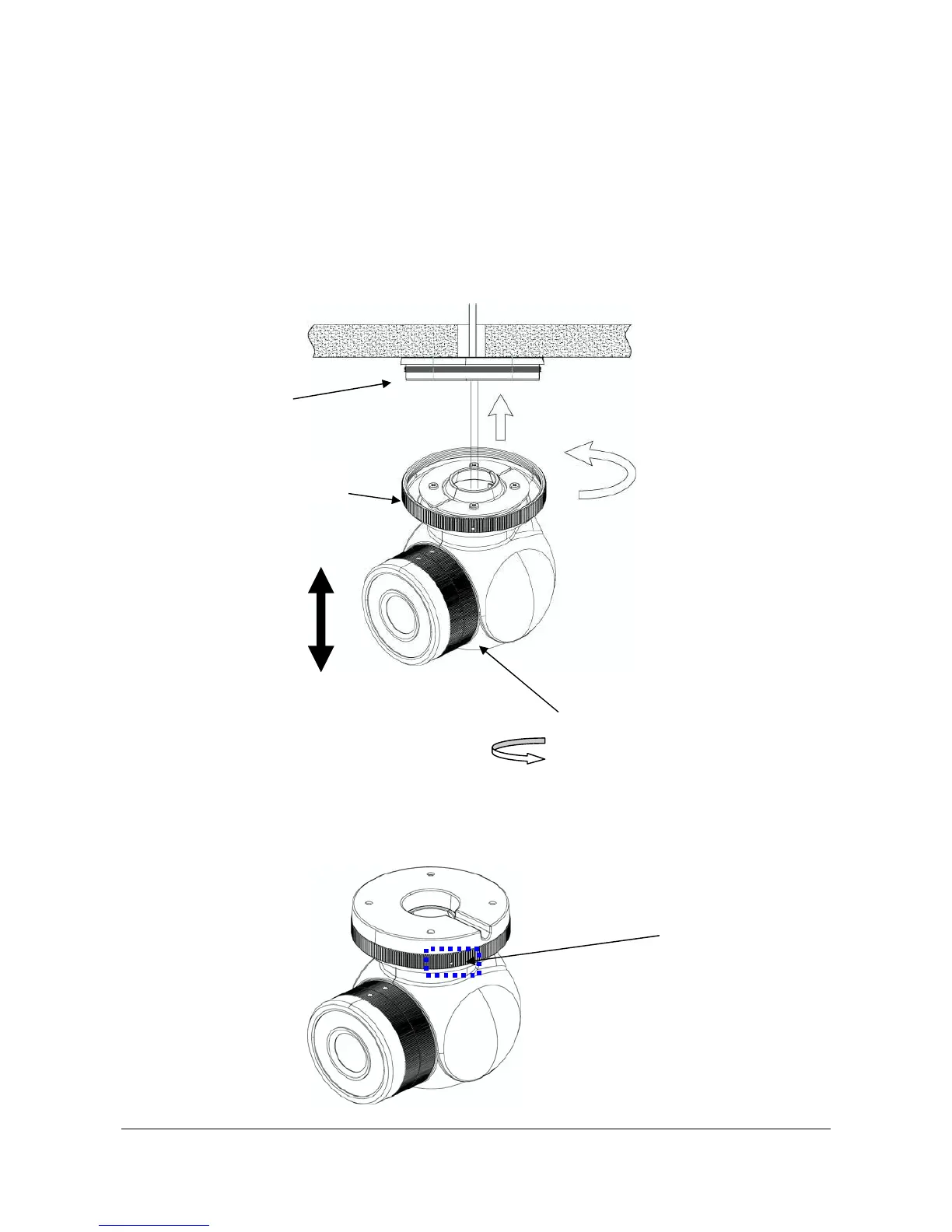
1. Attach the fixing ring with the dome body to the camera base by turning it clockwise. Please do
tighten it to camera base at this step, so that you can aim the camera.
2. Adjust the direction of the camera to get the direction of view you want.
3. Twist the fixing ring clockwise tightly to lock it to the camera base.
Vertically Adjust up and down
Horizontally Adjust 360
o
Fixing Ring
Camera Base
4. Tighten fixing screws.
Fixing Screws
13



 To Next Page