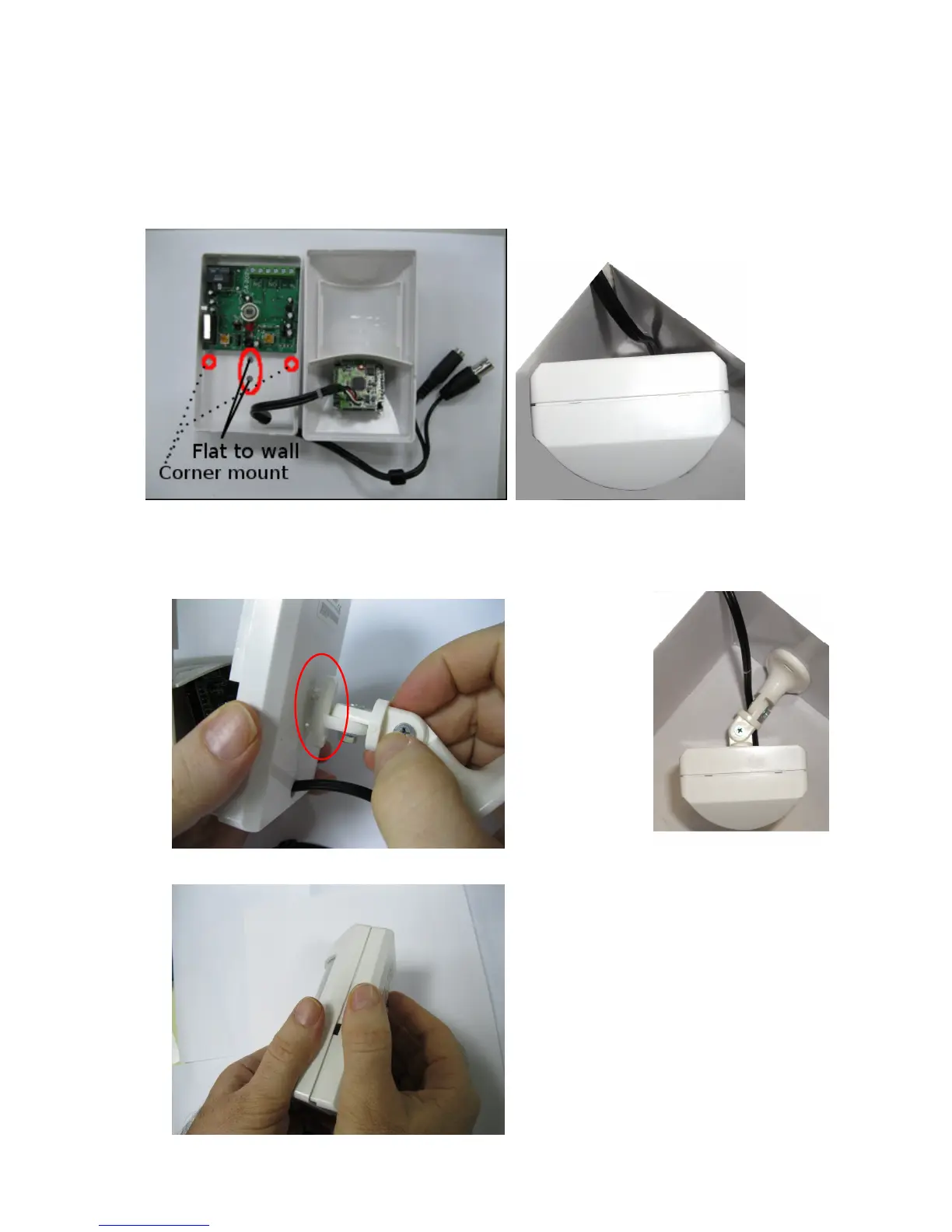
4. If not using the bracket provided (not recommended), attach the PIR detector back cover to
the mounting surface with the screws provided (Do not over tighten the screws). If corner
mounting the unit, drill a hole ~3/16” diameter in each edge, just below the motion detector
PCB. NOTE: If the bracket is NOT used, there is no way to change the camera
direction/aim the camera.
5. If you are using the mounting bracket (recommended), attach the bracket to the mounting
surface with the screws provided, then attach the PIR detector to the mounting bracket by
pressing the brackets plastic pins into the mounting holes in the back until they fit into place



 To Next Page