- 6 -
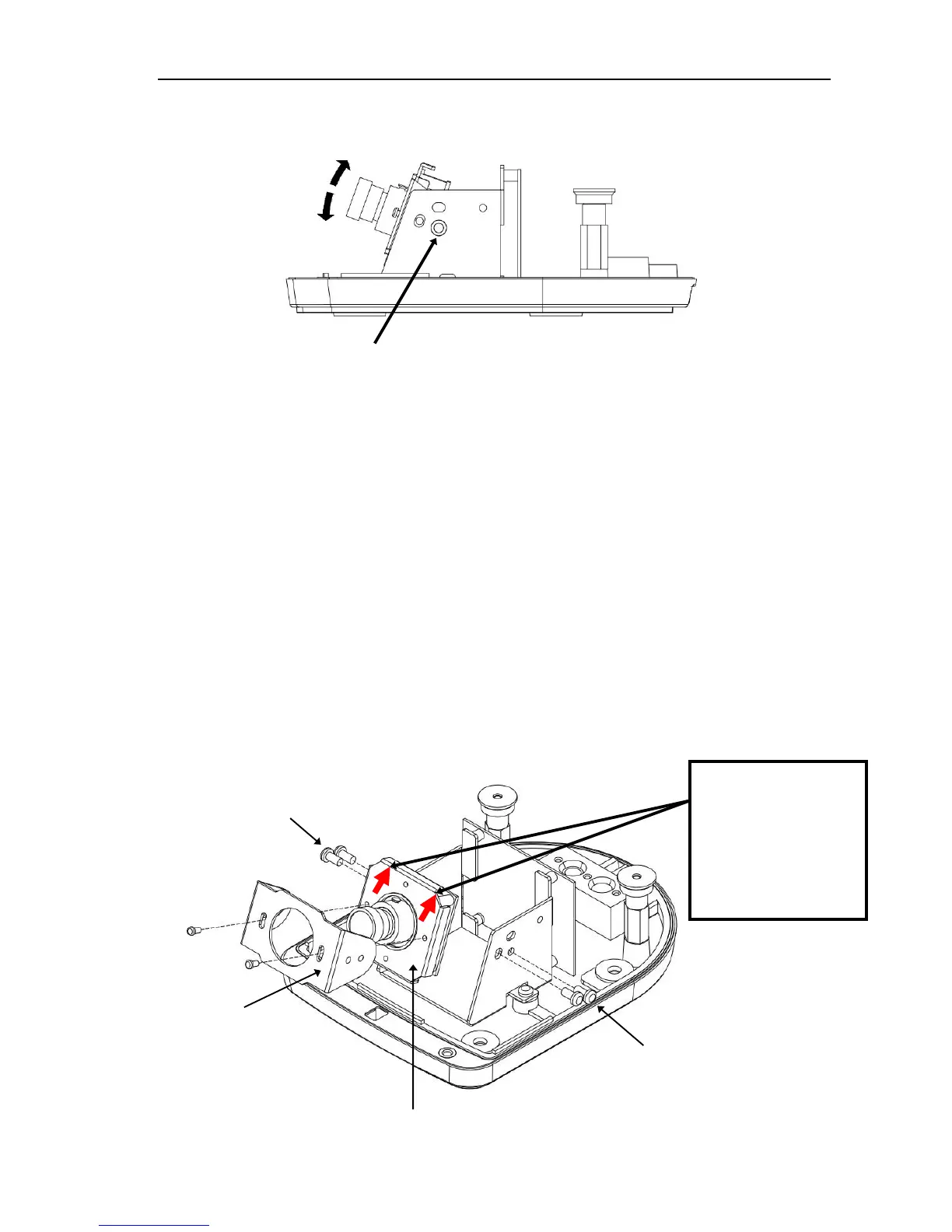
of the lens cover. If the Z-axis is rotated past 45º (side view, EMW330 only), see
step D below to reposition the IR illuminators and light sensor bracket.
3. Install the second pair of screws if the holes align.
C. Rotating the camera module on-axis
1) Remove the 4 screws from the side of the camera bracket. Remove the module
bracket from the camera bracket.
2) Depending on the mounting orientation, either
a) Invert the assembly 180º and reattach the module bracket to the camera
bracket
- or -
b) Remove two screws from the front of the module bracket, rotate the module
right or left 90° so that the lens is positioned to the correct direction, and
reassemble the module to the module bracket, then reattach the module bracket
to the camera bracket.



 To Next Page