22
9. OSD MANUAL
•
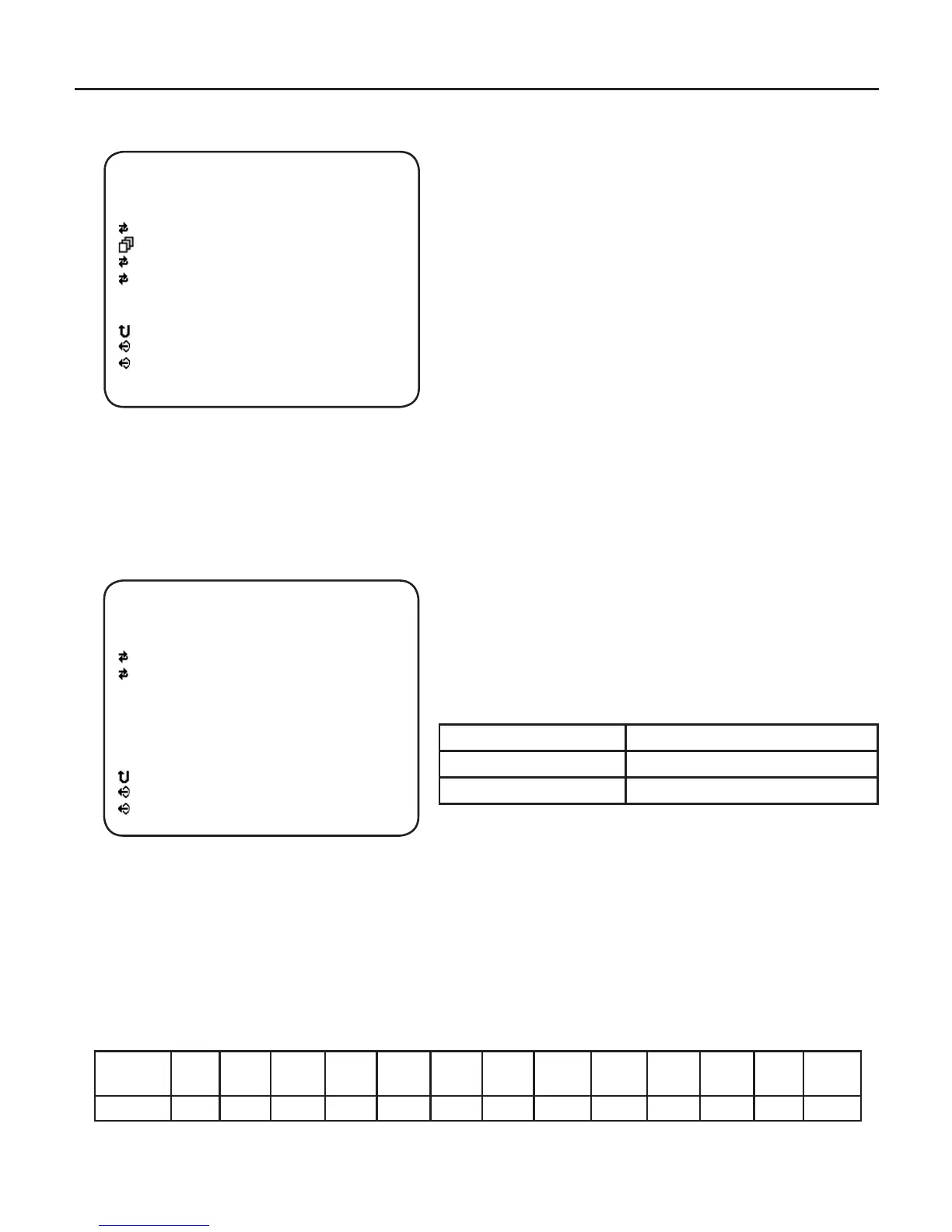
EXPOSURE
- BRIGHTNESS
Same as the BRIGHTNESS value in LENS
Menu. Using Left / Right button, adjust
Brightness value.
- SHUTTER
Using Set button, go to the SHUTTER sub
menu.
- AGC MAX
Using Left / Right button, adjust AGC Max
value.
- BLC
Using Left / Right button, select on/off of Back-
Light Compensation Control.
•
SHUTTER (Sub Menu)
- MODE
Using Left / Right button, select Shutter Control
modes – AUTO, MANUAL and FLK 60Hz
(FLK 50Hz).
AUTO Auto Exposure mode
MANUAL Manual Exposure mode
FLK 60Hz (FLK 50Hz) Flickerless mode (Default)
- SHUT LEVEL (Shutter Level)
This menu can be accessed when the Shutter Speed is set to MANUAL.
Use the Left / Right button to adjust the shutter speed control level.
Instead of using the default conventional shutter speed of 1/60,
you may choose other speeds. The speeds corresponding to the value of shutter
level are listed below.
Shutter
Speed
1/50 1/60 1/100 1/120 1/250 1/500 1/700 1/
1000
1/
1600
1/
2500
1/
5000
1/
7000
1/
10000
Level 178 169 142 135 105 65 46 32 20 12 6 4 3
[ EXPOSURE ]
BRIGHTNESS
SHUTTER
AGC MAX
BLC
ESC
EXIT
SAVE & EXIT
123
AUTO
10
OFF
[ SHUTTER ]
MODE
SHUT LEVEL
ESC
EXIT
SAVE & EXIT
MANUAL
1



 To Next Page