Customer Service 1-888-707-1880
or email customerservice@dyaco.ca
13 Dyaco Canada Inc.©2021
OPERATION OF
YOUR INDOOR CYCLE
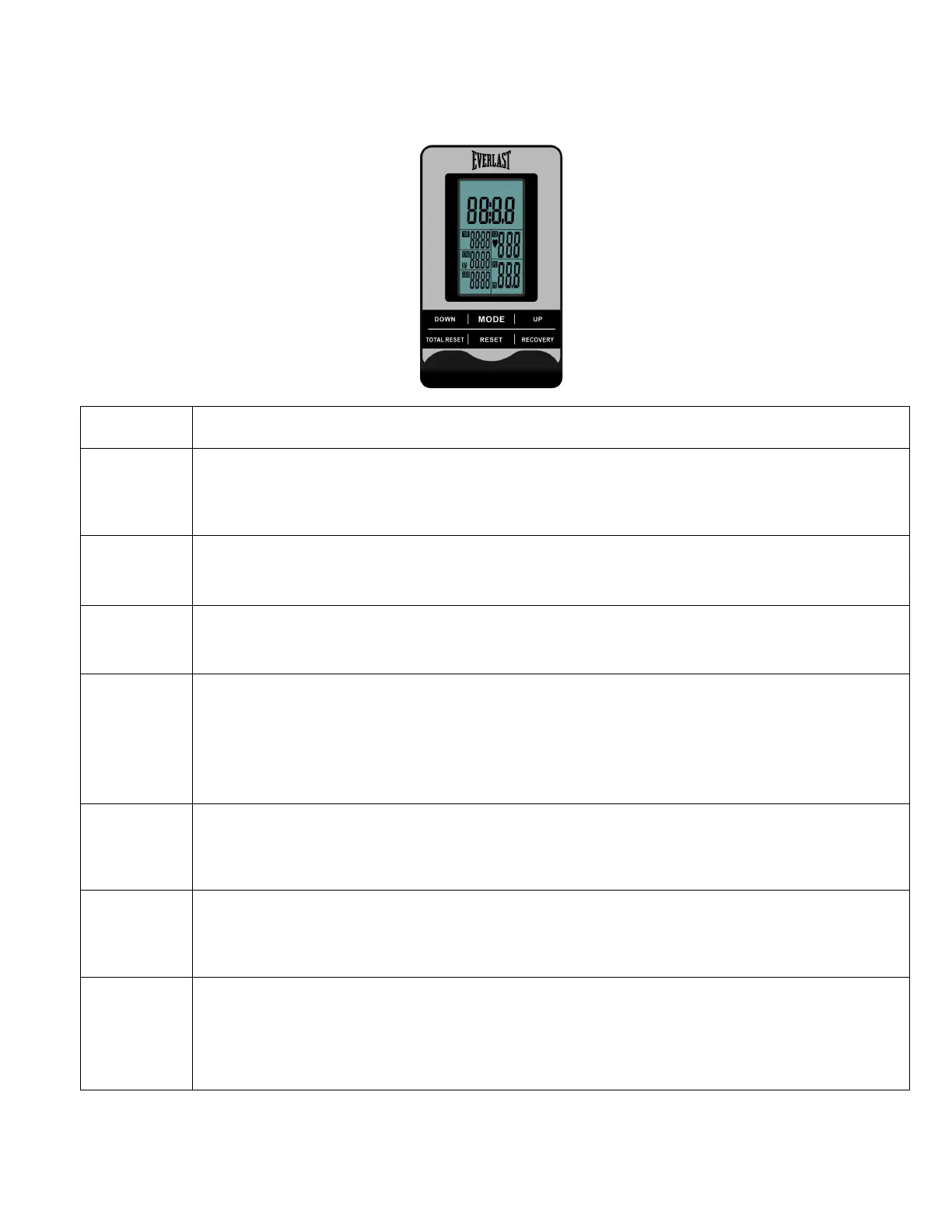
GETTING FAMILIAR WITH THE CONTROL PANEL
EV320 CONSOLE
DISPLAY FUNCTION:
ITEM DESCRIPTION
SCAN
. In SCAN mode, press MODE key to choose functions.
. Automatically scan through each mode in sequence every 6 seconds.
. The sequence of display when press MODE key : TIME→
SPEED
. Without any signal being transmitted into the monitor for 4 seconds during workout,
RPM
. Without any signal being transmitted into the monitor for 4 seconds during workout,
TIME
. Without setting the target value, time will count up.
. When setting the target value, time will count down from your target time to 0 and
alarm will sound or flash.
. Without any signal being transmitted into the monitor for 4 seconds during workout,
time will STOP
DISTANCE
. Without setting the target value, distance will count up.
. When setting the target value, distance will count down from your target distance to
0 with an alarm sound or flash.
CALORIES
. Without setting the target value, calorie will count up.
. When setting the target value, calories will count down from your target calorie to 0
with an alarm sound or flash.
PULSE
. Current pulse will display after 6 seconds when detected by the console.
. Without any pulse signal for 6 seconds, console will display “P”.
. Pulse alarm will sound when current pulse is over the target pulse.
. Range 0-30~230 BPM


 To Next Page