EasyManua.ls Logo

Everpower Electronics EP12M248 - User Manual

Everpower Electronics EP12M248
8 pages
Print Icon
To Next Page IconTo Next Page
Loading...
1
http://www.oceanpowercharger.com
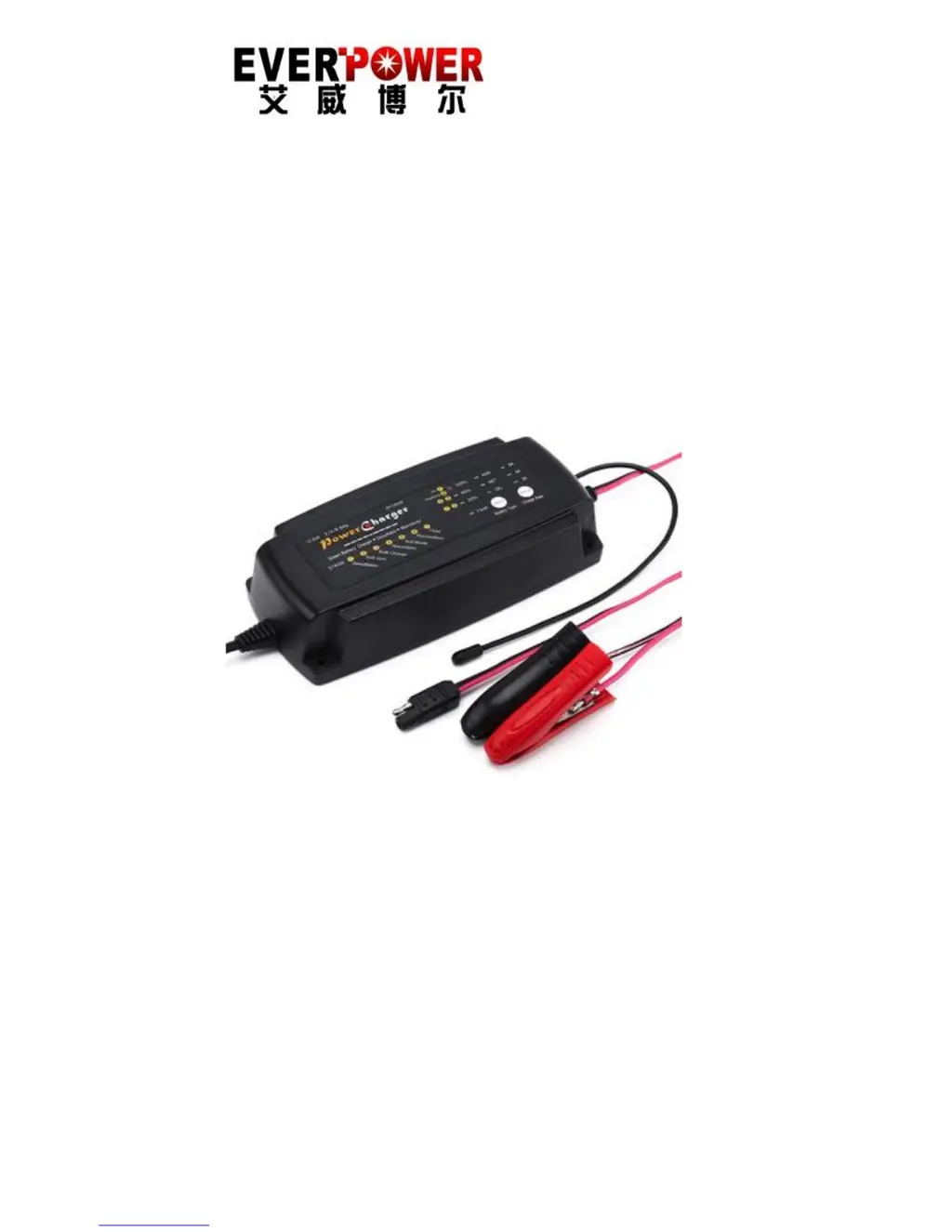
7 Stage Automatic Smart Battery Charger
Desulphuration& Maintainer
(FOR CHARGING 12V / 24V AGM, GEL,SLA AND WET BATTERIES)
USER MANUAL
THIS MANUAL CONTAINS IMPORTANT
SAFETY AND OPERATING INSTRUCTIONS

Other manuals for Everpower Electronics EP12M248

Questions and Answers

  • A
    Amber EverettAug 3, 2025
    Why does my Everpower Electronics Battery Charger take so long to charge and the 'full' LED doesn't turn on?
    • C
      Cynthia GonzalezAug 3, 2025
      If your Everpower Electronics Battery Charger has a long charging time and the full LED doesn't turn on, it could be due to a couple of reasons. First, verify that the charger specifications match the battery capacity. The battery may be too large for the charger. Second, the battery might be defective, meaning it cannot be charged and should be replaced.
  • I
    ikennedyAug 10, 2025
    What to do if my Everpower Electronics Battery Charger has no DC output?
    • N
      Noah KramerAug 11, 2025
      If your Everpower Electronics Battery Charger has no DC output, there could be a short circuit in the output. Check the DC connection between the charger and the battery to ensure they are not short-circuiting. Another potential cause is a reverse polarity connection to the battery. Verify that the crocodile clips or ring terminals are connected with the correct polarity.
  • D
    David RileyAug 17, 2025
    Why does my Everpower Electronics Battery Charger show no charging current?
    • H
      houseashleyAug 17, 2025
      If your Everpower Electronics Battery Charger shows no charging current, one potential cause is that the battery voltage is higher than the charger's rate voltage. In this case, check the battery condition; it may need to be replaced.
  • K
    Kristy DavisAug 25, 2025
    How to troubleshoot no charging current on Everpower Electronics Battery Charger?
    • H
      hesteranthonyAug 26, 2025
      If your Everpower Electronics Battery Charger isn't providing any charging current, it might be due to a severely sulphated battery or the charger being in overheat protection mode. To resolve this, move both the battery and the charger to a cooler environment.

Summary

Important Safety Instructions

Temperature & Safety Protection

Recommended Settings

Guidance for charge rate and battery type selection for optimal charging.

Technical Specifications

Electrical Parts

Details on AC power cord and output lead specifications.

Environmental Characteristics

Operating and storage temperature and humidity ranges.

Charging Instructions

Step 1 - Pre Charge

Check battery electrolyte level and identify battery type (12V/24V).

Step 2 - Connect Charger to Battery

Connect charger leads to battery terminals, considering vehicle earthing.

Step 3 - Connect Charger to Power

Connect the charger to AC mains power to begin charging.

Step 4 - Disconnect Charger from Battery

Safely switch off and disconnect the charger from power and battery.

The Charging Process

Battery Initial Condition Check

Charger diagnoses battery condition and selects initial charging stage.

Smart Charging Stages

Details on Desulphation, Soft start, Bulk, Absorption, Test, and Recondition stages.

LED Status Indication Table

Troubleshooting

Maintenance

Everpower Electronics EP12M248 Specifications

General IconGeneral
BrandEverpower Electronics
ModelEP12M248
CategoryBattery Charger
LanguageEnglish

Related product manuals