Fan Operating Instructions
10
1) Press the (on/off ) keypad to switch on the
unit.
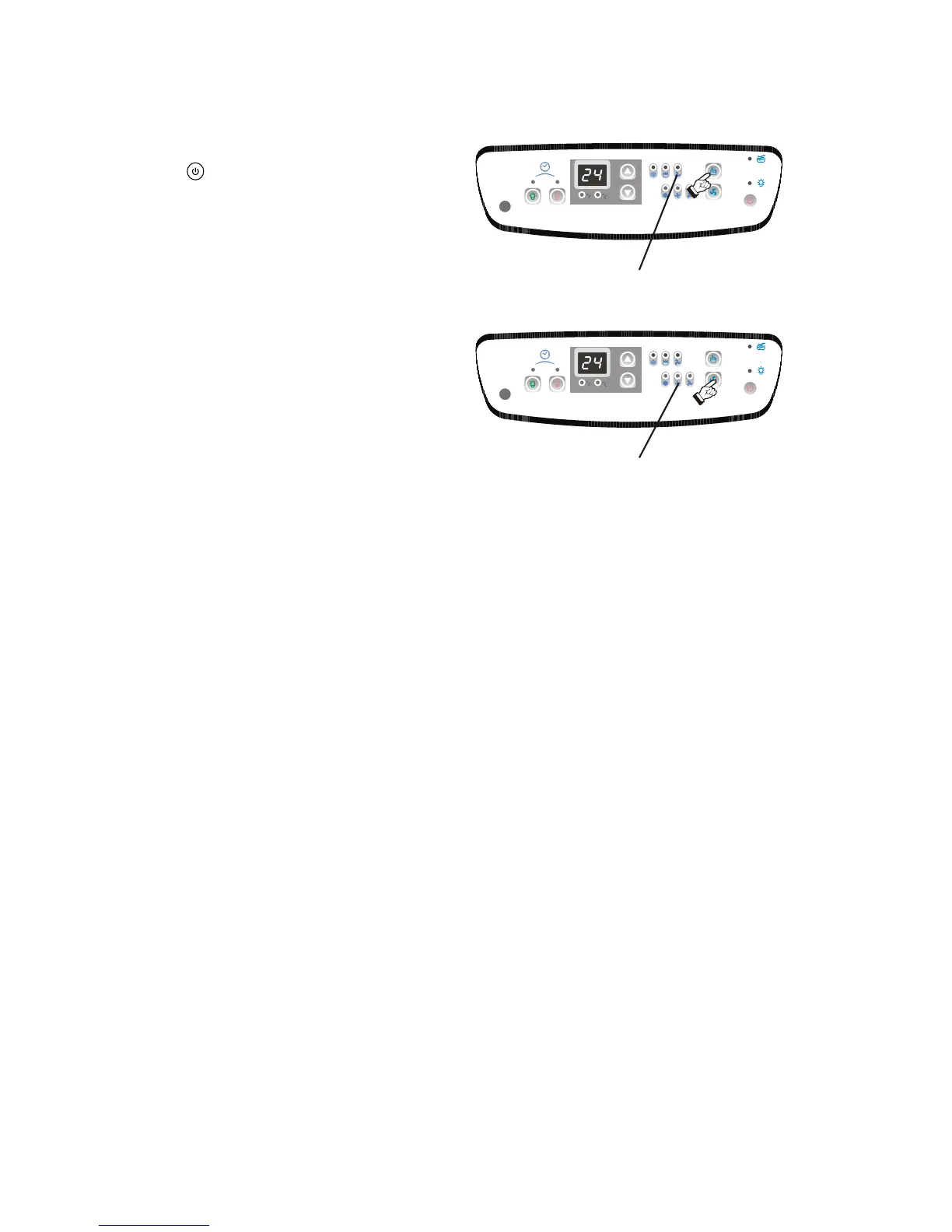
2) Press the MODE key until the FAN indicator
light comes on (Fig.17). Each depression of
the MODE key will advance to a different
mode setting (Cool-Dry ).
3) The green indicator light will come on indicating
the fan mode is operational. You can not select
the temperature under fan mode condition. The
LED window displays the ambient temperature.
4) Press the FAN key to select the desired fan
speed setting (High-Med-Low). Each
depression of the fan key will alternate between
the different fan speed settings. Fig.18.
5) To adjust "air flow" direction, (up / down only)
move the louver wheel with finger to the desired
position. Fig.14 on page 8.
-Fan
Fan Indicator
Fig. 17
Fan Speed
Fig. 18


 To Next Page