Air Conditioner Operating Instructions
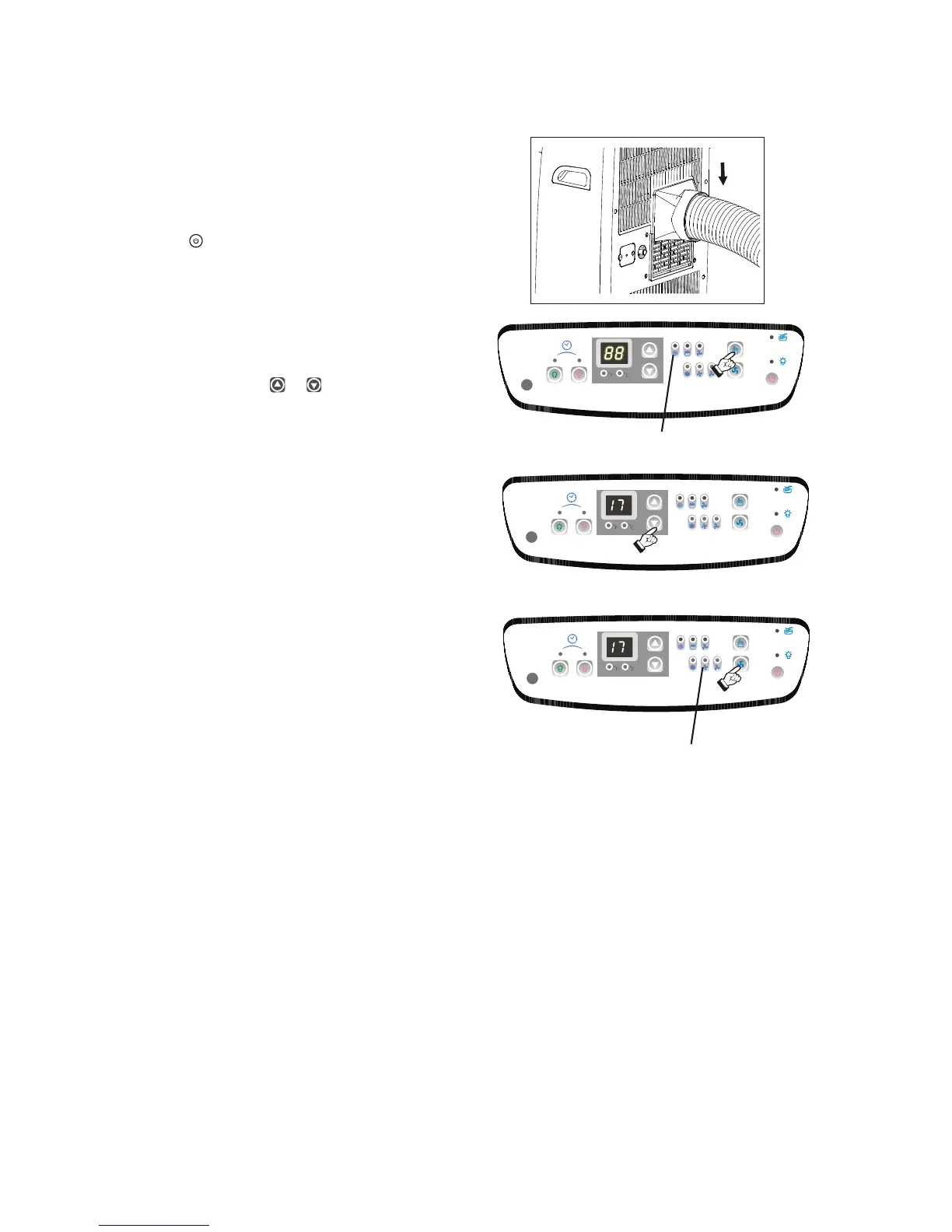
1) Install the Flexible Exhaust Hose Fig.9 and
the Adjustable Window / Slider Kit as
depicted in Fig. 2 & 2a on Page 5.
2) Press the (on/off ) key pad to switch on the
unit.
3) Press the MODE key until the COOL indicator
light comes on( Fig.10). Each depression of
the MODE key will advance to a different
mode setting (Cool-Dry ).
4) Press the appropriate or key to select a
suitable temperature setting. The temperature
selected will be indicated in the LED Display
window.
Temperature settings are adjustable between
oo oo
17 C (62 F) to 30 C (88 F). Fig.11.
The green indicator light will come on indicating
the air-conditioning mode is operational (there
may be a slight delay of 10-30 seconds before
the cycle begins, this is normal).
5) Press the FAN key to select the desired fan
speed setting (High-Med-Low). See Fig.12.
Each depression of the fan key will advance to
a different setting.
6) Condensed water will be accumulated in the
water tank. When the tank is full, the LED
window will show "P1" and the Water Full
indicator light start flashing. At this time the air
cooling process will immediately stop.
However, the fan motor will continue to operate
(this is normal). Carefully remove the water
tank from the cabinet and dispose of the water.
Replace the water tank back to it's original
position (in cabinet) and the air cooling
process will automatically resume. It may take
3-5 minutes for the compressor to re-start.
This is normal.
-Fan
7
Fig. 9
Fig. 10
Cool Indicator
Fig. 11
Fig. 12
Fan speed


 To Next Page